Changelog
Follow @goldskyio on Twitter to stay updated on everything we ship.
Feeds: Balances and Transfers APIs are live
Feeds is a new product type at Goldsky: enriched onchain datasets, ready to use. Each feed ships pre-indexed and enriched, with token metadata and USD prices already attached. Query a feed as a single API call, or stream it straight into your own database. You don't build an indexer, fan out RPC calls, or maintain a price feed.
Balances and Transfers are the first two feeds, live today. Send one address and get back what a wallet holds, or what it sent and received, across Ethereum, Base, Arbitrum One, Optimism, Polygon, BNB Smart Chain, and Robinhood Chain:
- Balances: a wallet's native and ERC-20 holdings with USD values and a total for the wallet. One response is enough to render a portfolio screen.
- Transfers: a wallet's native and ERC-20 transfers in and out, newest first, with the USD value at transfer time. Use it for deposit detection, "You received 50 USDC" notifications, and tax exports.
Simple pricing
$0.35 per 1,000 requests, with no monthly minimum. There's no per-chain surcharge, so a request across all seven chains costs the same as a request for one.
Ready for AI agents
Feeds ships with an OpenAPI spec and a copy-paste prompt for Claude Code, Cursor, and other coding agents, so an agent can wire wallet data into your app from one prompt.
What's next
More feeds are on the way beyond Balances and Transfers, including stablecoin and payment feeds, prediction markets, and tokenized assets, plus support for more chains, including non-EVM networks like Solana. Streaming feeds straight into your own database is coming soon.
Open Feeds in the Goldsky app to create an API key, then follow the Feeds quickstart.
Cut your Chainstack and dRPC costs with Boost
Boost now works in front of Chainstack and dRPC. It answers historical and tip-of-chain reads from Goldsky's indexed data at the edge, and forwards everything else to your provider unchanged. Requests Boost serves never reach your provider, so you stop paying for them.
- dRPC: 75% fewer compute units on average
- Chainstack: 50% fewer on average
- Across all providers: some workloads save up to 80%, depending on workload and setup
No migration and no new endpoints. Connect your account in the Goldsky app to start saving.
Query blockchain data over HTTP with Data APIs
Data APIs give you blockchain data over a plain HTTP endpoint. No pipeline to run, no database to host, no subgraph to maintain. You pay per query instead of paying for infrastructure that sits there between queries.
The first release covers two dataset categories:
- Blocks: block data across most EVM chains
- Polymarket: prediction market data
Pricing is $10 per million compute units. Available now to all Scale plans in the app, with more dataset categories on the way.
Create and manage Edge RPC endpoints from the CLI
Edge RPC is now a first-class command in the CLI. Create and manage RPC endpoints without leaving your terminal. Useful for scripting, CI, and giving coding agents a way to spin up endpoints without touching the dashboard.
# update to 13.9.0
curl https://goldsky.com | sh
goldsky edge --help
Ask AI from global search
Global search (Cmd + K / Ctrl + K) now has an Ask AI option. If search doesn't surface what you're after, ask the question directly from the same box anywhere in the app.
Context management in AI chat
You can now attach context to Goldsky AI chats by referencing specific products, a pipeline, a subgraph, or a Compose app, so the assistant can answer about the thing you're looking at.
Browse blockchain datasets in Explore (formerly Data sources)
We rebuilt the data sources page from the ground up and renamed it Explore.
Datasets are now grouped into categories, so you can go straight to the data you came for:
- Prediction markets: Polymarket positions, order fills, and balances, with average price and realized PnL
- Tokens: ERC-20 transfers on every supported chain, including Robinhood Chain
- Stablecoins: transfers for USDC, USDT, USDe, USD1, EURC, crvUSD, DAI, PYUSD, and more, across multiple chains
- RWAs: tokenized treasuries and gold, including Franklin Templeton's BENJI, BlackRock's BUIDL, Ondo's USDY, Paxos Gold (PAXG), and Tether Gold (XAUT) on Ethereum and BNB Chain
- Wallets: activity and balances by wallet address
Search across 130+ networks including Ethereum, Solana, HyperEVM, and Robinhood Chain, or start from the featured datasets on the landing page. From any dataset, you can go straight to streaming it into the destination of your choice.
Check it out at app.goldsky.com/explore.
New product: Build durable onchain products fast with Compose
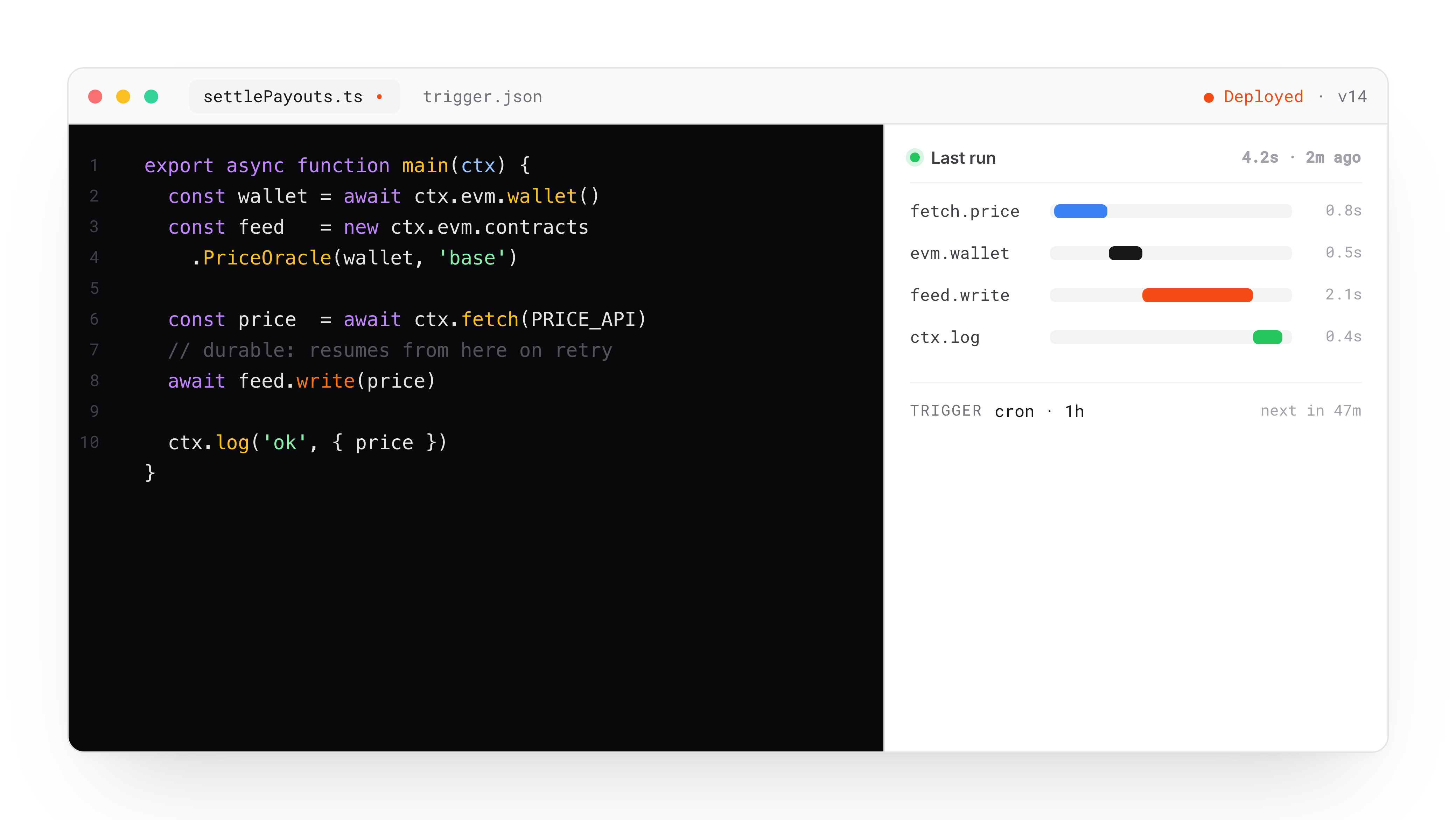
Goldsky has always been the fastest way to read blockchain data. Today we're launching the other half: Compose, a new product for writing durable onchain operations in TypeScript.
Build oracles, keepers, cross-chain automation, payment flows, prediction market resolution, or anything else that moves data and money between offchain and onchain. You write the logic. Compose handles wallets, gas, retries, state, and tracing so you can ship in days instead of months.
One line of code, one wallet, 100+ chains
No key management. No funding scripts. No balance monitors. Call evm.wallet() and you get a persistent smart wallet with gas sponsoring on by default, backed by Goldsky Edge RPC across every major EVM chain.
const wallet = await evm.wallet({ name: 'my-wallet' })
Under the hood it's EIP-7702 + ERC-4337, billed monthly in fiat. Bring your own EOA if you prefer.
Transactions that don't double-send or silently fail
Compose tasks run in sandboxed, durable execution environments. If a task crashes mid-run, it picks up where it left off. Every external call is deterministically cached within a run, so completed steps replay their result instead of re-executing. For anything involving money, this is the difference between sleeping through the night and getting paged at 3am.
retry_config:
  max_attempts: 3
  initial_interval_ms: 1000
  backoff_factor: 2
Retry policies are configurable at both the individual call level and the task level.
Trigger tasks from anywhere
Cron schedules, HTTP endpoints, or live onchain events. Mix and match on a single task. Onchain triggers fire the moment a matching log is emitted:
triggers:
  - type: 'onchain_event'
    network: 'base'
    contract: '0xb74de3F91e04d0920ff26Ac28956272E8d67404D'
    events:
      - 'Transfer(address,address,uint256)'
Every execution, fully traced
Every external call your task makes is logged with inputs, outputs, and timing. When someone asks what your system did at 2:47am last Tuesday, you open the dashboard, step through the trace, and show them. Five-minute answer instead of a three-day archaeology project. For compliance-sensitive workflows, these traces are your audit artifact.
Built-in state that scales with you
Tasks get a document store out of the box. SQLite locally, isolated Postgres when deployed. Same API, same code:
const prices = await collection<Price>('prices', [
  { path: 'symbol', type: 'text' },
  { path: 'ts', type: 'numeric' },
])
await prices.insertOne({ symbol: 'BTC', usd: 67234, ts: Date.now() })
Same code: local and cloud
Your task code doesn't change between environments. Develop locally against forked mainnet state with goldsky compose start --fork-chains, then deploy to cloud with goldsky compose deploy.
Get started today
Three commands to your first Compose app:
curl https://goldsky.com | sh
goldsky compose install
goldsky compose init
Explore the quickstart, build a Bitcoin oracle, copy-trade Polymarket whales, or dive into the full docs. Migrating from Gelato? There's a migration guide for that.
Block range configuration for Turbo datasets
You can now specify start_at and end_at blocks directly in the Turbo visual pipeline editor when creating datasets. This is particularly useful for Solana, Stellar, and Near where you might want to index a specific range of history or skip early blocks.
Solana dataset filtering by program and account IDs
Solana datasets now support filtering at the dataset level by program IDs and account IDs. This results in smaller payloads, quicker syncs, and lower costs. Before, these filters only applied at the slot level, which meant you were still pulling more data than you needed.
New Solana and Stellar datasets in Turbo visual pipeline editor
The updated Solana and Stellar datasets are now available in the Turbo visual editor UI. These are the same high-performance datasets from our Turbo backend, now accessible through the visual builder instead of just YAML.
- Added chain support for streaming pipelines: Litecoin
- Added chain support for Edge RPC: Tempo
- Improved tooltip and dialog animations across the platform
- Fixed dropdown scaling inconsistencies at different zoom levels in visual editor
- Resolved automatic line connections in Turbo visual editor
- Fixed pipeline source selection persistence when deploying from visual editor
MySQL sink for Turbo pipelines
Turbo pipelines now support streaming data directly to MySQL databases. The new MySQL sink plugin handles connection pooling, batching, and retry logic automatically. Configure it like any other sink in your pipeline YAML.
This rounds out our relational database support alongside PostgreSQL and ClickHouse.
Edge timeout and caching improvements
We've tuned Edge's connection handling for even better reliability:
- Higher timeouts for cache operations to accommodate network latency
- Improved gRPC connection handling for edge nodes
- Added Etherlink archive node support via Zeeve
- Multiple public fallback endpoints for more chain coverage
SQS sink for Turbo pipelines
You can now stream blockchain data directly to Amazon SQS with both Goldsky Mirror and Turbo. This is useful when you need to trigger Lambda functions, integrate with existing AWS workflows, or build event-driven architectures without managing additional infrastructure.
Configure it the same way as other sinks by pointing your pipeline to an SQS queue URL. Authentication uses standard AWS credentials.
Solana fast scan and source filtering
We've simplified how you filter Solana data. The fast_scan option is now just filter, and you can configure accounts and programs directly in your YAML without parsing SQL-like syntax.
Before:
fast_scan: "account IN ('abc', 'def') AND program = 'xyz'"
After:
filter:
  accounts: ['abc', 'def']
  programs: ['xyz']
Faster chain head updates for Subgraphs
We've rolled out Redis-based chain head updates across all production indexers. This reduces database load and improves how quickly your subgraphs detect new blocks, especially during high-traffic periods. This change is live for all shared and dedicated indexers. No action needed on your end.
Visual canvas for Turbo Pipelines
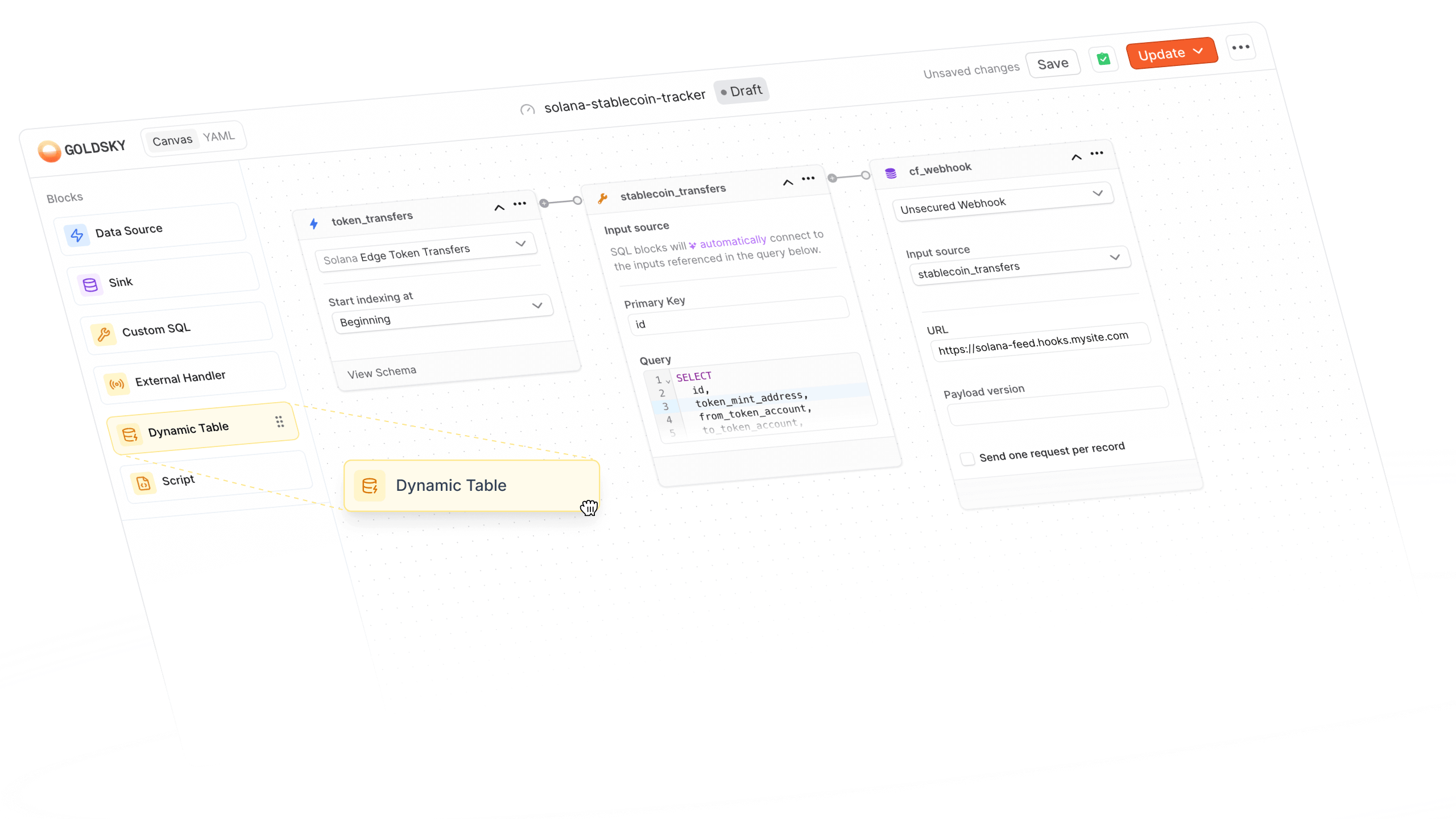
Building Turbo pipelines is now more visual. You can now design your entire pipeline using our drag-and-drop canvas editor (YAML optional).
We've added two powerful new transform types:
- Script transforms let you write JavaScript or TypeScript directly in the canvas, with syntax highlighting and real-time error checking
- Dynamic tables give you in-memory or Postgres-backed state for complex enrichment patterns
The canvas automatically detects YAML-only sources (like Kafka or ClickHouse) and switches to YAML mode when needed. Everything you've come to expect from Mirror pipelines is now available for Turbo.
Teams
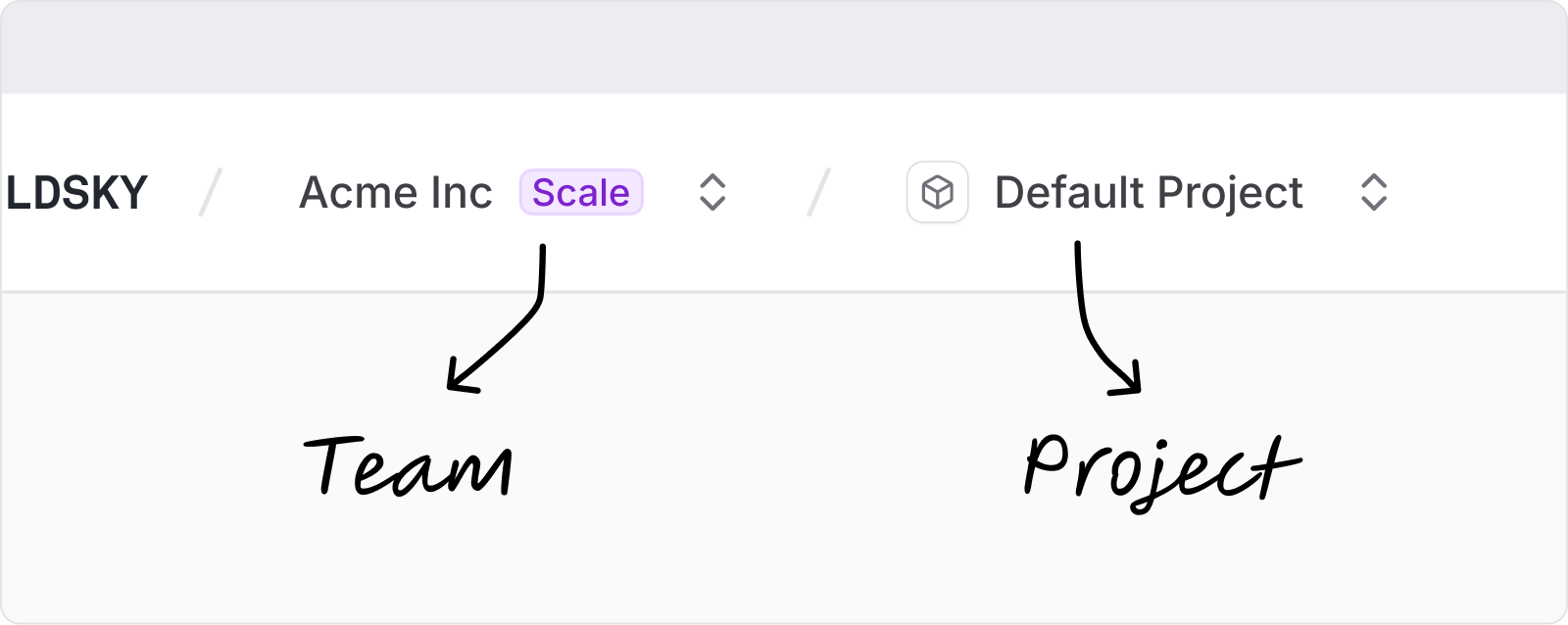
We've rolled out team-level organization across the platform. Teams let you share subscriptions, projects, and billing across your organization.
What's new:
- Create and manage teams from the dashboard or CLI (
goldsky project create --team-id) - Invite team members with role-based permissions (Owner, Admin, Editor, Viewer)
- Single subscription shared across all team projects
- Team names auto-generated during onboarding
If you're on an existing project, you'll see a new Teams section in your settings.
Solana Fast Scan
Backfilling Solana data is now dramatically faster. Fast Scan uses a ClickHouse index to skip irrelevant slots during backfills. Instead of scanning every slot, your pipeline only processes the ones that match your filter. Learn how to enable it in your pipeline config here.
This is especially powerful for program-specific pipelines where you only need a fraction of chain activity.
Compose CLI updates
The Compose CLI now includes built-in install and update commands for extensions. You can also set secrets directly with compose secret set -t <token>.
We've also fixed extension binary resolution—the CLI now checks ~/.goldsky/bin/ first, so you won't hit conflicts with other binaries in your PATH.
- Added Stellar dataset support for operations, transactions, and events via XDR
- CLI extensions now resolve from ~/.goldsky/bin/ to avoid PATH conflicts
- Fixed billing display showing incorrect Turbo entity limits on free plans
- Fixed YAML editing resetting one_row_per_request to false on save
- Improved Postgres connection handling with deadlock-aware retry logic
CLI extension management
We've added explicit install and update commands to the Goldsky CLI for extensions like Compose. You can now run goldsky compose install to set up the extension, or goldsky compose update to grab the latest version—including support for pinning specific versions with --version 0.2.0.
This also fixes a longstanding bug where goldsky compose --version would show the help menu instead of the version number. Small fix, big annoyance gone.
Stellar Ledgers 1.2.0 with XDR support
Mirror now supports Stellar ledger data via XDR sources. You can stream Stellar mainnet ledgers directly into your pipeline with the new stellar_mainnet.ledgers dataset—complete with all the transforms from v1.1.0 baked in. Just point to the dataset, set your block range, and go.
If you're building on Stellar, this makes indexing ledger data significantly cleaner.
Address checksum function
We've rolled out a new to_checksum_address function for transforms. It handles EIP-55 and EIP-1191 checksumming of hex addresses, so you can normalize addresses without external tooling. Works exactly how you'd expect—pass in a hex address, get back the properly checksummed version.
Compose concurrent execution fix
We tracked down a subtle but painful bug where Compose tasks would hang indefinitely when running concurrent context function calls (like multiple fetch or readContract calls with identical parameters). The root cause was deterministic IPC message ID generation that caused collisions under concurrent load.
This affected pipelines with parallel operations—particularly oracle feeds and multi-contract reads. Tasks that previously hung for 30 minutes until timeout will now complete normally. If you've been seeing mysterious hangs in Compose, this is the fix.
Compose hits v0.1.0
We've officially tagged Compose as v0.1.0 – our first versioned release. This marks a milestone: Compose is now production-ready with proper versioning and changelog tracking.
If you've been building with Compose, your workflows are now more predictable. Version pinning means no surprises when we ship new features. We'll be publishing release notes with each version so you know exactly what changed.
Install the CLI without sudo
No more needing to typing your password to install the Goldsky CLI. We've moved the default installation path from /usr/local/bin to ~/.goldsky/bin, which means you can install and update without elevated permissions.
Add ~/.goldsky/bin to your PATH and you're set. Cleaner, safer, and it plays nice with team machines where you don't have admin rights.
Stream pipeline data straight to your terminal
The goldsky turbo inspect command now supports a --print flag that bypasses the interactive TUI and streams live data directly to stdout.
This makes it easy to pipe pipeline output to other tools, capture logs for debugging, or run inspect in environments where a terminal UI isn't practical. The TUI is still the default – add --print when you need raw output.
Get notified when Compose tasks fail
We've wired up failure notifications for Compose tasks. When a task run fails, you'll get an email so you don't have to check logs to find out something broke.
Notification preferences work the same way as pipelines and subgraphs. Toggle them in the UI under your project settings.
Secrets now live where you use them
We've moved secrets to the app details page in the UI. Instead of scrolling through all secrets across all apps, you'll see the secrets actually attached to the app you're looking at.
This makes it easier to audit what's in use and spot when something's missing. Secrets are still project-scoped, but the view is now app-scoped.
- Added chain support: Conflux eSpace, Robinhood Chain Testnet
- Fixed pre-Bedrock block indexing on Optimism — all historical data now accessible
- Resolved pipeline inspection issues with new terminal output mode
- Improved database connection reliability for high-throughput pipelines
- Faster Edge response times with optimized provider routing
Turbo Pipeline metrics
You can now see real-time metrics for your Turbo pipelines directly in the dashboard.
We've added records received and records written graphs to the Turbo pipeline details page – the same visibility you've had for Mirror pipelines. Monitor throughput, spot bottlenecks, and understand exactly how your pipeline is performing without digging through logs.
Smarter secret management
We've added guardrails to prevent accidental breakage when managing secrets.
You can no longer delete a secret that's actively used by a Turbo pipeline sink. We've also added validation to catch when a secret name collides with your app name (a subtle issue that previously caused deployment failures). Both checks happen before you can make the mistake.
Re-org handling for private key wallets
Compose apps using private key wallets now automatically handle chain reorganizations.
When a transaction gets dropped due to a re-org, we detect it and replay the transaction for you. This was already working for built-in wallets, and now private key wallets get the same resilience. One less edge case to worry about in your app logic.
Faster transaction lookups
We've significantly improved transaction hash lookup performance in Mirror.
The previous bloom filter approach was taking ~1 second per lookup on cold storage. We've restructured the index to be much faster, which you'll notice when querying historical transaction data.
- Added chain support: RISE Mainnet, Eden Mainnet, Fogo Mainnet
- Fixed YAML editor showing both error and success on validation failure
- Fixed mobile formatting for Turbo promo modal
- Fixed Compose CLI install issue with
goldsky compose start - Reduced S3 sink log verbosity
- Improved Edge routing for Monad mainnet
Realtime caching for Edge RPC
Your Edge queries just got faster without waiting for cache invalidation.
We've rolled out realtime caching across Edge. For frequently-accessed data like eth_blockNumber and eth_get* calls, you now get fresh results in milliseconds. TTLs are tuned per-network: 15s for mainnet, 3s for high-throughput chains like Polygon and Base, and 400ms for everything else. No config changes needed on your end.
Edge status page
You can now see Edge network health at a glance on our public status page.
Every 5 minutes, we sync the status of all Edge-supported networks so you know exactly what's up (and what's not) without digging through dashboards.
S3 sink credentials as secrets
We've added secret management for S3 sinks in Turbo pipelines. You can now configure your AWS credentials once as secrets and reference them in your pipeline config. This brings S3 sinks in line with how other sinks handle sensitive config.
Restart API for Turbo pipelines
You can now explicitly restart a paused or stopped Turbo pipeline.
Previously, restarting meant redeploying. Now there's a dedicated restart API so you can pause pipelines to save resources and bring them back without a full redeploy cycle. Coming soon to the dashboard.
Wallet balance in Compose apps
Compose apps can now check wallet balances directly.
We've added a getBalance method to EVM wallets in Compose. Query native token balances without leaving your app context. Useful for P2P flows, payment verification, or just knowing how much gas you're working with.
Improved transaction reliability on Base
Transactions on Base now land more consistently.
We've tuned fee estimation, nonce selection, and broadcast behavior specifically for Base. eth_sendRawTransaction now uses fire-and-forget broadcasting with higher fanout, and we query more upstreams for the highest nonce. If you've seen stuck or dropped transactions on Base, this should help.
WETH balance tracking now captures deposits
We've fixed an issue where WETH deposit events weren't being captured by our Ethereum mainnet balance indexer. If you're tracking token balances, you'll now see WETH balances update correctly after deposits.
Automated cleanup of unused subgraphs
We've added a 30-day grace period for paused subgraphs, after which point they will be automatically deleted. You'll get an email with a heads up 7 days in advance. Simply unpause the subgraph to keep it. Otherwise, we'll delete it and save you costs for subgraph storage you don't need.
Smarter subgraph failure notifications
If your subgraph hit a temporary hiccup and recovered quickly, you used to get a flurry of failure/recovery notifications. We've added intelligent debouncing that waits a couple minutes before alerting you, filtering out those brief blips. You'll still get notified about real issues, just without the noise from transient failures.
PostgreSQL sink: conflict handling options
You now have more control over how your PostgreSQL sink handles duplicate records. Choose between ON CONFLICT DO UPDATE (the default, which overwrites existing rows) or ON CONFLICT DO NOTHING (which skips duplicates). This is especially useful when you want to preserve existing data or optimize for write-heavy workloads.
ClickHouse sink: smarter deduplication
We've added automatic deduplication for ClickHouse sinks that kicks in before parallel writes. This means if the same record appears multiple times in a batch, only the latest version gets written, preventing out-of-order issues and ensuring your data stays consistent without extra work on your end.
Turbo pricing in invoices
Your invoices now show the full breakdown of Turbo pipeline charges. Whether you're on a usage-based plan or scaling up, you'll see exactly how your Turbo usage translates to your bill, making it easier to plan and optimize your indexing costs.
Introducing Turbo Pipelines + Solana support
Slow spin-ups, constantly waiting for redeploys to test and debug, and opaque logs make building with blockchain data feel heavier than it should. Turbo Pipelines brings significant performance improvements and capabilities to blockchain data streaming.
Powered by our next-generation data pipeline engine built in Rust, Turbo offers:
- Vectorized SIMD-parallelism
- Instant startups
- Live data previews
- Solana support
- TypeScript transformations
- Dynamic tables
Fast by default
Turbo Pipelines accelerates developer workflows as well as data streaming performance.
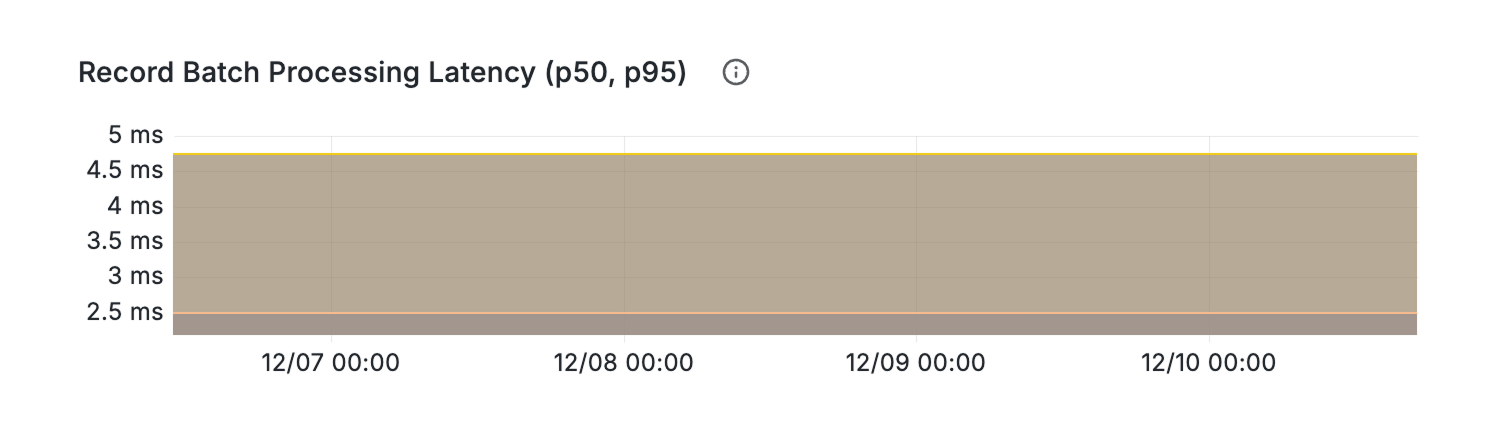
- Microsecond processing: Single-worker pipelines decode and filter batches of thousands of records in milliseconds, thanks to vector parallelism.
- Instant deployment: Run
turbo applyto immediately start your pipeline, saving you several minutes of thumb-twiddling. - Hot-reloadable: Update your running pipelines without stopping and redeploying them. Just make your changes and run
turbo applyagain. - See before you ship: Live previews of data flowing through your pipelines, local debugging with real pipeline outputs, and OpenTelemetry (coming soon) makes it obvious what’s happening at every step.
- Live inspect: Monitor what data is flowing through your pipelines at every single step with
turbo inspect. Filter it down to individual sources, transforms, and sinks. - Log running outputs: Use
turbo logsto monitor what outputs your pipelines are producing.
- Live inspect: Monitor what data is flowing through your pipelines at every single step with
- TypeScript transforms: In addition to SQL and HTTP handlers, you can now write custom logic in TypeScript/JavaScript, executed via WebAssembly in a sandboxed environment.
- Dynamic tables: Create real-time lookup tables for filtering and enrichment on unlimited addresses.
- Auto-populate your dynamic tables from on-chain data using SQL in your pipeline config.
- Dynamic tables are also updatable, so you can modify them in real-time without redeploying your pipeline.
- Multi-chain ready: First-class Solana support, plus 140+ other supported chains from a single pipeline config (including all your transforms and sinks!)
Solana data streaming support
In addition to the same features above, Turbo Pipelines brings to the Solana ecosystem:
- Full historical access: unlimited historical replay of all Solana blocks, transactions, instructions, and token activity all the way back to genesis.
- High availability and resilience with automatic recovery, DLQs, at-least-once delivery guarantees, and the reliability and support included in all Goldsky indexing products.
- Built-in transforms and sinks: no plugin hunting required. Write processed data to webhooks, PostgreSQL, ClickHouse, Kafka, and more.
- Pre-processed, optimized datasets for common use cases.
Getting started with Turbo Pipelines
In the Goldsky web app:
- Log into the web app
- Go to Pipelines
- Create a pipeline and select Turbo
Or in your CLI:
- Follow the Turbo Pipelines quickstart guide :)
Ready to go Turbo?
View the full docs to learn more about all the new capabilities. If you have questions, reach out to us at [email protected].
Easier migration from The Graph
We've added automatic chain slug mapping when deploying subgraphs from The Graph to Goldsky. No more manual fixes for mismatches like sei-mainnet vs sei: your migrations just work now.
Schema overrides for ClickHouse sinks
You can now customize how your data lands in ClickHouse with schema overrides. This gives you control over type mappings and helps avoid timezone errors with timestamps. Perfect for teams with specific data warehouse requirements.
Pause pipelines that keep crashing
Sometimes a pipeline gets stuck in a crash loop and you just need to pause it while you investigate. We've added the ability to pause pods that are crash looping, giving you more control when things go sideways. No more waiting for the restart cycle to complete before you can take action.
Validation for secrets
We now validate your secrets before deploying, catching configuration issues early. If something's wrong with your secret format or values, you'll know right away instead of discovering it when your pipeline fails to start.
Expanded integer support for JSON data
Working with large numbers like U256 and I256 values? We've improved our JSON-to-Arrow conversion to handle these properly. Your uint256 token amounts and other big integers now flow through pipelines without precision issues.
MegaETH miniblocks V2 datasets
MegaETH miniblocks just got more useful. We've rolled out V2 datasets with two new fields: index and gas_used at the top level. If you're building on MegaETH and need granular block data, these additions give you better tracking for transaction ordering and gas consumption.
Solana transaction index for instructions
You can now see exactly where each instruction sits within its parent transaction. We've added transaction_index to the instructions dataset, making it easier to understand instruction ordering and build more precise analytics.
YAML editing
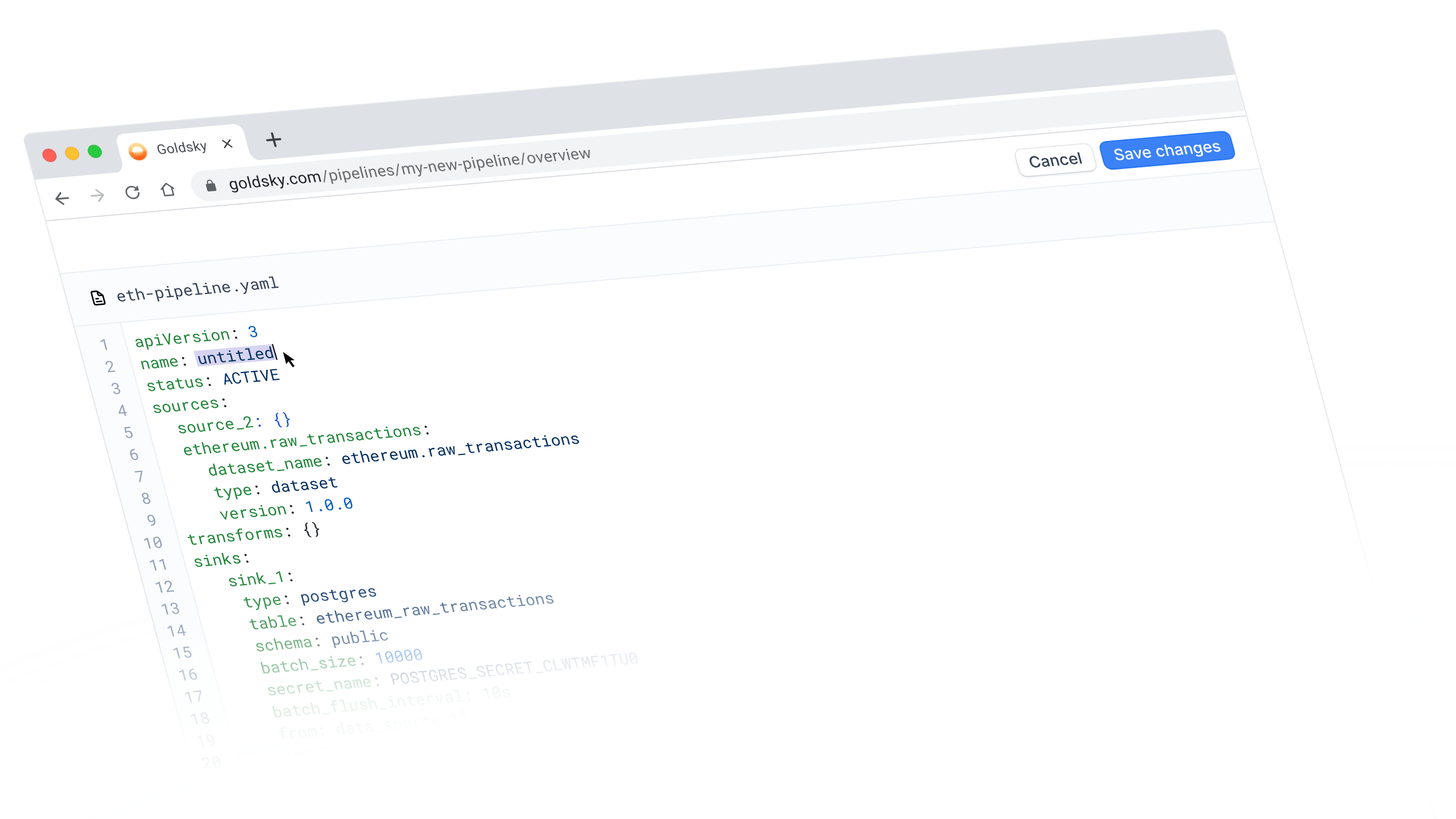
Sometimes the fastest way to configure a pipeline is to just write it.
The Goldsky Flow YAML view is now fully editable, meaning you can make changes directly without bouncing back and forth between different windows.
Bidirectional sync means you can work on pipelines however you want — CLI, visual editor, or YAML — and your changes will stay updated between them.
What's new
When you switch to the YAML view in Flow, you can now:
- Edit the YAML directly instead of just viewing it
- Save your changes, which will automatically sync with the visual canvas and CLI
- Deploy straight from YAML view without switching back to the editor
Goldsky Flow Templates
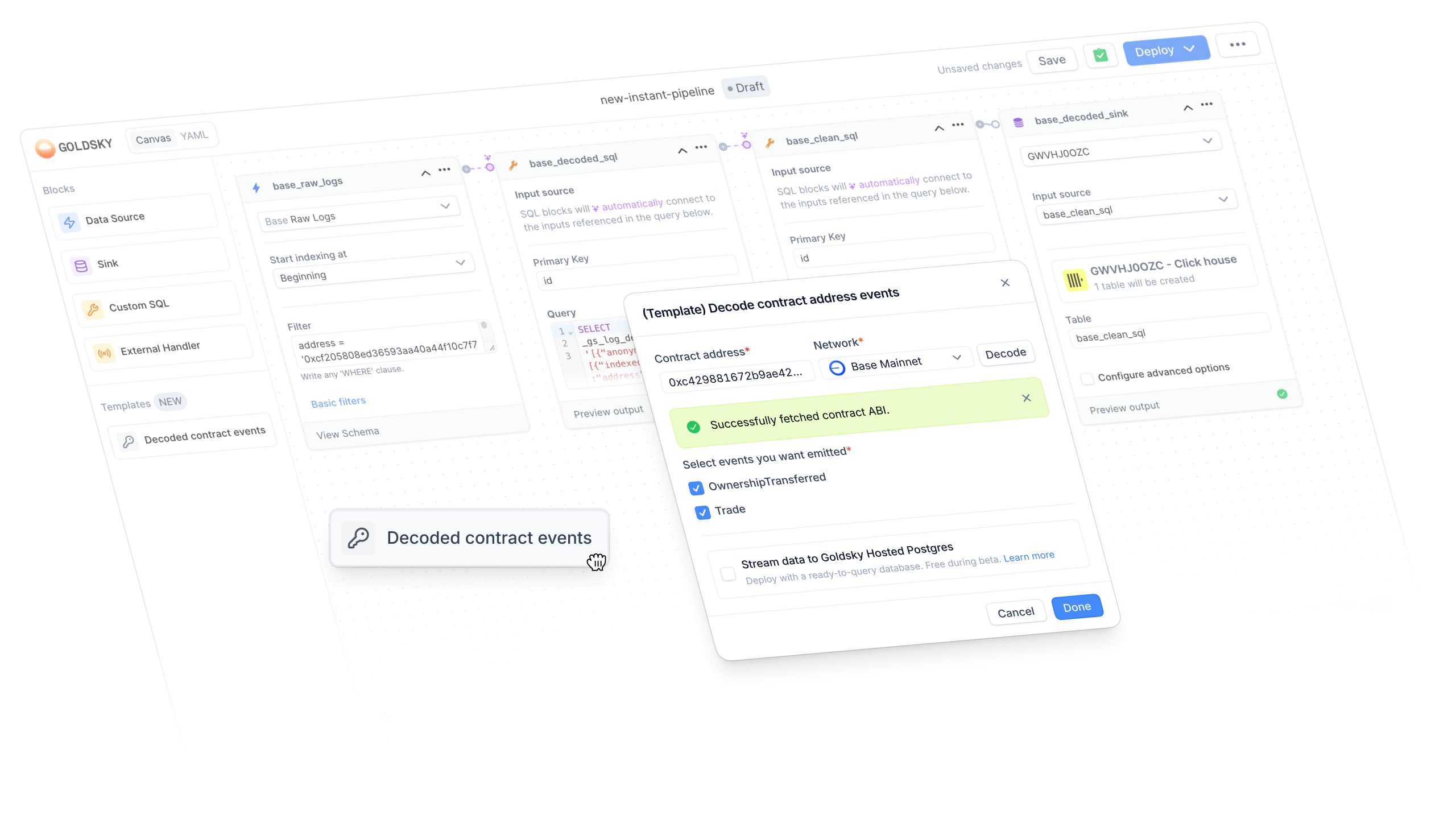
We're excited to introduce Flow templates - pre-configured pipelines that take the most common workflows and turn them into one-click starting points.
Contract Decoding Template
Our first template tackles something nearly every blockchain developer needs: contract decoding. Raw blockchain data is powerful but painful to work with. With the contract decoder template, you can start from a contract address and get a fully configured pipeline in seconds without deciphering different ABI formats.
What's new
When creating a new pipeline in the Flow editor, you'll now see a Templates section in the sidebar with a draggable Decoded contract events block. You'll enter a workflow where you can:
- Paste a contract address, select the network, and auto-fetch the ABI
- Pick your destination: stream data to Postgres hosted by us, or select your own webhook or sink later
- Select events to emit to you from the decoded contract
Once done, you'll land in the Flow editor with a fully configured pipeline, ready to customize further or deploy immediately.
We've seen how much our Subgraph equivalent has streamlined workflows, and we're bringing that same ease to pipelines. Give it a try, and let us know what you think!
Decoded contract events template
Setting up event pipelines just got faster. The new template modal walks you through configuring decoded contract events with a simple form; no YAML wrestling required. Pick your contract, select your events, and you're indexing.
Enhanced Solana transfers dataset
The Solana transfers v1 dataset just got more complete. We've added additional columns so you'll have everything you need without having to join multiple data sources or make extra API calls. If you're building analytics or tracking token flows on Solana, this update means less data wrangling on your end.
Dataset filters for pipelines
Creating a pipeline source just got more flexible. You can now apply filters when selecting datasets, making it easier to work with exactly the data you need without pulling in everything.
New indexing pages
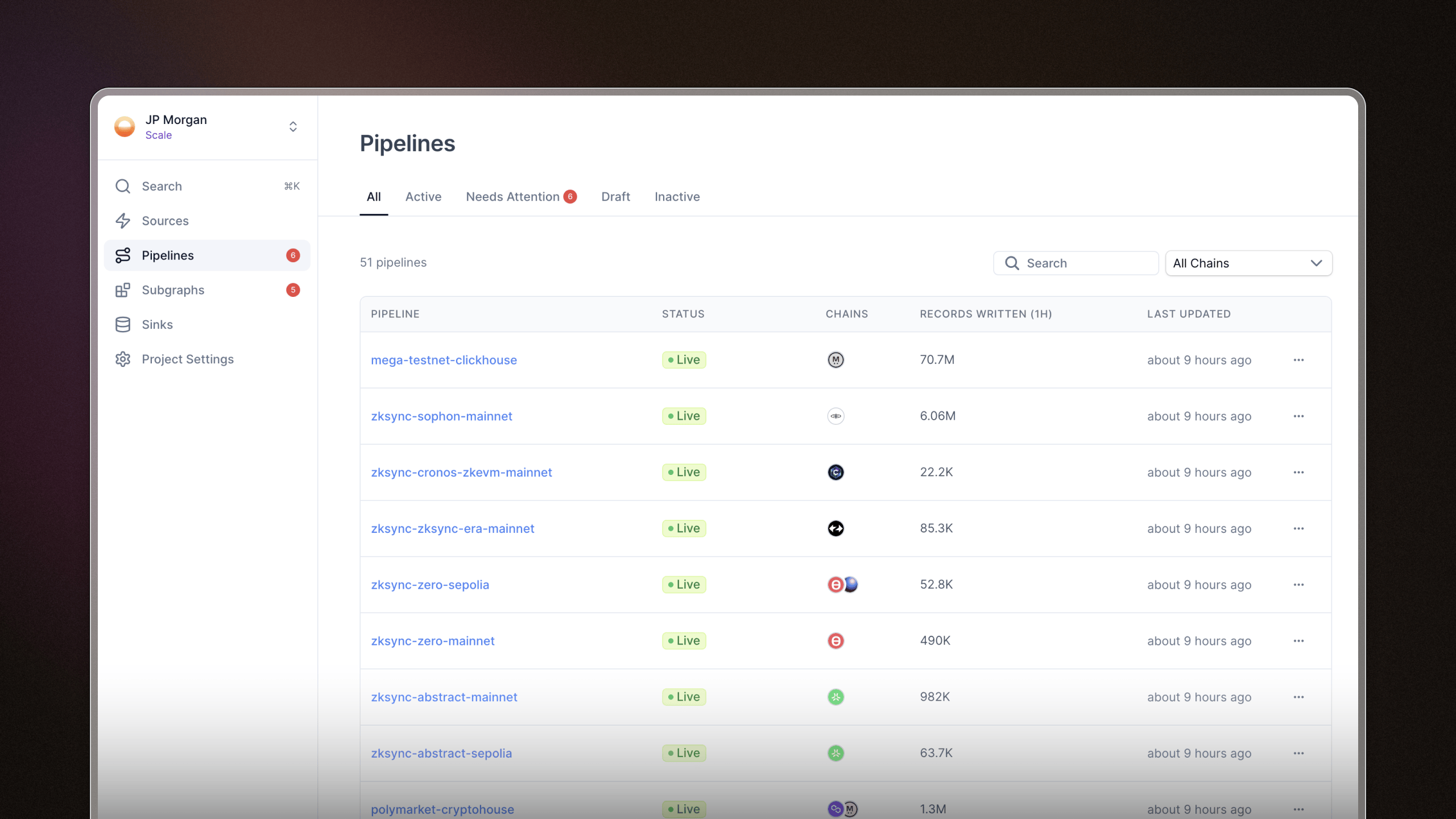
We know how frustrating it can be to jump between pipelines and subgraphs, hunting for a specific piece of info. We’ve revamped the Goldsky indexing pages to help you quickly find what you need at a glance.
Here’s what’s new:
- Visual consistency across pages: pipelines, subgraphs, and sinks now share a clearer, streamlined look.
- Filtering: quickly filter by chain, status, or name to zero in on what you're looking for.
- Surfaced metrics: recent records written are surfaced to make it easier to judge activity at a glance.
- Status tabs – pipelines and subgraphs are neatly grouped by status, making it easier to spot what’s active, inactive, or needs attention without scrolling.
Snapshot selection now in the web UI
We've brought the --from-snapshot feature to the dashboard. You can now select exactly where to start your pipeline data (whether from a specific block or timestamp) right from the web interface. No CLI required.
Automatic ClickHouse table creation
When you're sending data to a ClickHouse sink, Goldsky now automatically creates your destination table with the right primary key configuration. Less manual setup, faster time to querying your data.
Global search command
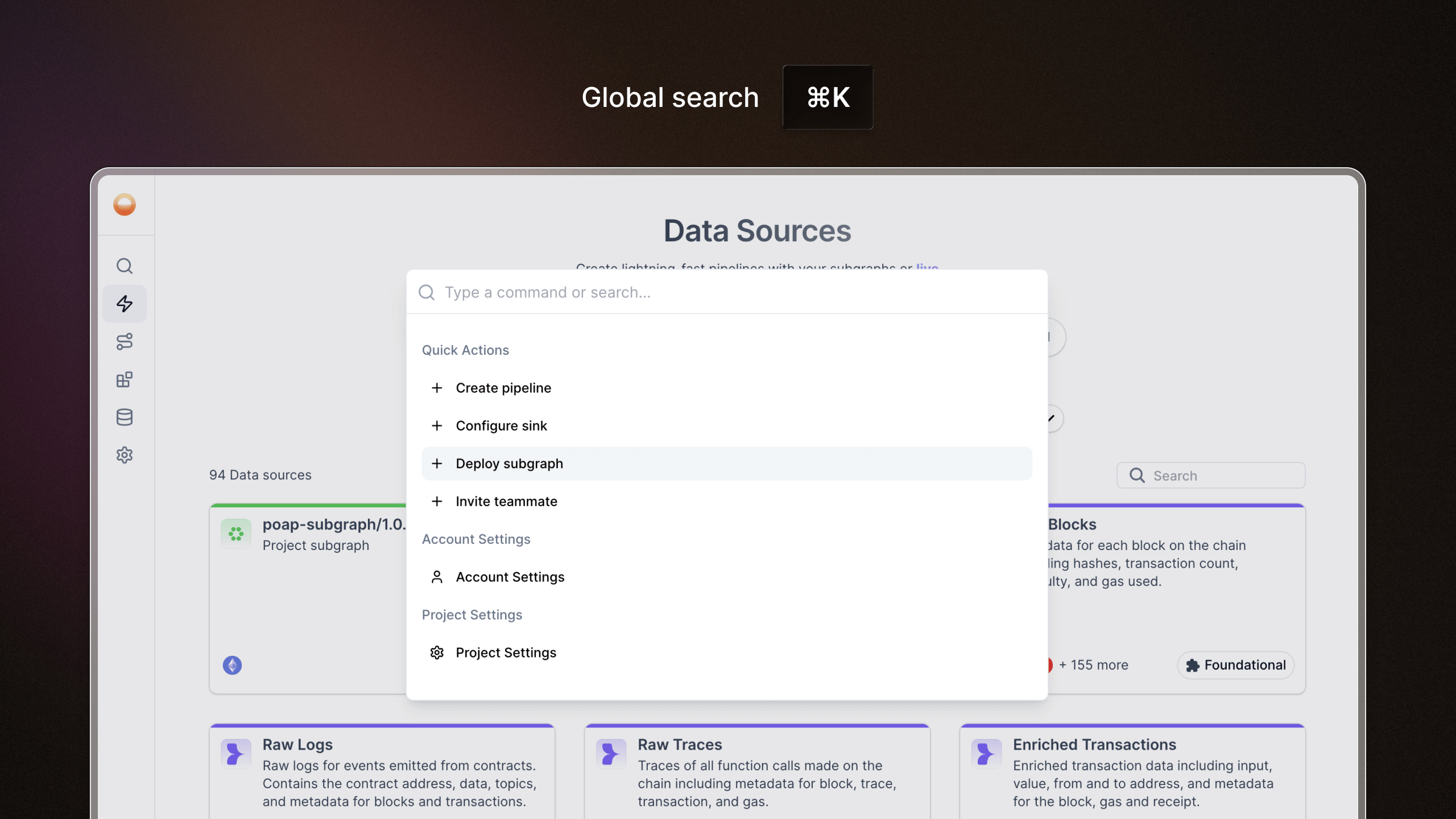
We’ve rolled out global search as part of our navigation overhaul, making it easier and faster to find exactly what you need, wherever you are.
- Search from anywhere: Use the keyboard shortcut Cmd + K (Mac) or Ctrl + K (Windows) to open search without lifting your hands.
- Find anything: Search across specific settings, subgraphs, pipelines, databases, sources, and more - in one place.
- Autosuggests as you type: Helps you find what you're looking for even if you're not exactly sure what it's called.
- Straight to the point: Instantly jump to the page instead of endless clicking and backtracking.
Batch controls for webhooks and handlers
We've added two new parameters to webhook sinks and handler transforms: batch size and flush interval. This gives you fine-grained control over how data gets batched before it's sent out, so you can optimize for throughput or latency depending on your use case.
Read contract function
We've added a readContract host function to pipelines, giving you the ability to read onchain data directly within your transforms. Previously you could only write transactions; now you can fetch token balances, check contract states, or pull any view function data as part of your pipeline logic. This opens up powerful new patterns for enriching your indexed data with live onchain context.
Quick-start pipelines from subgraphs
We've made it easier to go from subgraph to pipeline. When viewing any subgraph's details page, you'll now see a banner that lets you instantly start a pipeline draft using that subgraph as the source. One click and you're building. No more manual configuration to get started.
More billing control
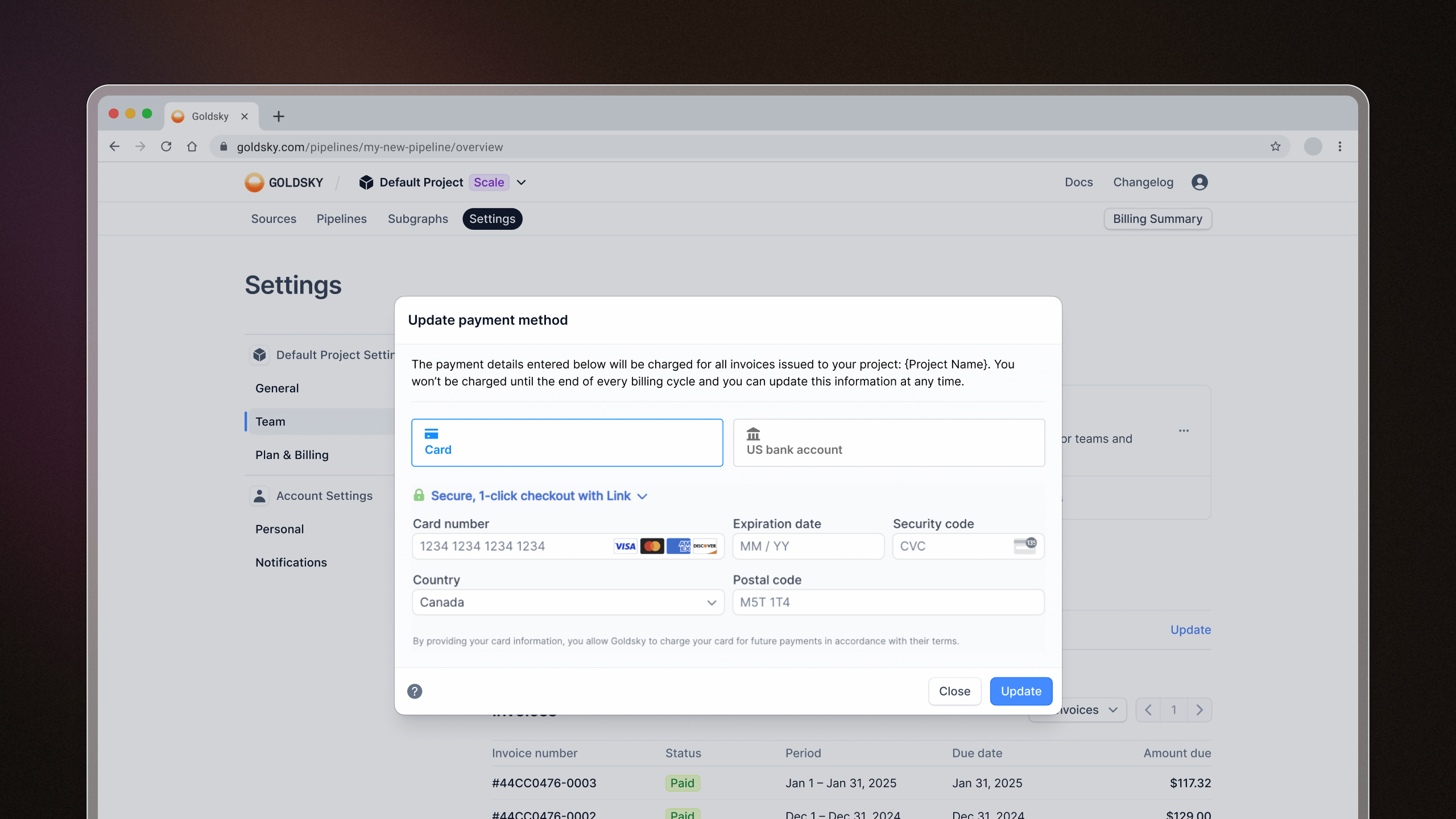
We heard your feedback and made two key updates to make managing payments easier:
- View and update your payment method anytime from the Plan & Billing page. It's now quick and fully self-serve.
- Use your existing payment method when creating a new project – no need to re-enter your details.
- Added a pricing calculator to help folks estimate monthly costs for subgraphs and streaming pipelines
- Added subgraphs: ZenChain, 0G Galileo
- Added Mirror datasets: IOTA Rebased Testnet, 0G Testnet, Movement
Snapshot selection for pipelines
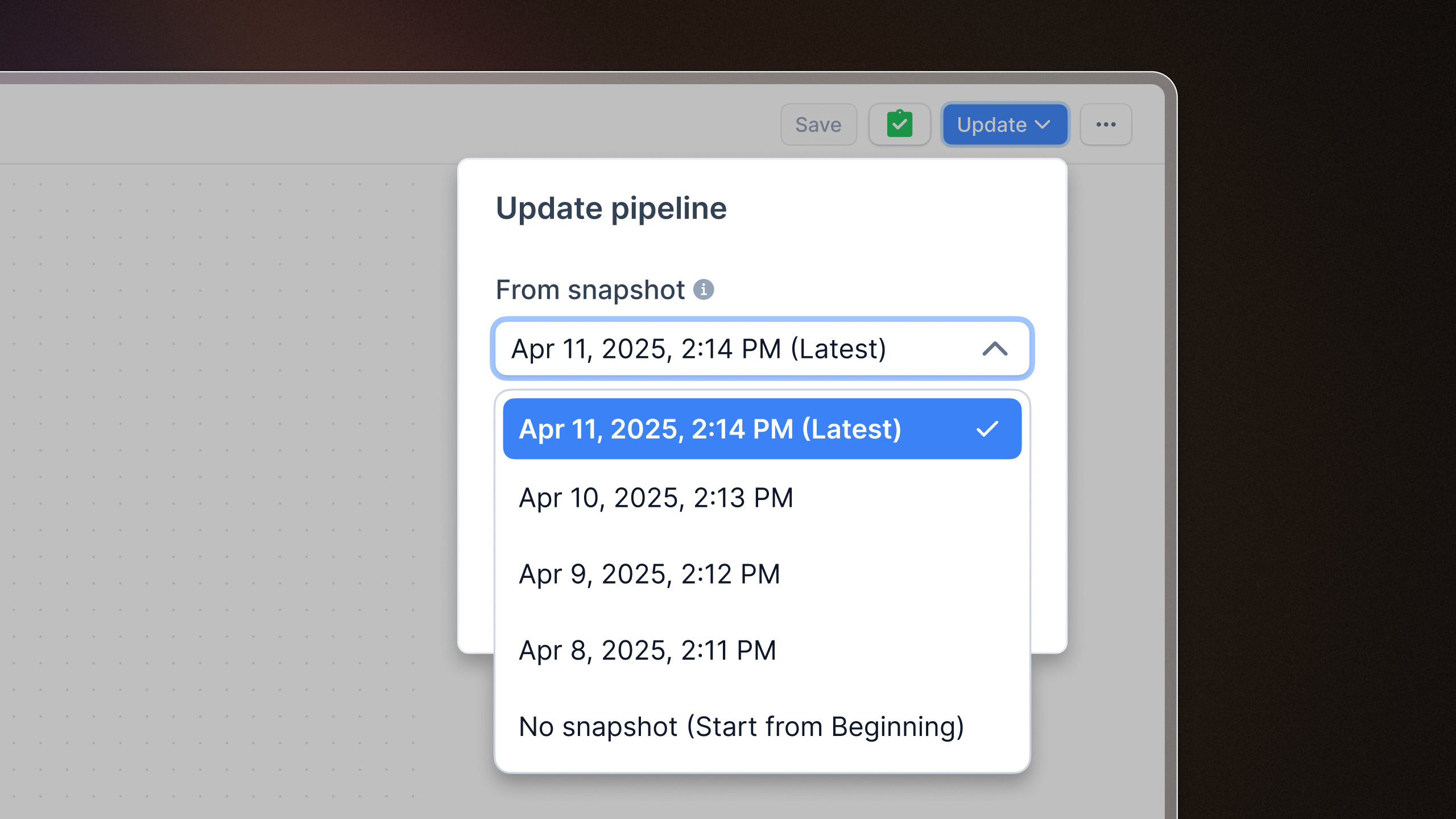
You can now pick a specific snapshot when updating or deploying pipelines inside the Flow visual pipeline builder. This means more control, fewer surprises, and more confidence when pushing changes. Snapshot selection lets you roll back to a known stable state anytime, making it handy for debugging or keeping production rock-solid.
In-order data processing
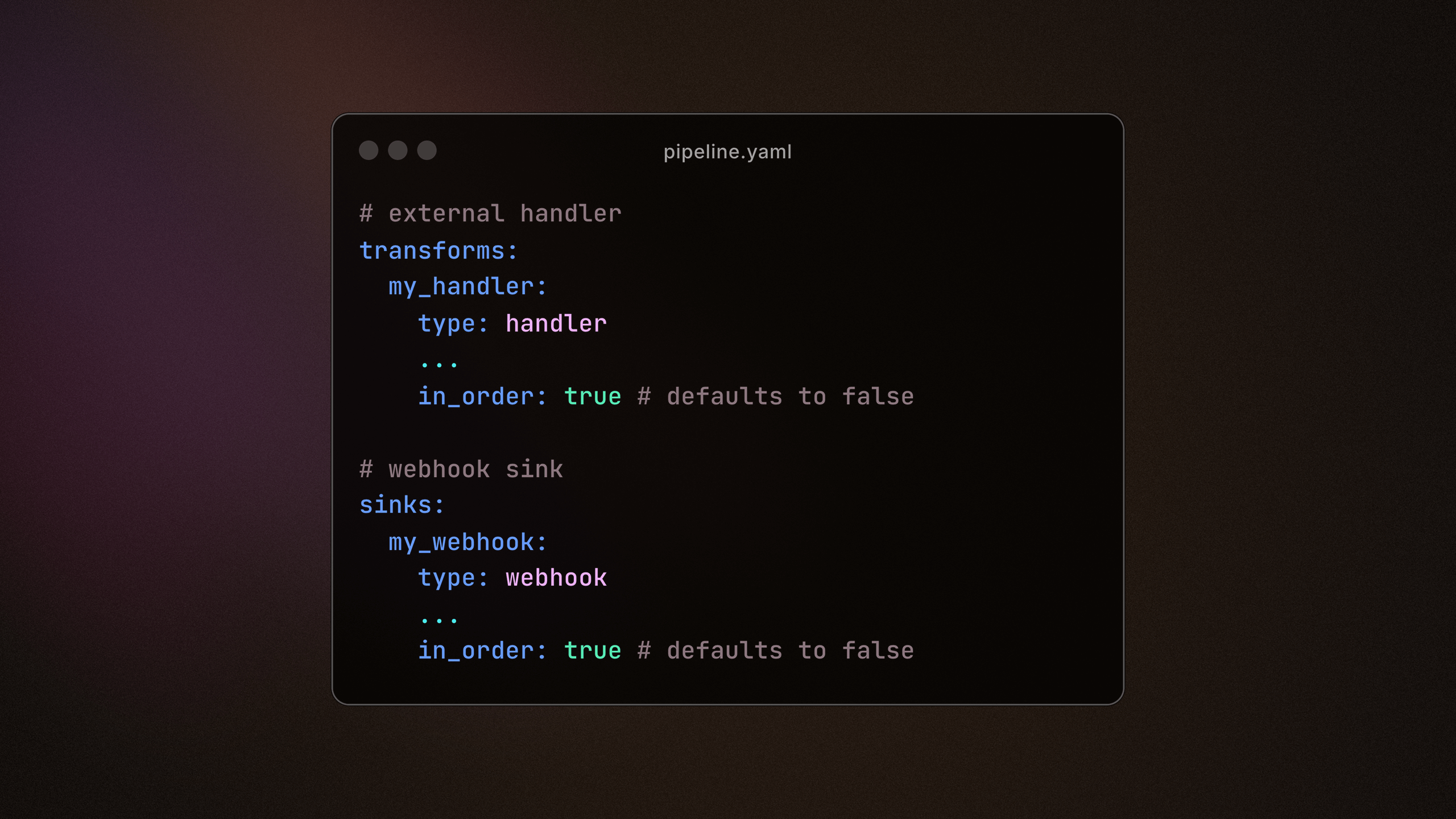
In-order mode is now available for Mirror pipeline users, enabling guaranteed sequential processing for external handlers. This ensures downstream sinks, such as webhooks, can now process events in the exact order they occur onchain.
This feature requires the in_order: true attribute. Read more abbout enabling in-order mode for your pipelines.
Transform subsets of your data pipeline
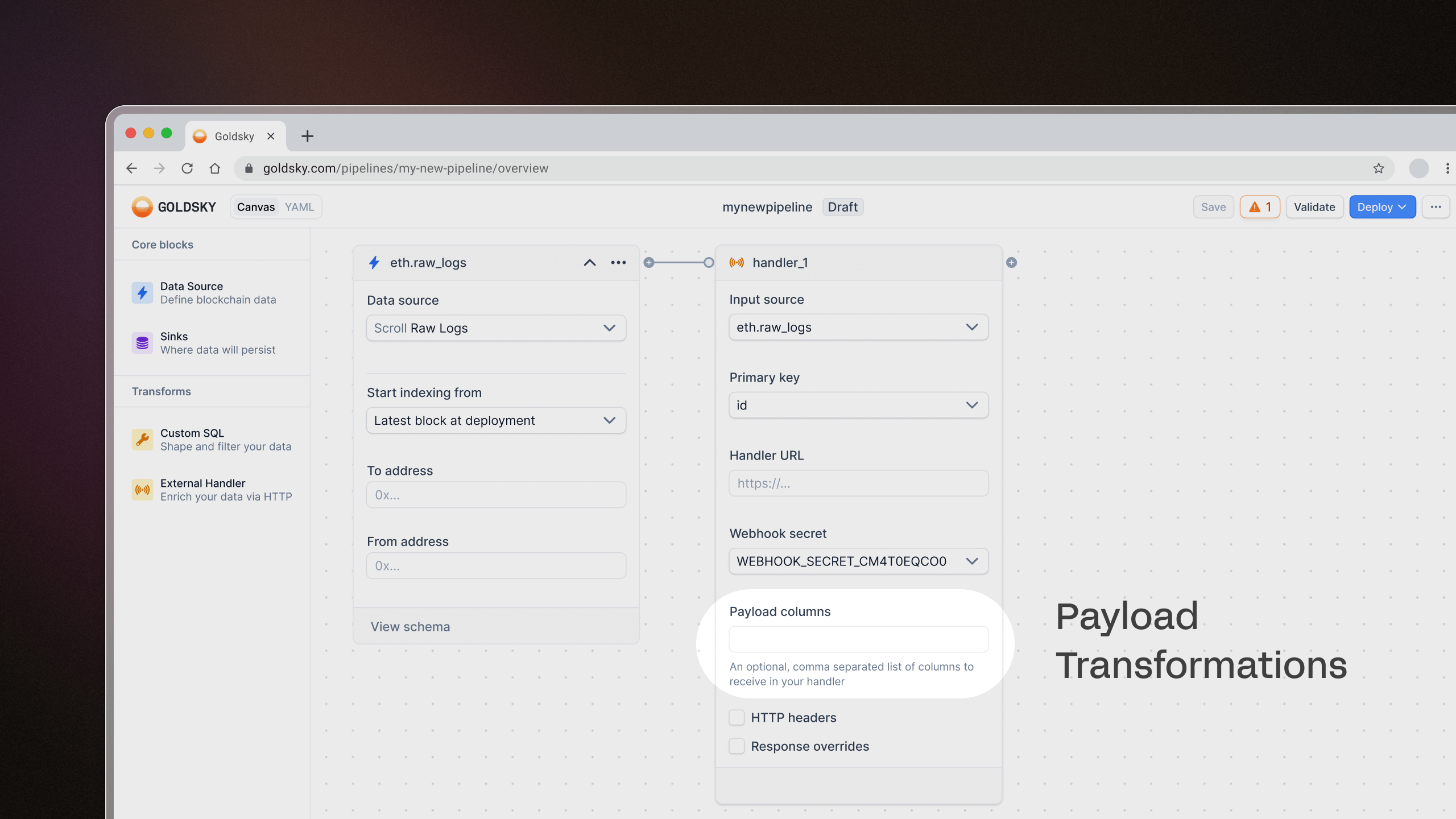
You can now send just a subset of your data to external handler transforms using the Payload columns field. This lets you specify which columns to send to the handler instead of the entire row, reducing unnecessary data transfer and improving efficiency.
Restart pipelines with ease
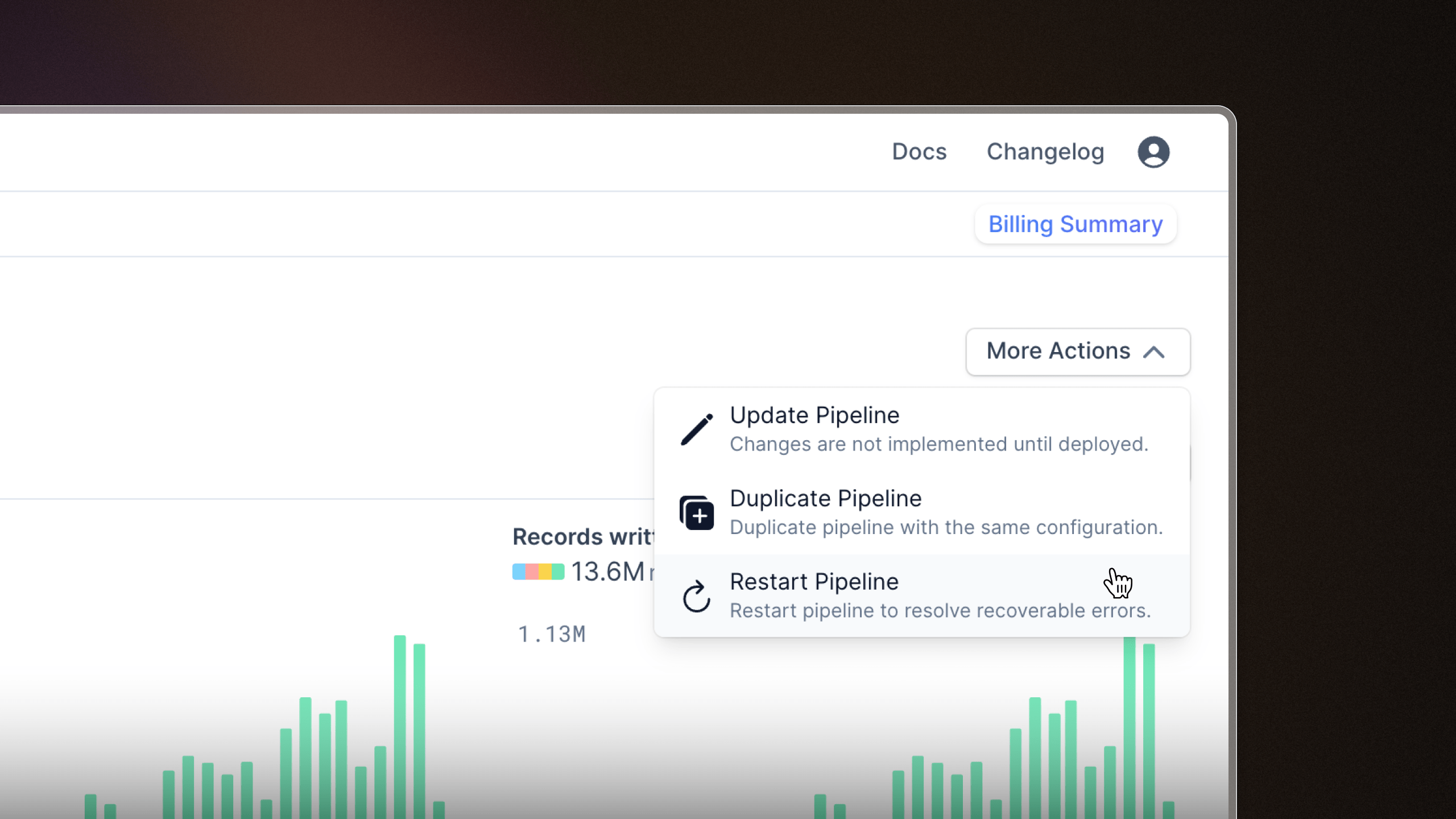
A little QoL update. We've added a button to the Flow visual editor so you can restart pipelines more easily.
- Added success/failure icons next to subgraph webhooks for better observability
- Removed "Validate" button in Flow as it was redundant
- Fixed a bug involving Flow drafts that would result in an error page
- Pausing or resuming a pipeline will display the latest pipeline version to avoid confusion
- Added subgraphs: Basecamp, XRPL EVM Testnet, Plume Mainnet
- Added Mirror datasets: Sonic, unified Arweave dataset
Introducing Goldsky Flow: the visual drag-and-drop pipeline builder
Goldsky Flow, our new visual drag-and-drop interface for building Mirror pipelines, is now available to everyone! Now you can create powerful data pipelines in minutes without touching a line of YAML or using the CLI (but no need to ditch the CLI if that's your jam). Here's what you need to know about this new way to ship data.
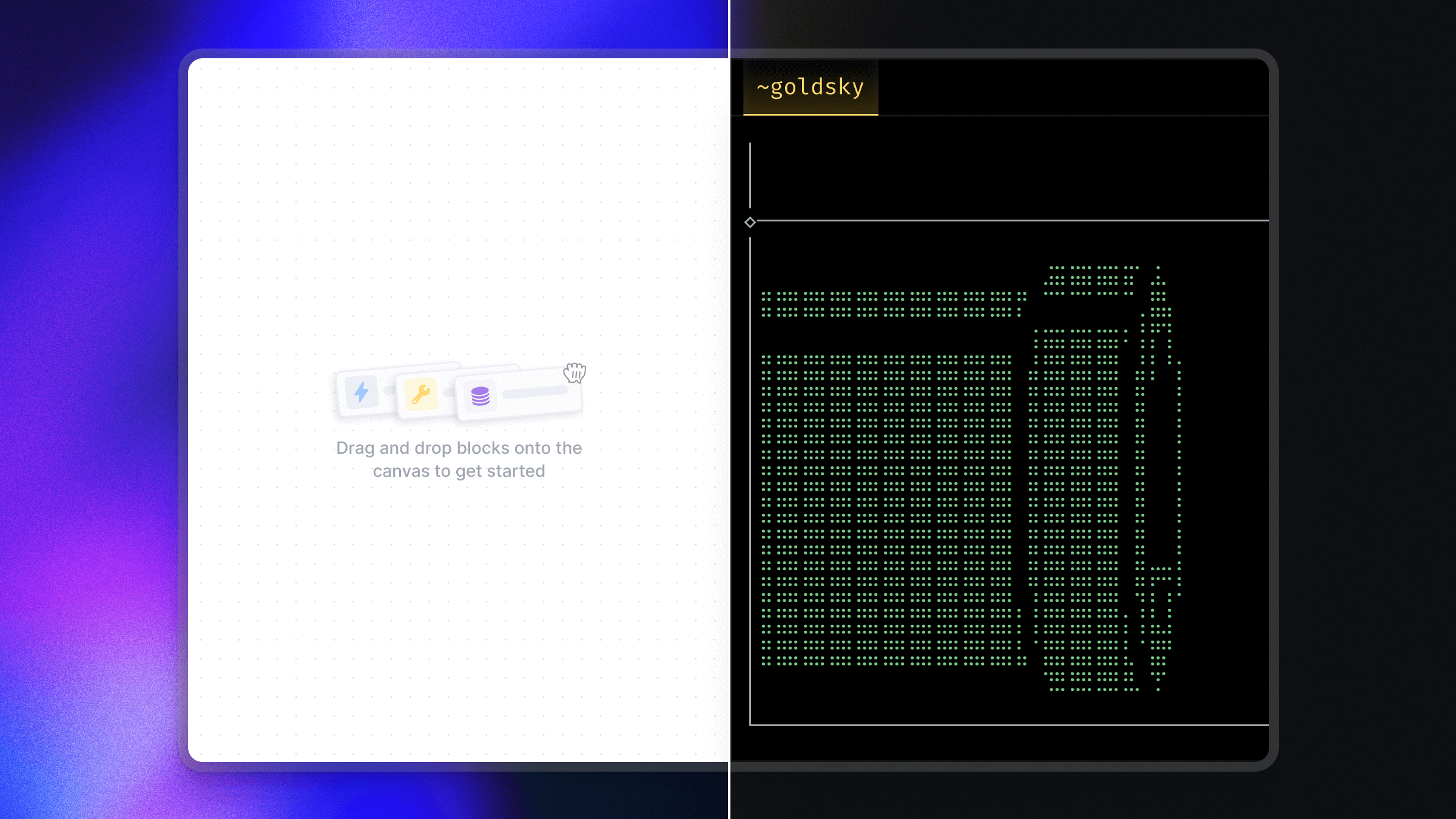
Build with your eyes
Drag and drop components onto the canvas, configure them with a few clicks, and deploy.
Data sources aplenty
Pull in data from a variety of data source types, with optional configurations.
- Access data from 150+ blockchain networks (and growing weekly)
- Onchain direct indexing datasets
- raw data (e.g. blocks, logs, etc.)
- curated datasets (e.g. ERC-20 transfers)
- Subgraphs
- your existing subgraphs – own the data and bypass GraphQL API limitations
- community subgraphs
- Off-chain data from your Kafka data store or other databases – for easily aggregating on-chain data with off-chain data
You can also combine multiple data sources in the same pipeline into a single unified schema – perfect for multi-chain applications.
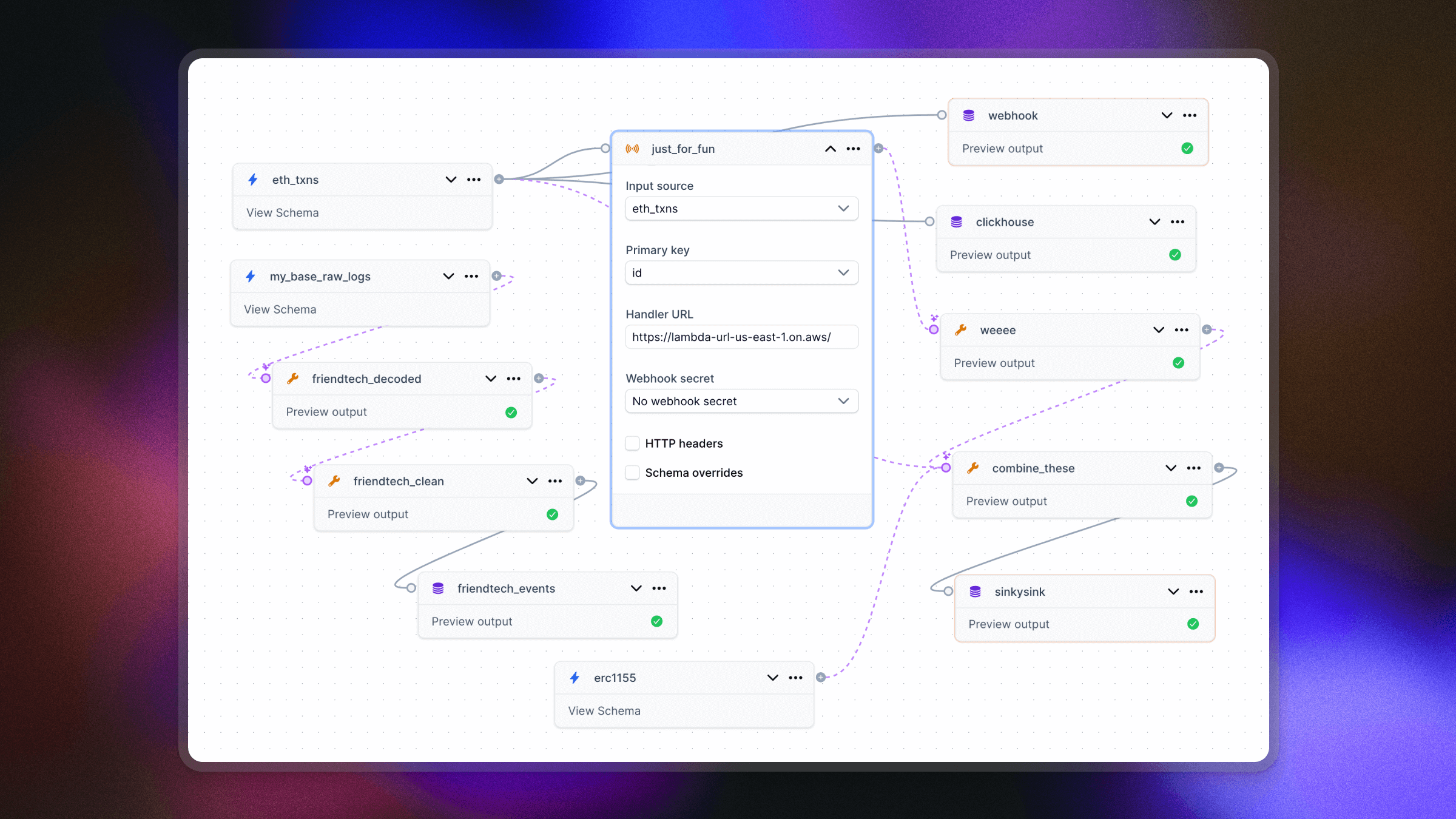
Twist, turn, transform
Shape your data with optional transforms, filters, and aggregations to get it exactly how you want it. Two types of transforms are available:
- SQL transforms: Write standard SQL to manipulate the shape of your data and preview results – all directly within the Goldsky Flow UI.
- External HTTP handler transforms: Send data from your pipeline to external services via HTTP (e.g. AWS Lambda) for processing and return results back into the pipeline. Ideal for using your preferred language or enriching data with third-party APIs (e.g. fetching token prices from Coingecko).
Sink anywhere
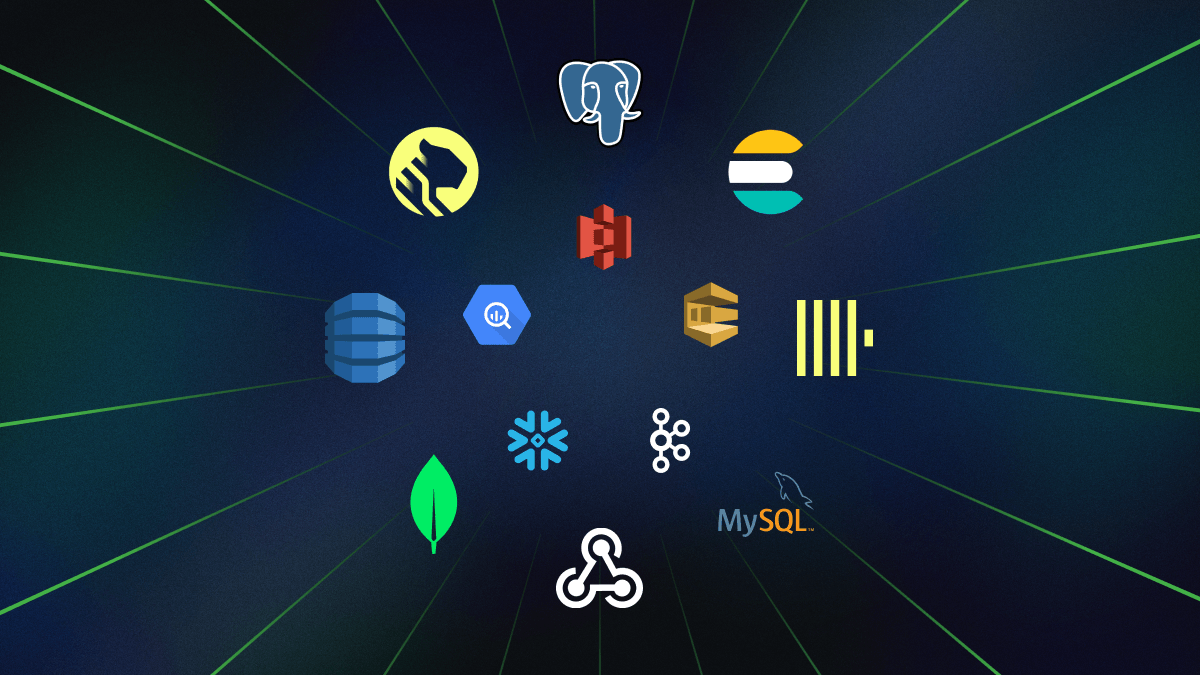
Send your data where it needs to go, whether it’s transactional databases like Postgres, real-time analytical databases like ClickHouse, or specialized options like Elasticsearch and Timescale. Use webhooks and Goldsky Channels for flexible routing to AWS S3, SQS, Kafka, and beyond.
Goldsky is sink-agnostic, so you’re not limited to just our directly supported sinks. Don’t see your preferred sink? Just ask – we can likely make it happen.
A few more things:
- Preview pipeline outputs: See samples of your pipeline data within Goldsky Flow. Super handy when you’re working with multiple sources + transforms and you want to quickly iterate on the logic without redeploying the pipeline every time.
- Reorg-aware pipelines: Pipelines are reorg-aware and will automatically update your sinks whenever they occur to keep data consistent. Channel sinks have some nuances, so check the docs for details.
- Secure sink configuration: Goldsky Secrets securely store your database credentials in your Goldsky account so you can manage access without exposing sensitive information in your pipelines or config files.
- Lightning-fast processing: Standard pipelines handle 2,000 rows per second and can be scaled up to process over 100,000 rows per second.
- Extremely low latency: Actual latency depends on how much write speed your database can handle!
Start using Goldsky Flow
Just head to your dashboard and click "New Pipeline" to start building. Dive into the Goldsky Flow documentation for more detailed guides, but we hope that the interface is intuitive enough that you don’t need it.
Whether you’re a visual builder or CLI diehard, we're constantly working on making data pipeline creation even more accessible and powerful, so jump in, test it out, and let us know if you have feedback!
Custom ABI JSON definitions + easier network selection
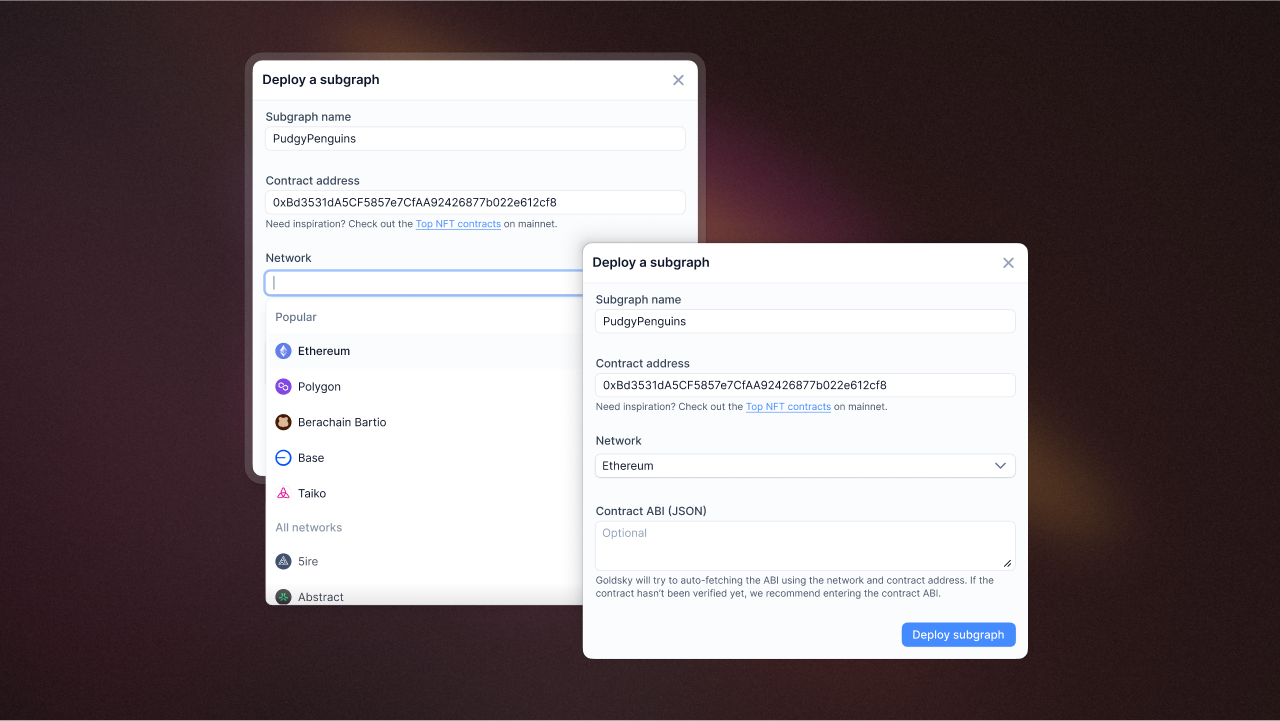
Reintroduced an optional contract ABI field when deploying instant subgraphs. If left empty, we'll try auto-fetching the ABI when you deploy your subgraph.
You can also now type and find your subgraph network when building your subgraphs from a dropdown, saving you time. The previous way of going to our docs to find the slug name was unintuitive and a hassle.
Dynamic preview status icons
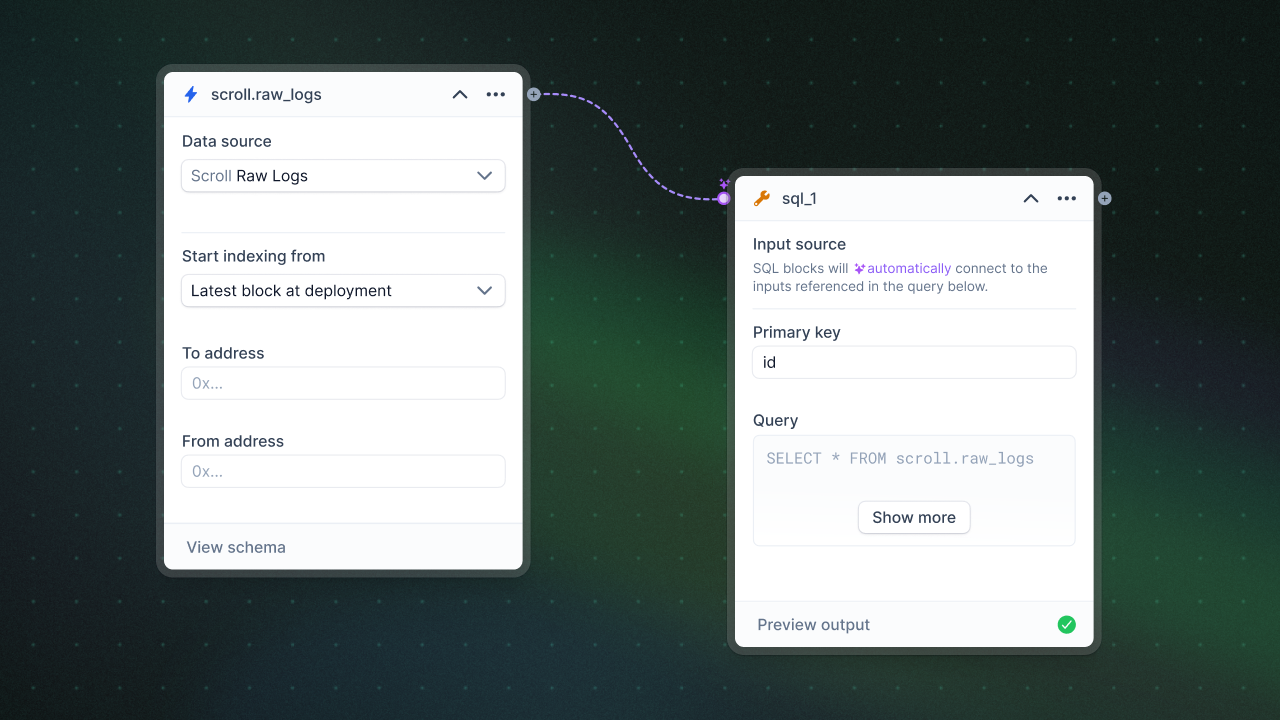
Added preview status icons to Goldsky Flow, giving you live feedback as you build your pipelines.
eth_call subgraph metrics
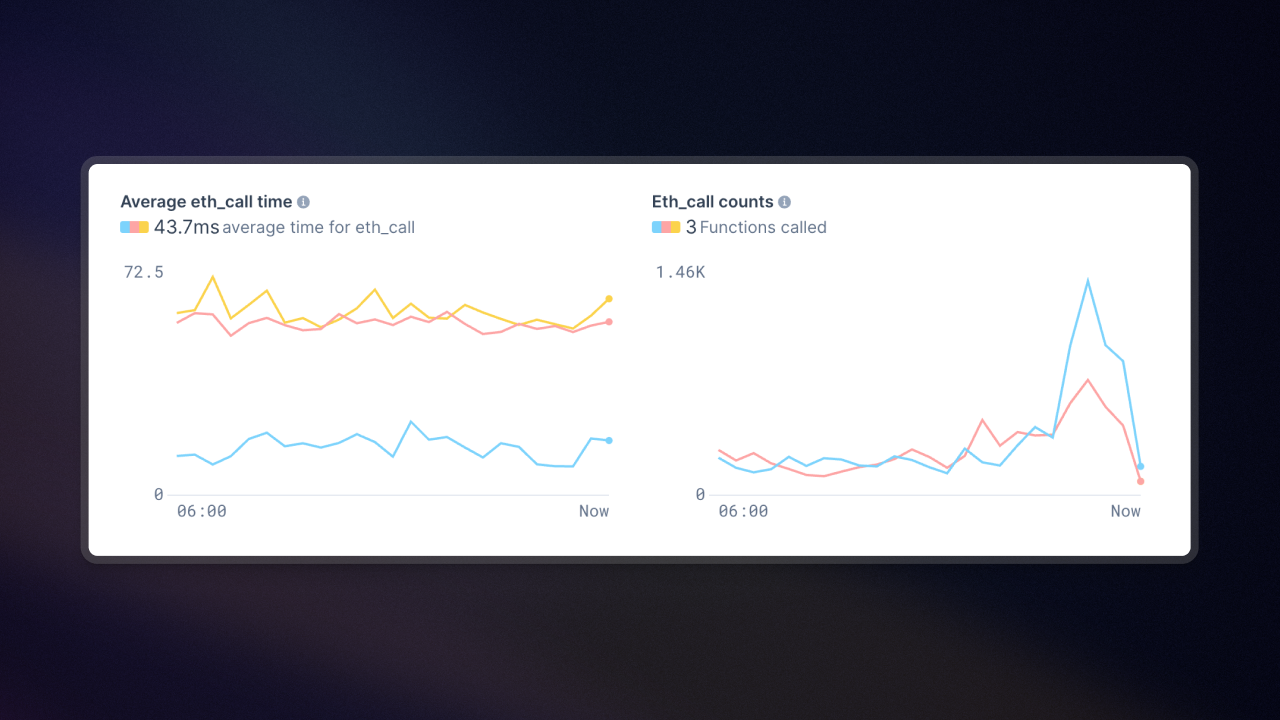
The subgraph detail page now shows eth_call metrics (total count and query response times). This makes it easier to identify performance improvements (inefficient queries, unecessary calls).
Unichain now available on Goldsky
Unichain Mainnet and Sepolia are now available in Goldsky Subgraphs and Mirror 🦄 We've partnered with Unichain to provide dedicated support for Unichain data indexing and a discount to builders in the ecosystem. Check out the Unichain docs for details on the partner-exclusive benefits.
Berachain joins the party

Beras! Berachain Mainnet and Bartio are also available in Goldsky 🐻 Just like Unichain, we're providing Berachain data indexing as smooth as honey and a sweet discount to builders – 100% for Subgraphs and 10% for Mirror 🍯 Check out the Berachain docs for more details.
- Set the Canvas visual view as the default for drafts and live pipelines in Goldsky Flow
- Added missing datasets to Goldsky Flow
- Removed backfilling ETA from pipeline UI which wasn't always accurate - we've removed it entirely to avoid confusion
- Added subgraphs: Story Aeneid, Continuous Testnet, Up Mainnet
- Added Mirror datasets: Berachain Mainnet
Abstract Chain now live on Goldsky

Abstract Mainnet went live with support in Goldsky Subgraphs and Mirror. We've partnered with them to provide dedicated support for Abstract data indexing and a discount for builders. Check out the Abstract docs for all the deets.
Snapshot aliases in the CLI
When creating pipeline snapshots, you can now assign an alias to make them easier to reference later. No more hunting through snapshot IDs, just use a memorable name.
Flow output panel improvements
The output panel in Flow now supports tabs and is resizable, so you can better inspect your pipeline results while building. Small change, but it makes debugging transforms much smoother.
- Flow now validates your pipeline at both block and global levels before deploy
- Fixed blurry icons and text in the chain selector
- Source forms no longer clear when you reopen the source selector
- SQL editor now scrolls properly for longer queries
- You can delete pipeline drafts directly from the pipeline details page
- Pipeline details load faster with parallel API calls
New CLI commands for pipelines
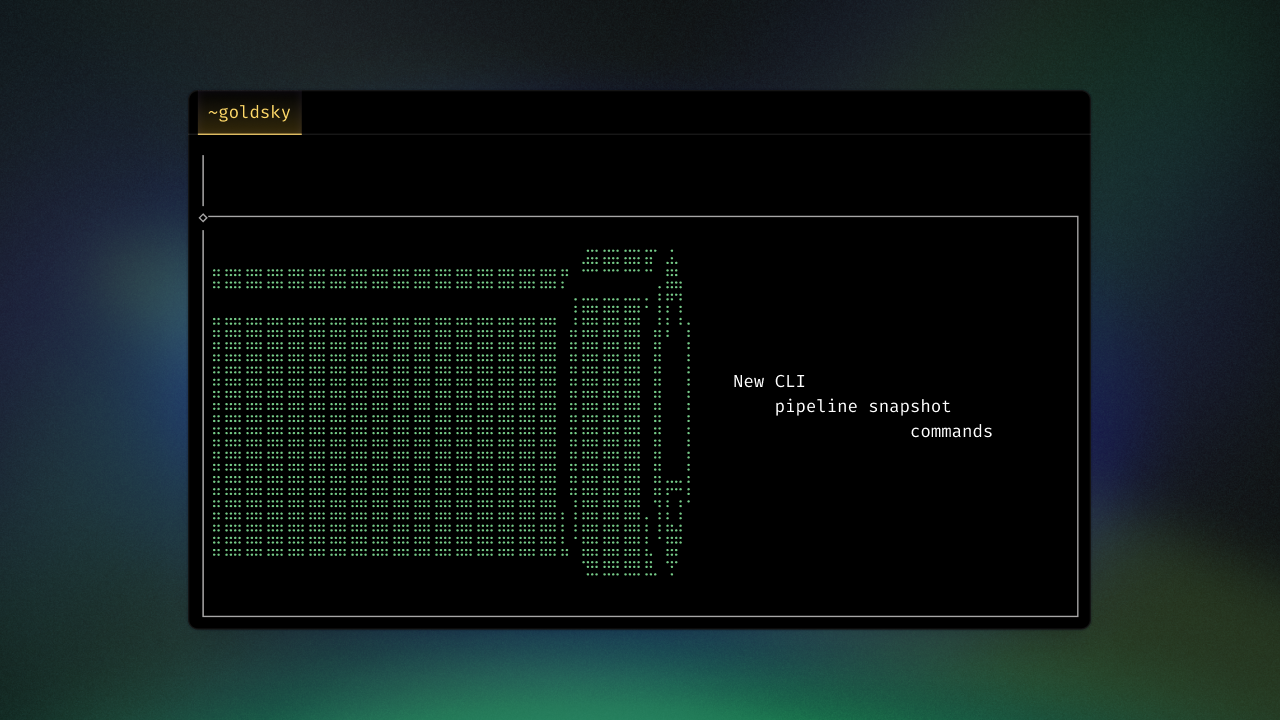
We shipped new pipeline CLI commands to give you more visibility and control over pipeline snapshots:
goldsky pipeline snapshot list <nameOrConfigPath>to list all existing snapshots in a pipelinegoldsky pipeline snapshot create <nameOrConfigPath>to create a snapshot of your pipeline- Check out our CLI reference docs for a full list of commands
Support for ETH storage access
You can now read Ethereum contract data (e.g. token balances, contract variables) directly, unlocking the range of onchain data you can work with.
Webhook as sinks
You can now use webhooks as a sink in Goldsky Mirror. This lets you send pipeline data to an HTTP endpoint, giving you flexibility to forward pipeline results to destinations like your application server, third-party APIs, or bots.
Subgraph description messages
You can now add a description field to subgraphs that can be used as a commit message. This is useful context for team members to have when looking at deployed subgraphs.
External handler transforms
With external handler transforms, you can send data from your Mirror pipeline to an external service via HTTP and return the processed results back into a Mirror pipeline. Read more about external handlers.
View monthly invoices and download them as PDFs
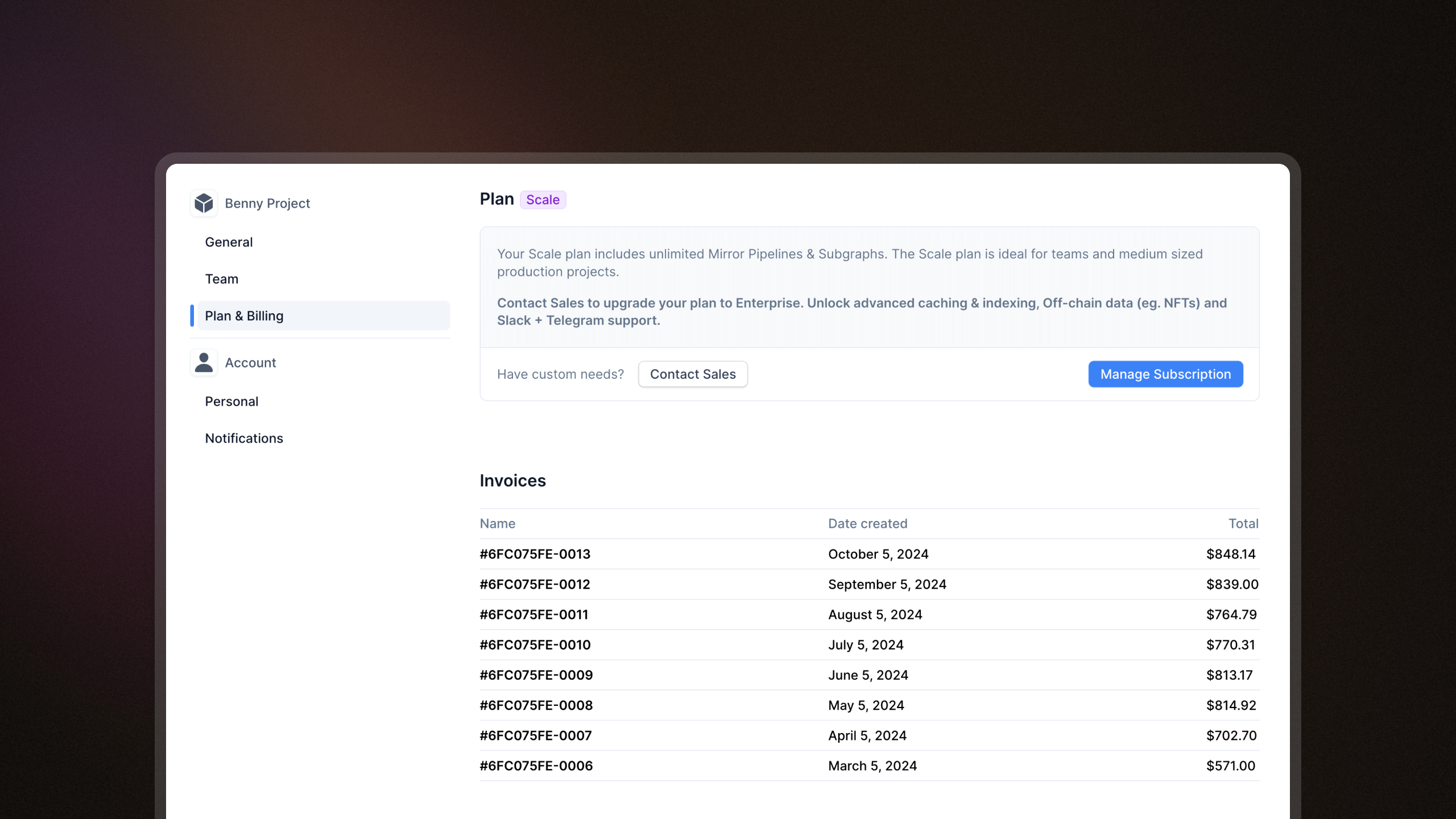
You can now view all your monthly invoices in the billing page and download them as a PDF. The invoice will include breakdowns of your monthly usage by pipelines and subgraphs.
Create multiple pipelines from the same dataset
Goldsky Mirror now supports using the same dataset as a source for multiple pipelines. This provides new flexibility and simplifies data processing workflows. Here's a few examples of how you can utilize this:
Simplify edge and backfill processing: Instead of maintaining separate pipelines for edge and backfill processing, you can now use a single pipeline to do both, avoiding the need to delete redundant pipelines later. This is especially useful for accessing live data without waiting for historical data to backfill.
Flexible data transformation: You can create multiple pipelines from the same dataset, each applying different transform expressions. This lets you shape and filter the same dataset in different ways without duplicating datasets, allowing more tailored and versatile data processing within a single pipeline.
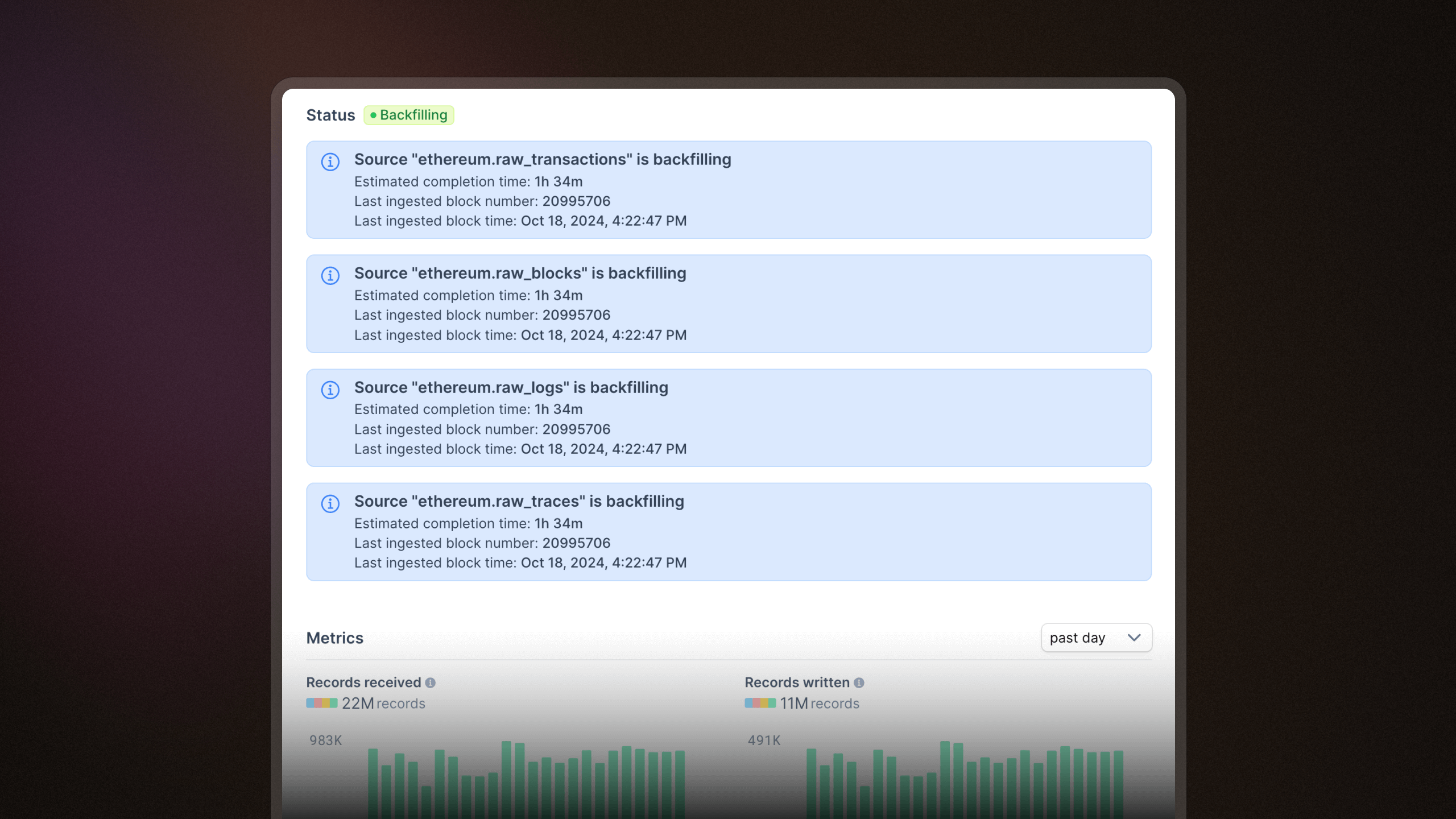
Current indexed block and timestamp now shown in pipeline logs
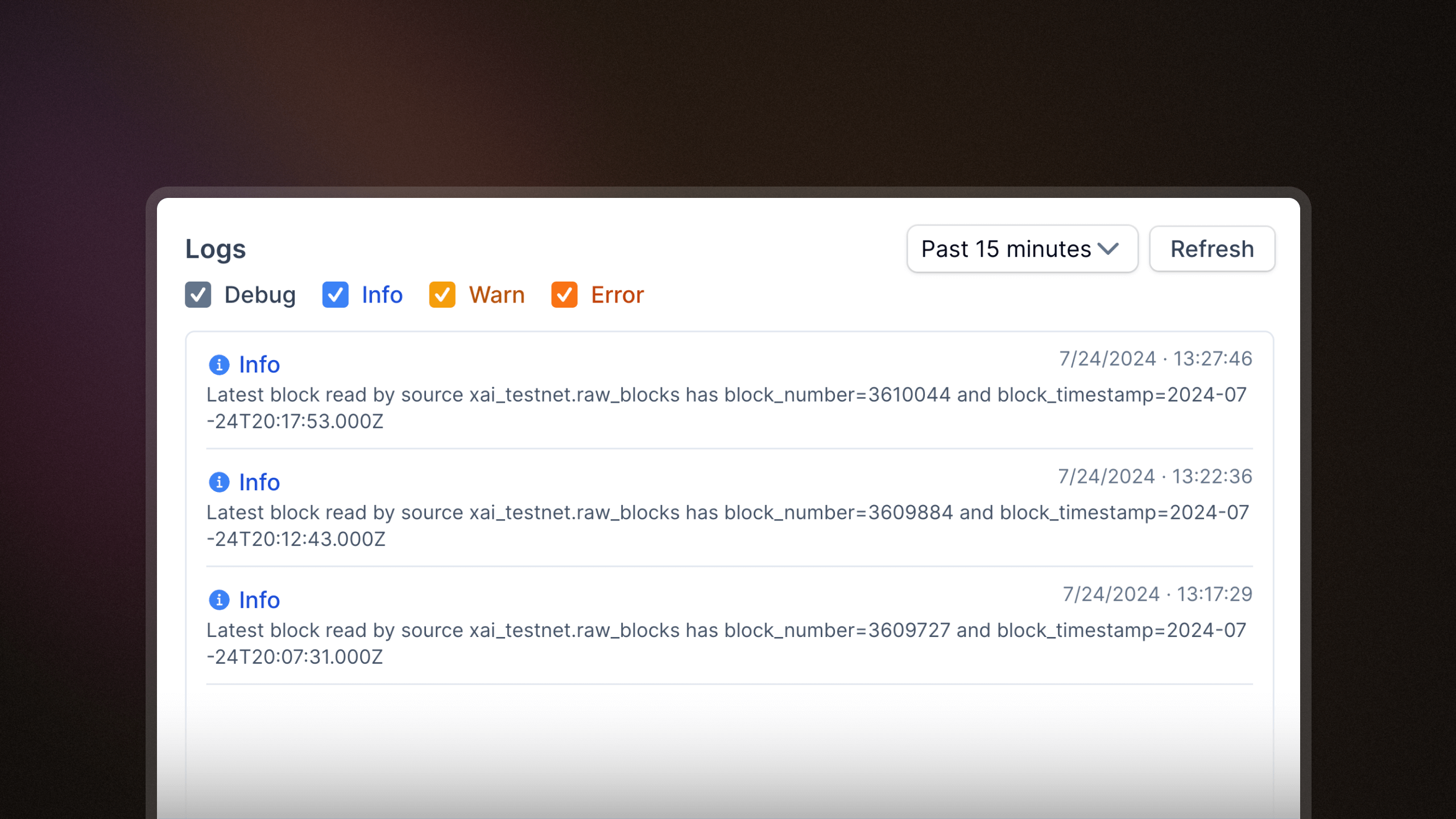
You can now view the latest block read by each pipeline source, providing greater transparency into pipeline data freshness. In our next update, we'll display lag time next to each pipeline source, letting you easily identify any delays in reading blockchain data.
- CLI v9.1.0 - Adds confirmation prompts when deleting pipelines, secrets, subgraphs, subgraph tags, or subgraph webhooks
- CLI v9.1.0 - Adds a
goldsky pipeline exportcommand to export one or more pipeline configurations - Added ability to manage your subscription in the web app without having to go to your Stripe dashboard
- Added subgraphs: Mint Sepolia
- Added Mirror datasets: Treasure Ruby Testnet, Mint, zkSync Era, Rari Superseed, Camp Testnet V2
Deploy subgraphs from the web UI
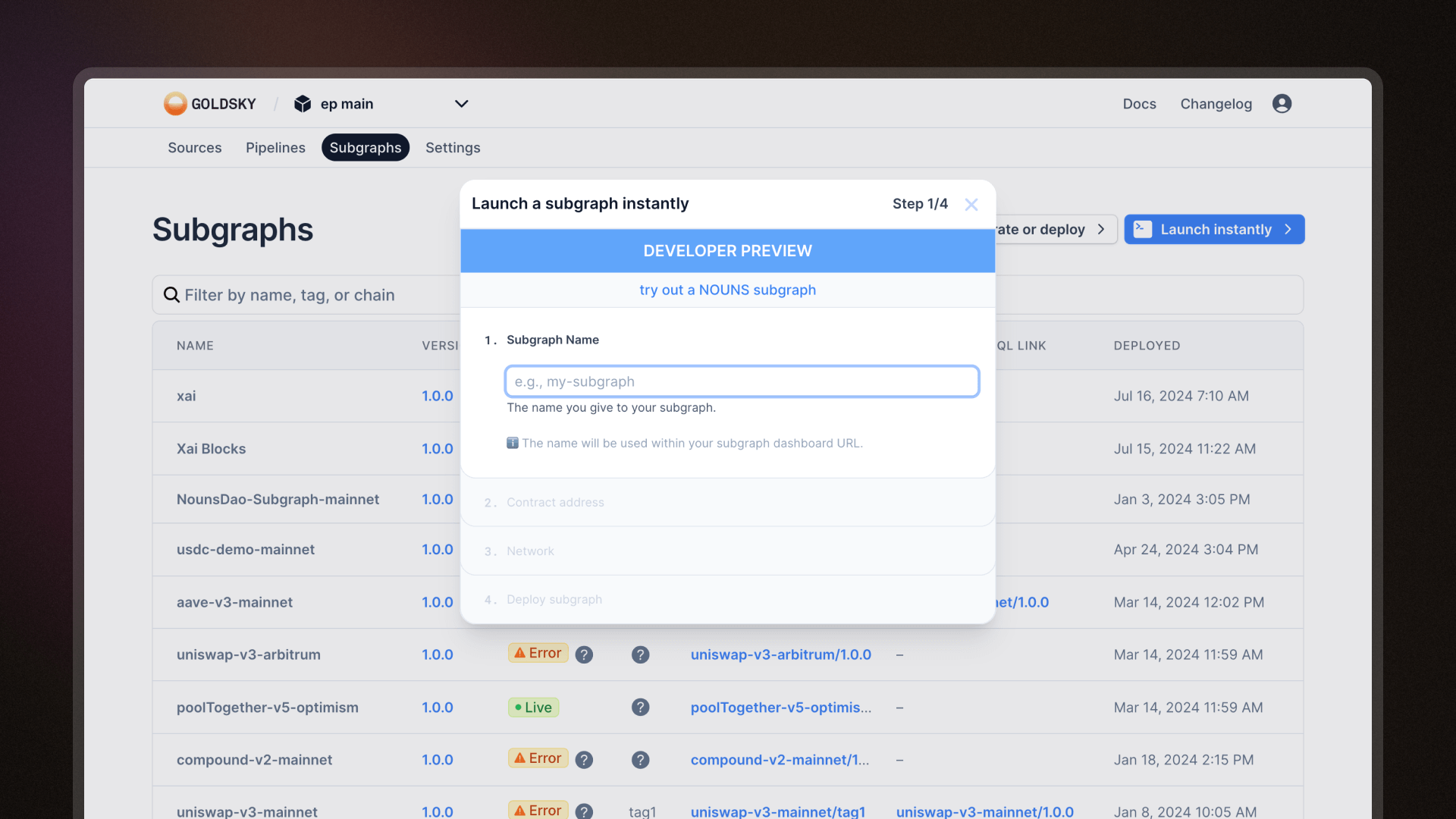
You can now deploy Subgraphs instantly from the web UI.
- Navigate to the Subgraphs page and click on "Launch instantly"
- Name your subgraph and provide a contract address
- Choose your network and click to deploy it
Deploy subgraphs with GitHub Actions
We've also built a GitHub Action you can add to your workflow so that you can deploy subgraphs directly from your GitHub repository.
How to set up Goldsky Deploy
- Build your subgraph or link to a subgraph's directory
- Add the Goldsky Deploy Action to your Github workflow file
Introducing Mirror pipeline YAML V3: simplified and powerful
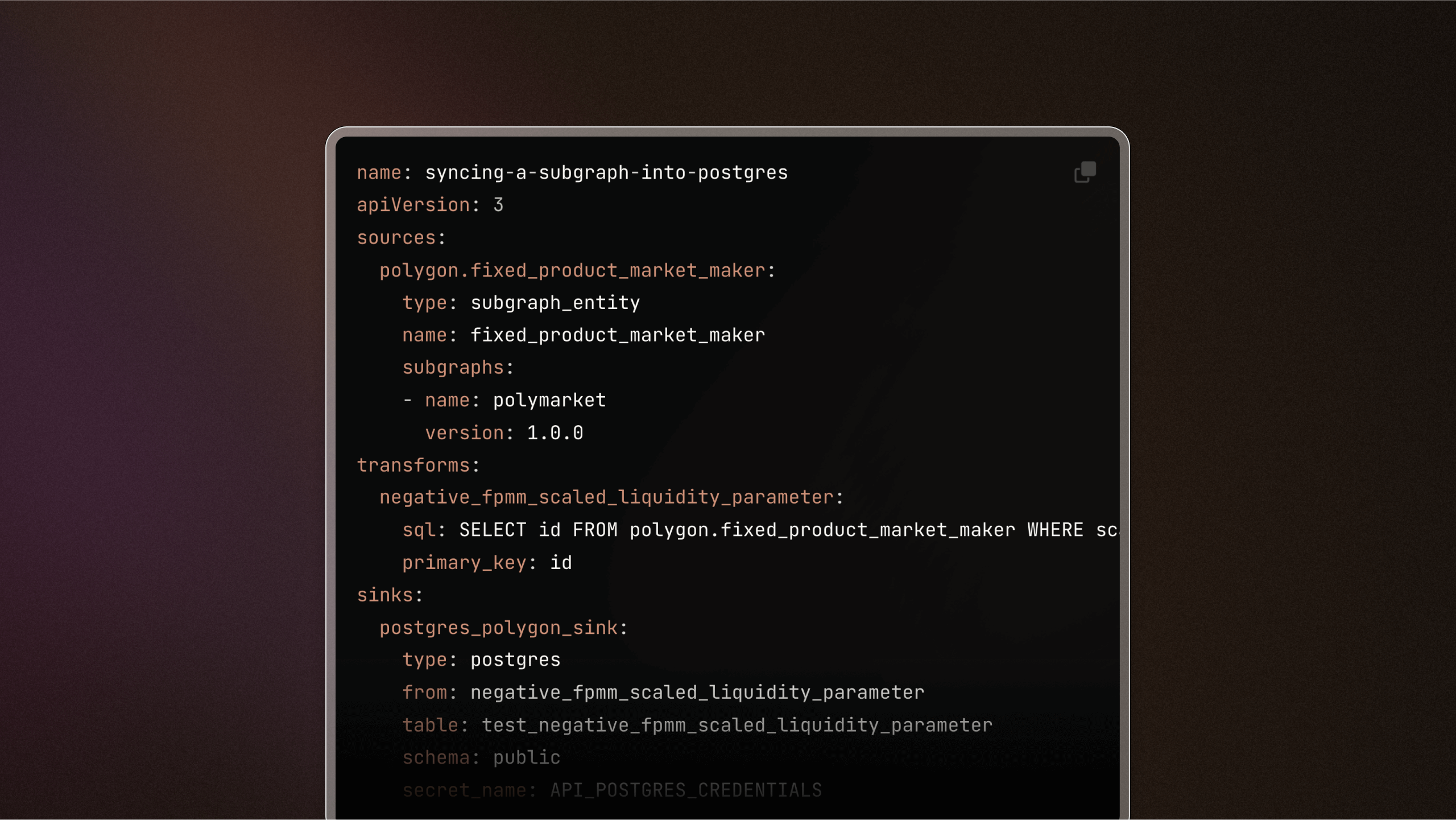
We're excited to release Version 3 of our Mirror pipeline YAML configuration file. This updated version introduces a more simplified and intuitive format for defining your pipelines.
What's new?
- Reorganized configuration: The
definitionproperty has been removed from the root level, andsources,transforms,sinkshave been elevated to the top-level definition for easier access and modification. - Improved data structure: We've transitioned from using arrays to maps for
sources,transforms,sinks, which eliminates the need for thereferenceNameproperty and simplifies the overall structure. - Standardized property names: All properties are now consistently formatted in snake_case to enhance readability and maintain consistency across configurations.
Read more about the new configuration format and how to apply it in your projects here.
Billing summary quickview
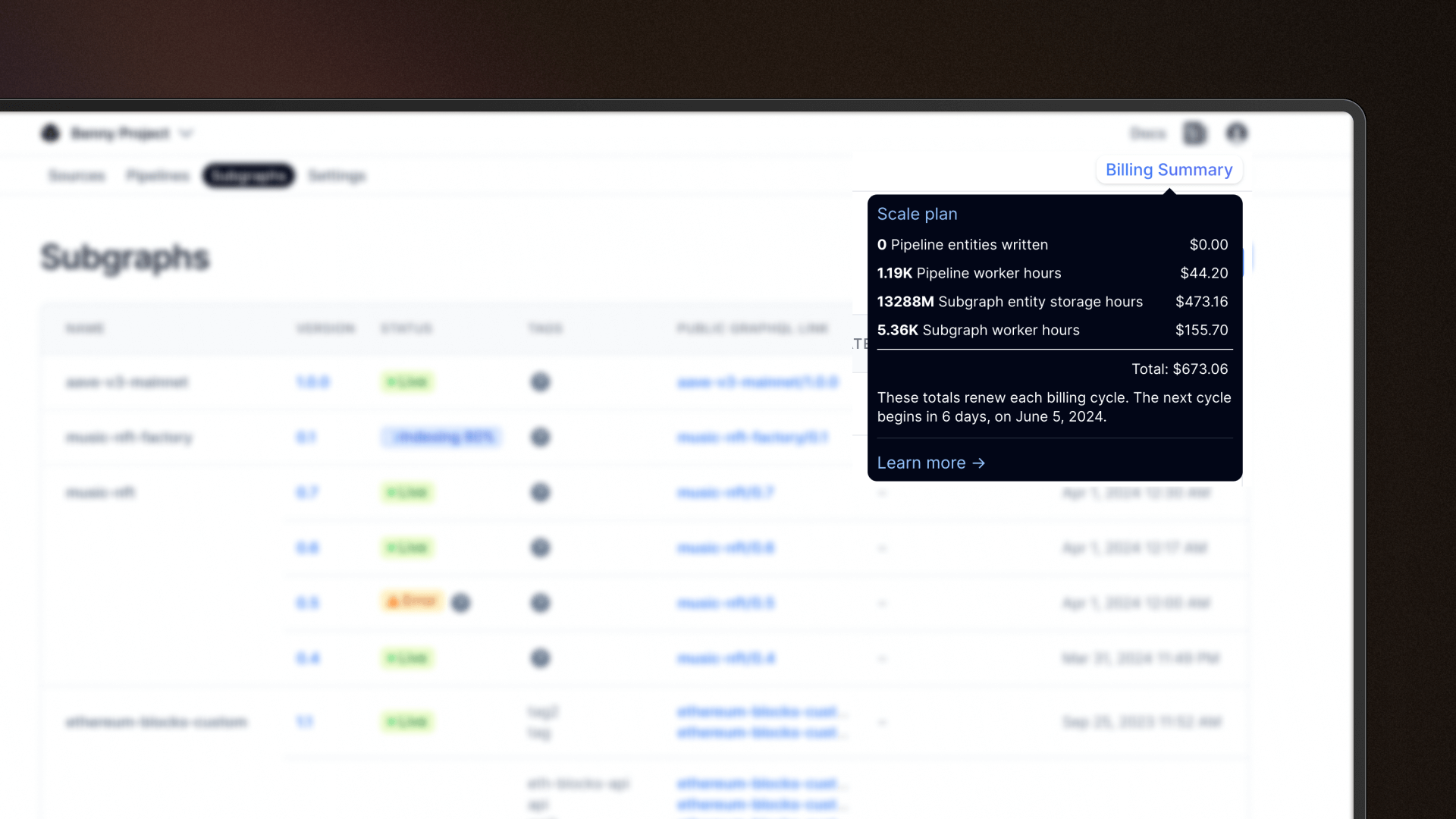
Access an immediate overview of your current billing cycle directly from your project dashboard by clicking on "Billing Summary" at the top right corner. This enhancement is part of our ongoing efforts to ensure transparency and ease in monitoring your spending as you engage with Goldsky products, helping you stay informed and in control of your costs.
- CLI v8.9.0 - The
pipeline infocommand now provides detailed runtime information about pipelines. This functionality was previously part of thepipeline getcommand, which is now streamlined to handle configuration details and cloning of pipeline configurations more efficiently. - Added subgraphs: Rootstock
CLI wizard for creating subgraphs
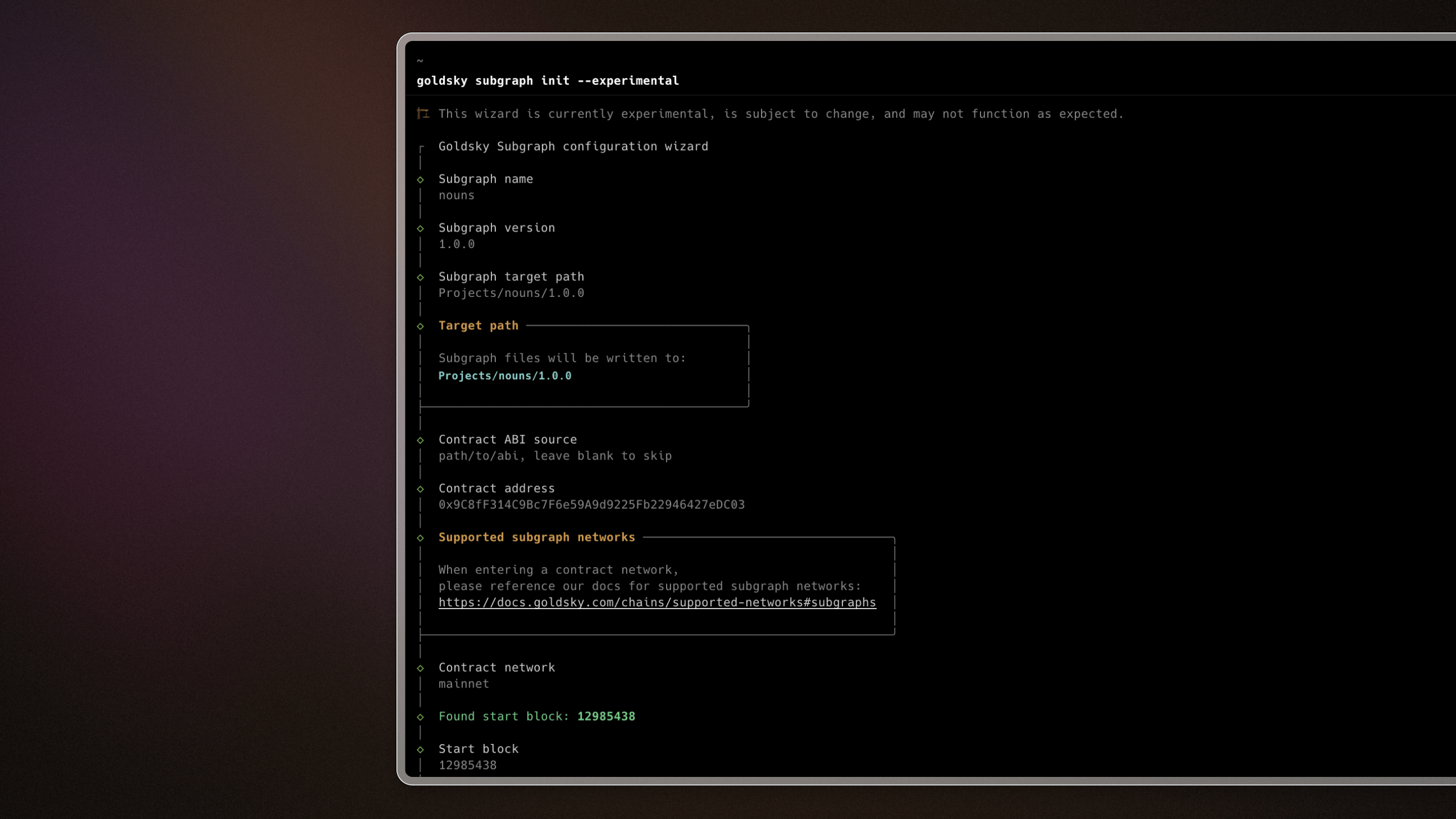
A guided CLI experience that walks you through creating and deploying subgraphs. Fire up the command line and type goldsky subgraph init --experimental. Follow the steps to build and deploy subgraphs with ease.
Read more here.
- CLI v8.8.0 released. Added support for
pipeline stopandpipeline resizecommands. - Upgraded RPC gateway which results in increased stability and data consistency.
- Updated docs to reflect all supported Mirror and Subgraph chains. Check out the list here.
- Added subgraphs: Frax Testnet, Cyber, Morph Testnet, Flare, Cheesy Testsnet, Core DAO
- Added Mirror datasets: Eclipse Testnet, Gnosis and Celo balances
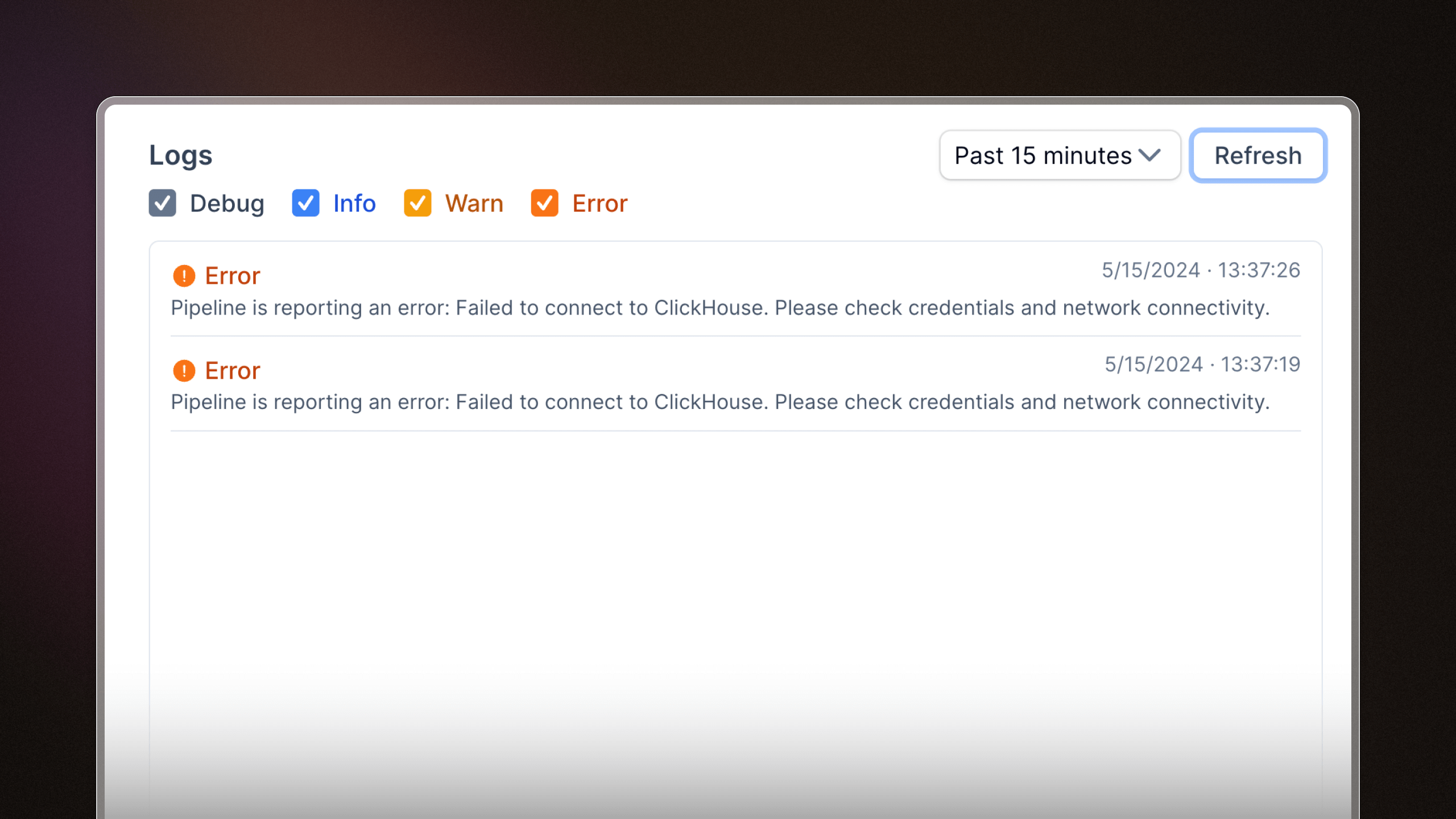
Mirror pipeline builder
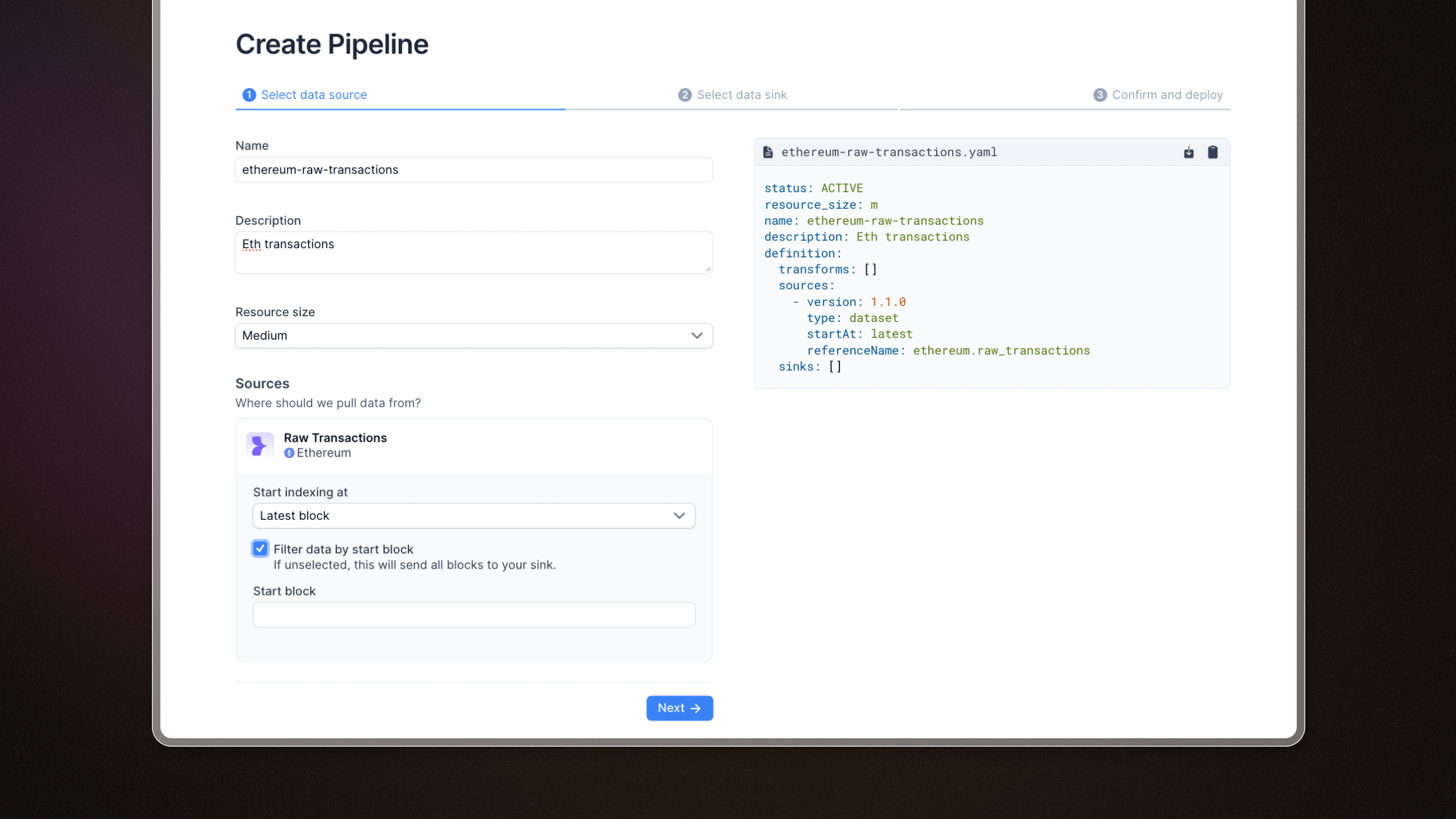
We added a web interface to create Mirror pipelines. You can pick a dataset from the sources page and start streaming data directly to your database of choice.
Private subgraph endpoints
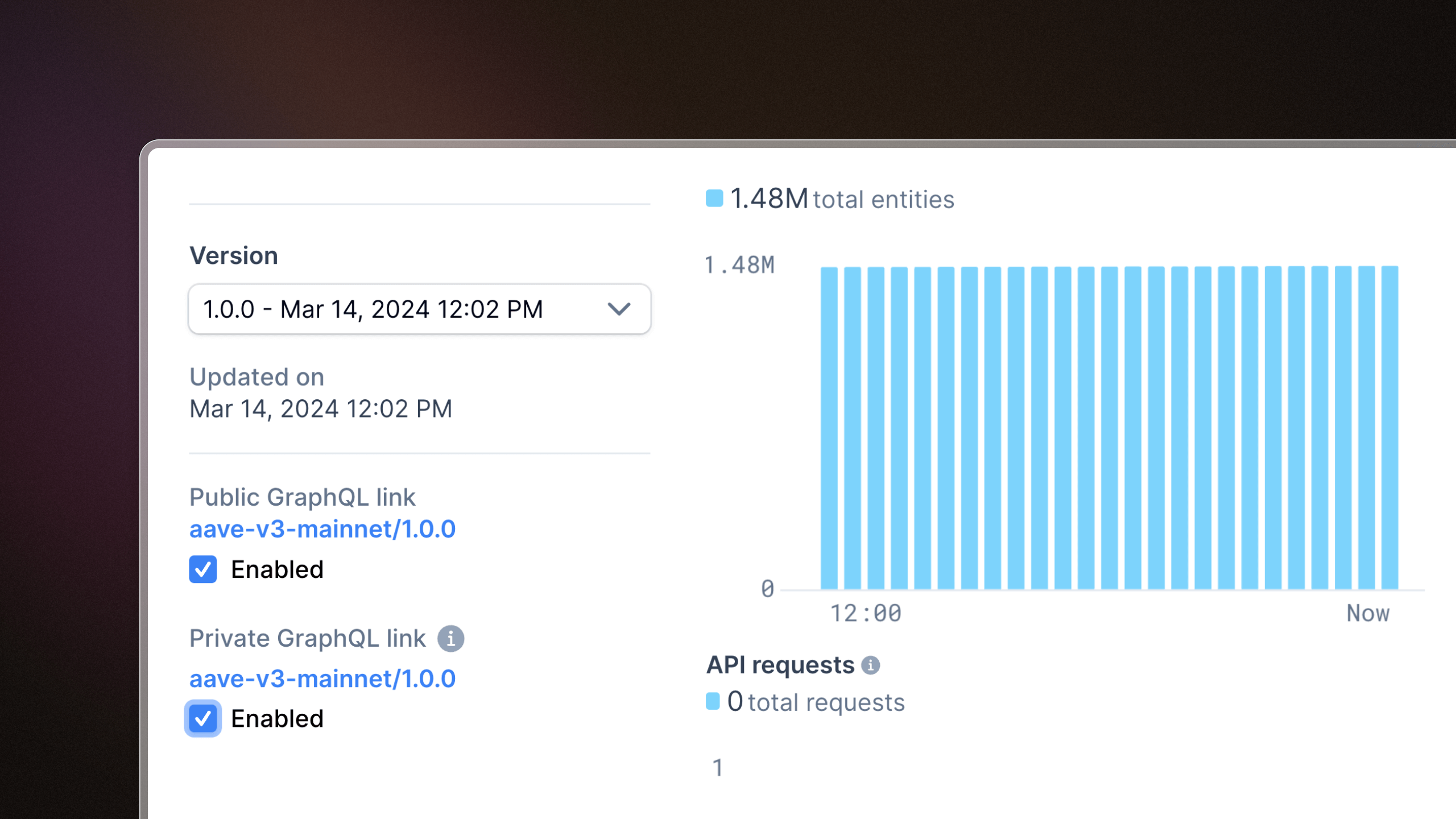
We added support for private subgraph endpoints. These endpoints require authentication, which means that you can control who has access to your subgraph data. Private endpoints can be toggled on and off for each subgraph and tag, and you can enable a mix of public and private endpoints for your subgraphs.
Read more about subgraph endpoints here.
Subgraph performance metrics
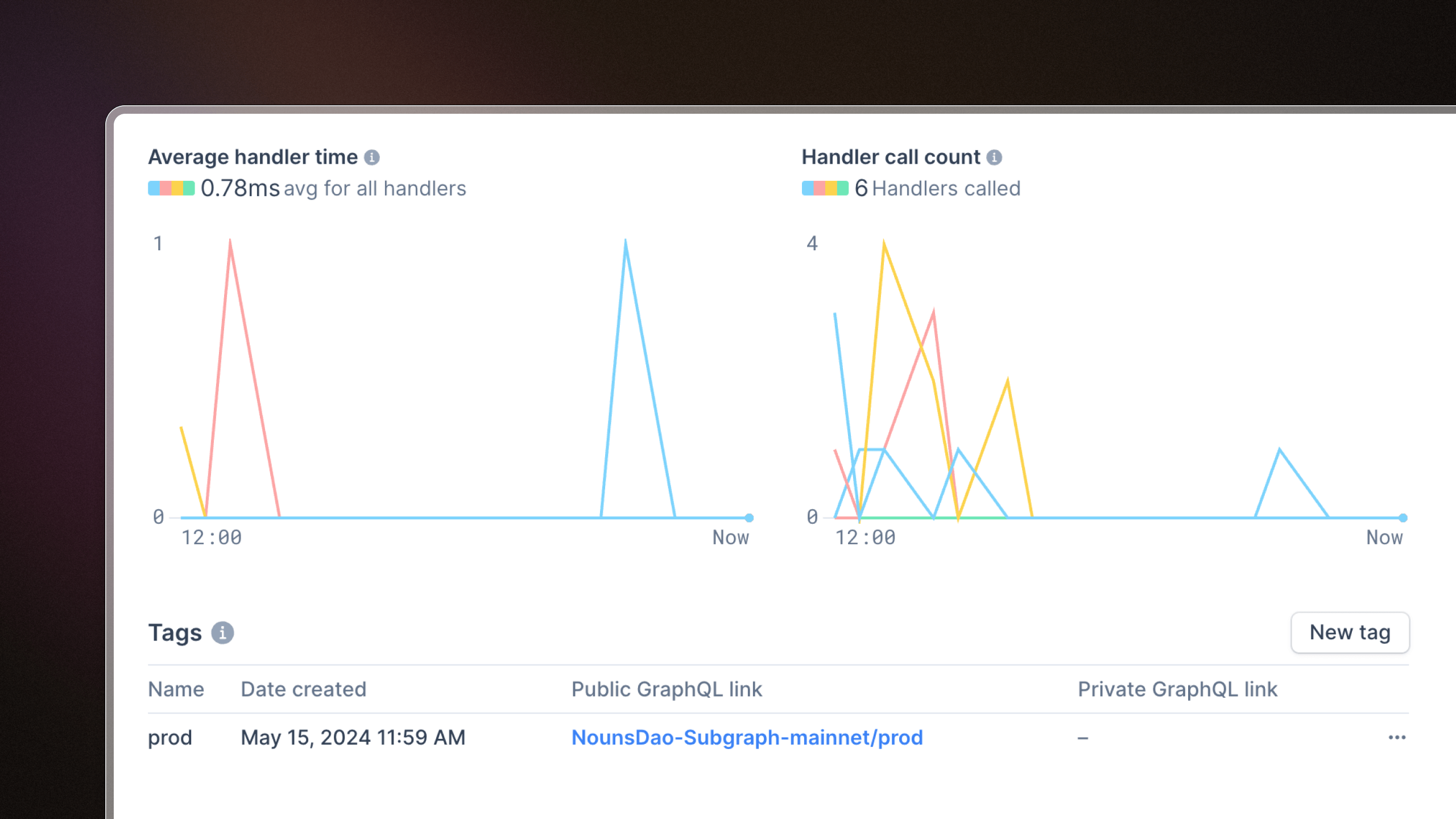
We've added two new charts to subgraph pages: average handler time and handler call count. These are useful for debugging subgraph bottlenecks and pinpointing subgraph handlers that may be causing performance issues.
Dataset explorer
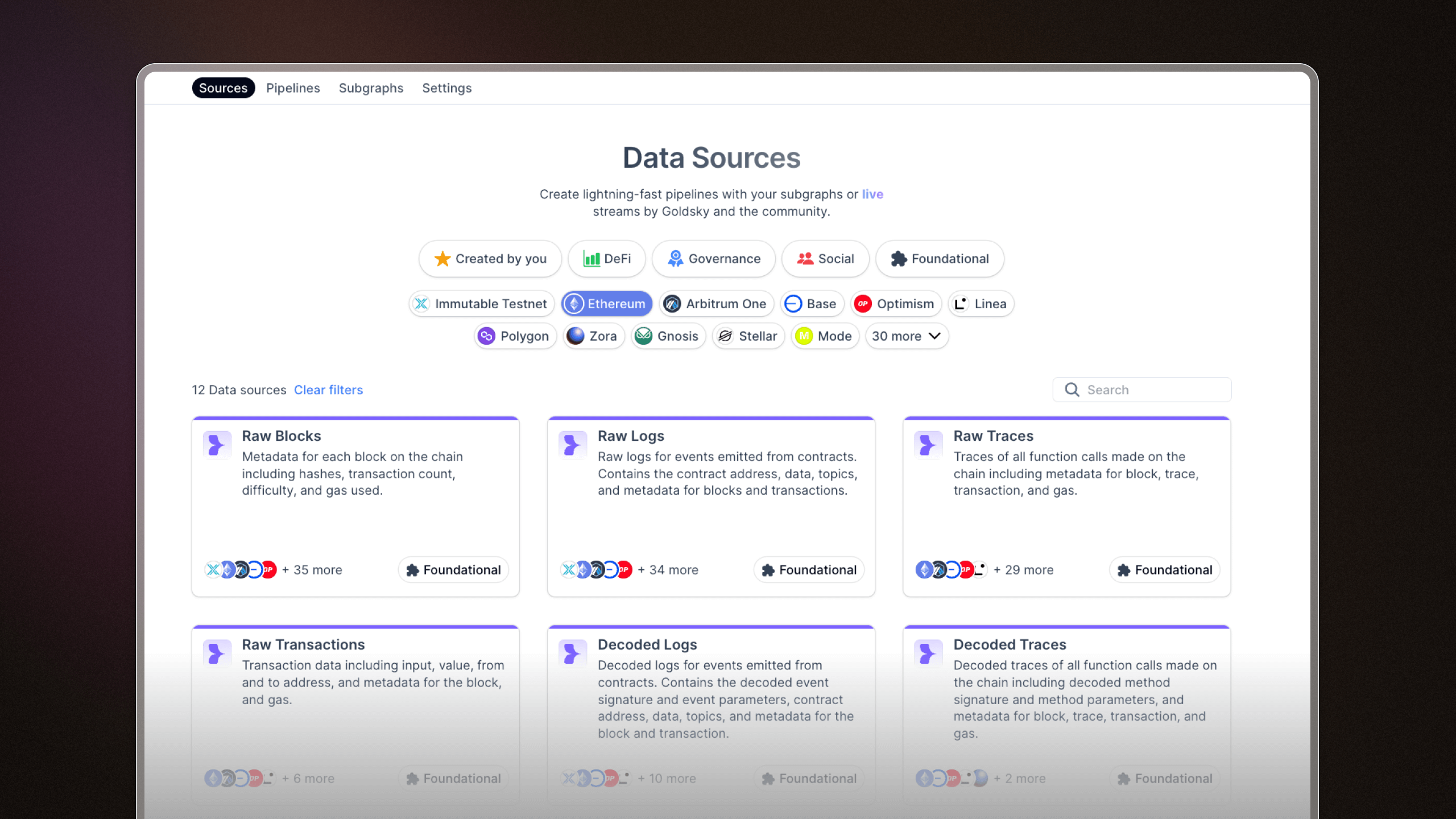
We added an easy way to browse datasets on Goldsky. You can use these datasets as a pipeline source and stream live blockchain data into your sink of choice.
CLI Release v8.0.0
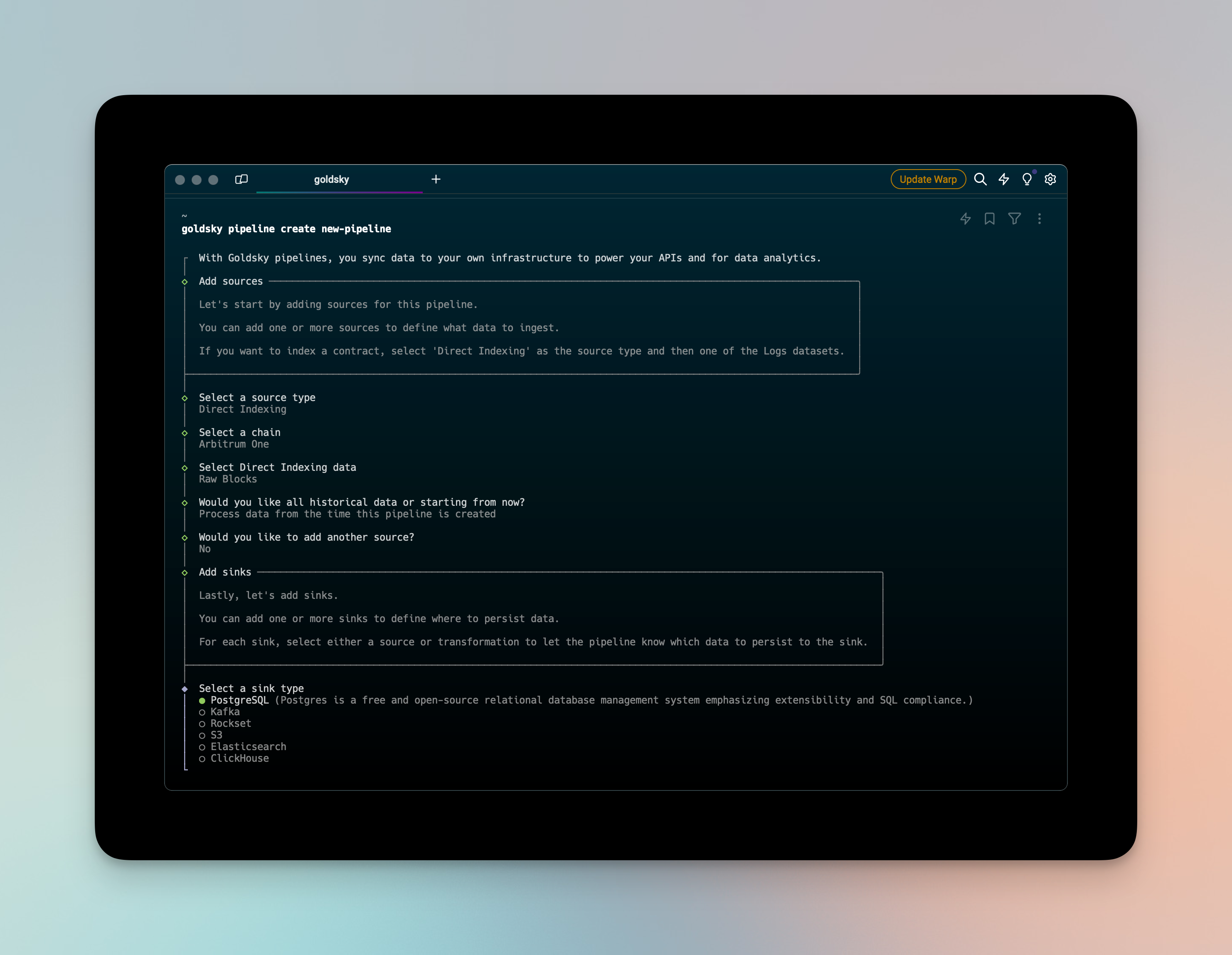
We've released an update to our CLI to improve the pipeline creation experience. Pipeline updates are now async to to account for long-running snapshots. We also added a pipeline cancel-update command and a new flag for --use-latest-snapshot to streamline deployment workflows.
Interactive goldsky secret create workflow
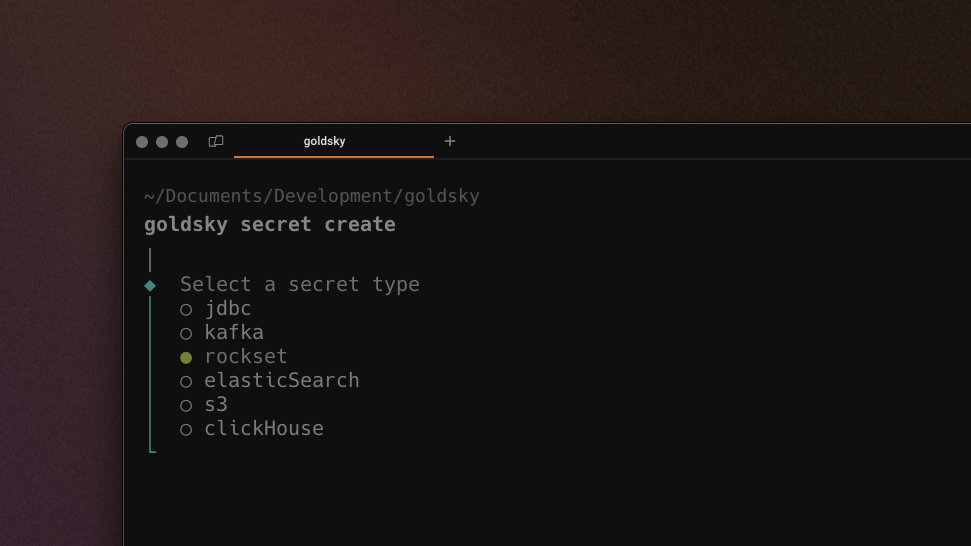
Secrets can now be validated and added to a project with an interactive CLI walkthrough (previously only accessible in the end-to-end pipeline builder).This makes it easier to add and manage secrets without building full pipelines.
v1 release of Quick Ingest™
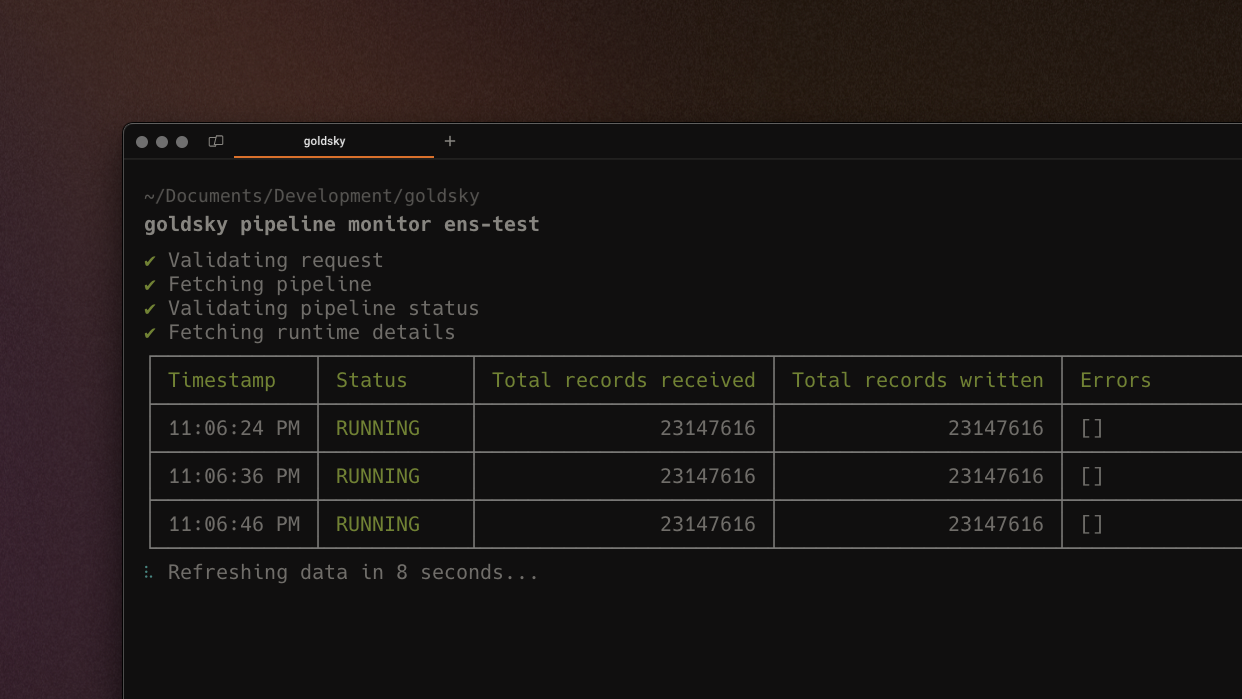
Mirror pipelines typically require a full scan - if you want to write logs only from block X onward, Mirror would still need to scan and discard all the blocks 0 from to X. With the launch of Quick Ingest we bypass this by leveraging a hybrid storage backend, allowing for blazingly fast backfills (100M+ records/minute). Available on Ethereum now, with other networks coming soon.
Define custom webhook secret values
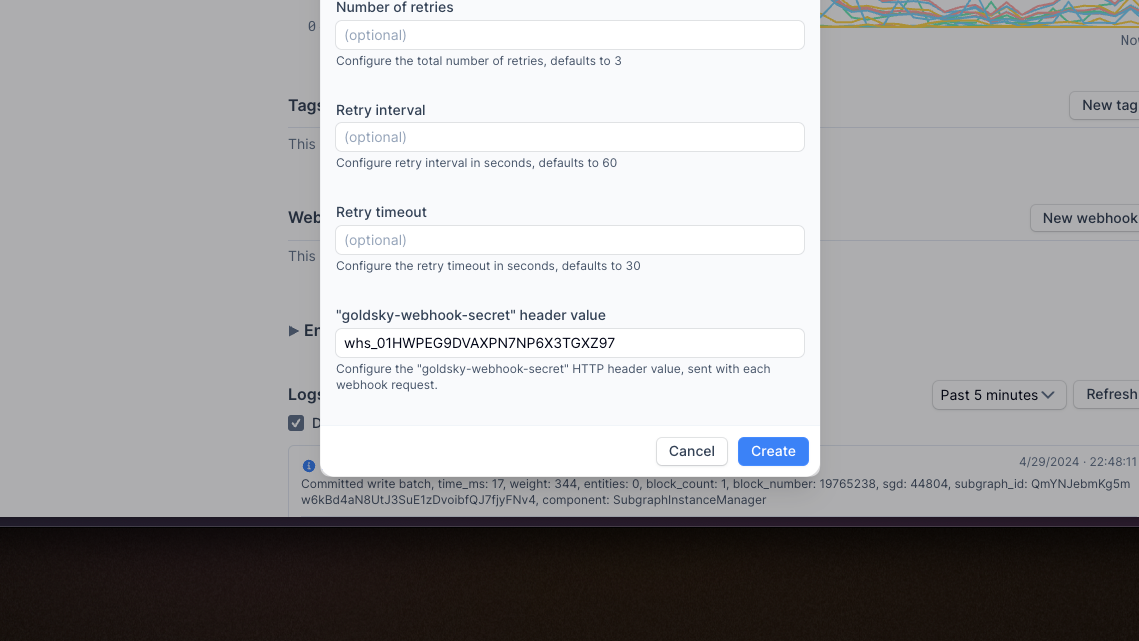
We've added functionality for users to define custom webhook secret values instead of using randomly generated secrets. This makes it easier to work across webhooks and integrate Goldsky into your data stack programmatically.
Improved metrics for Mirror pipelines
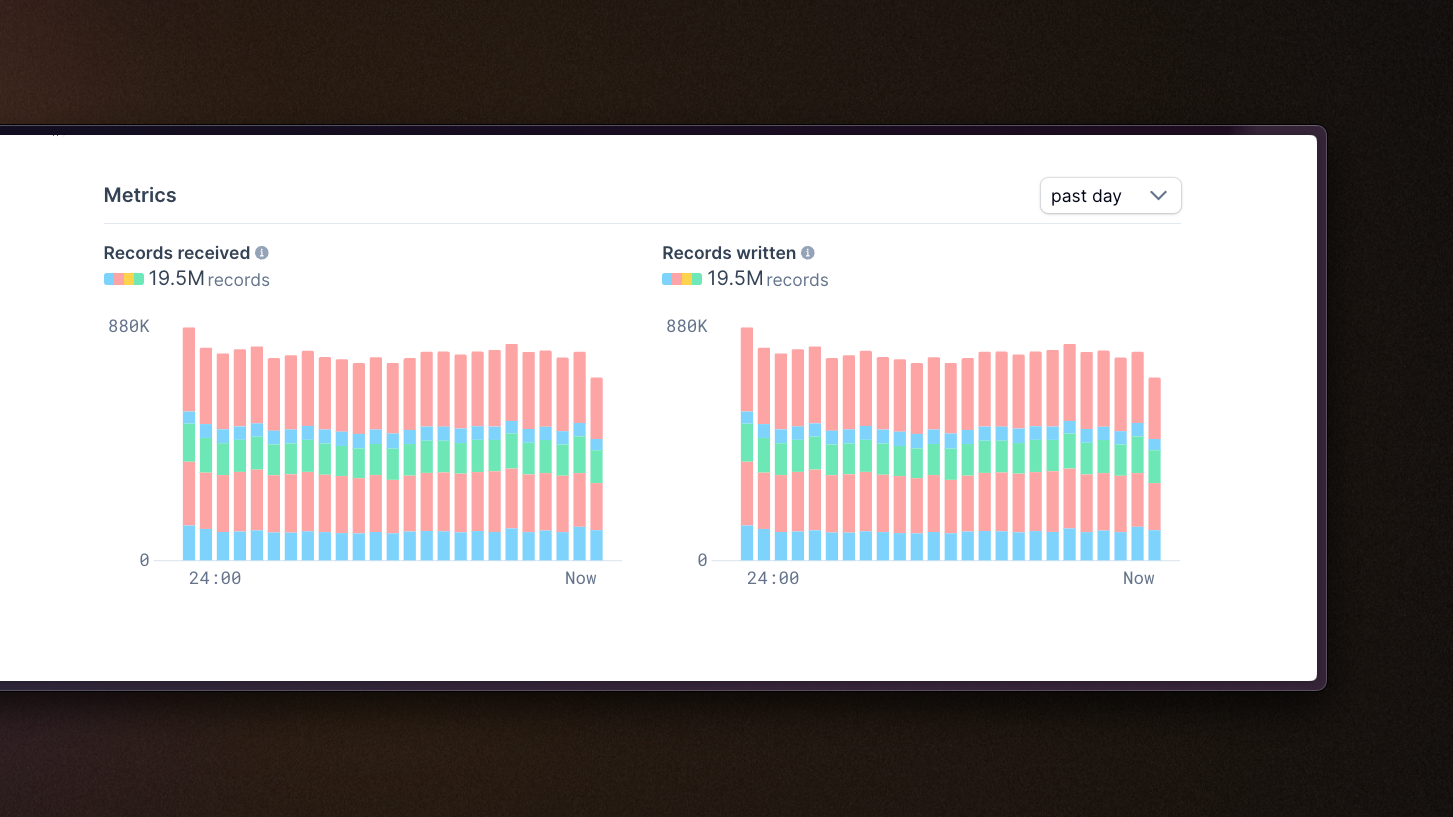
Bar charts reflecting records received and records written are now stacked bar charts split out by source, allowing for a more granular understanding of any given pipeline at a glance.
Improved metrics for subgraphs
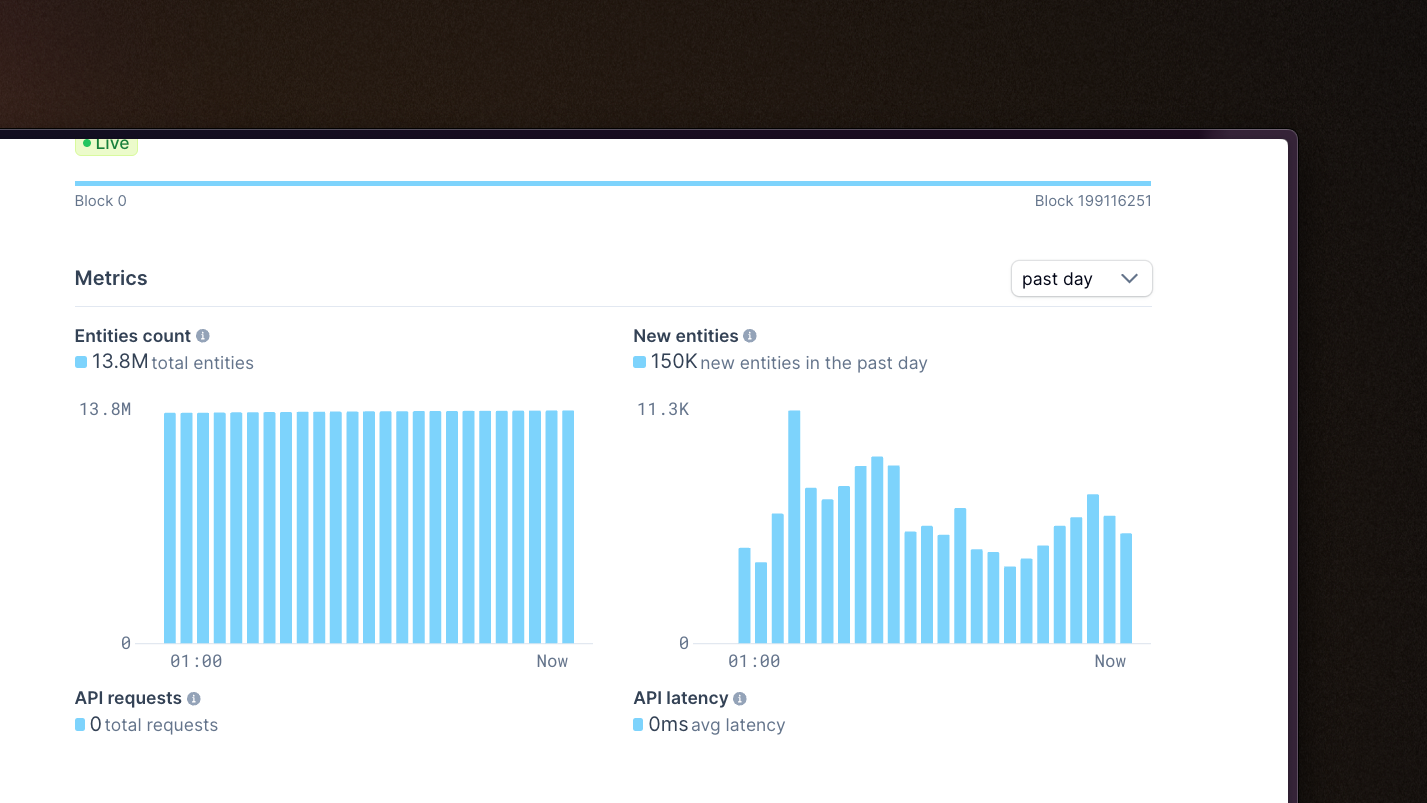
Added charts summarizing new & total entity counts on subgraph details page, providing visibility to the approximate cost of a subgraph (and how that cost may grow over time).
Role-based access controls
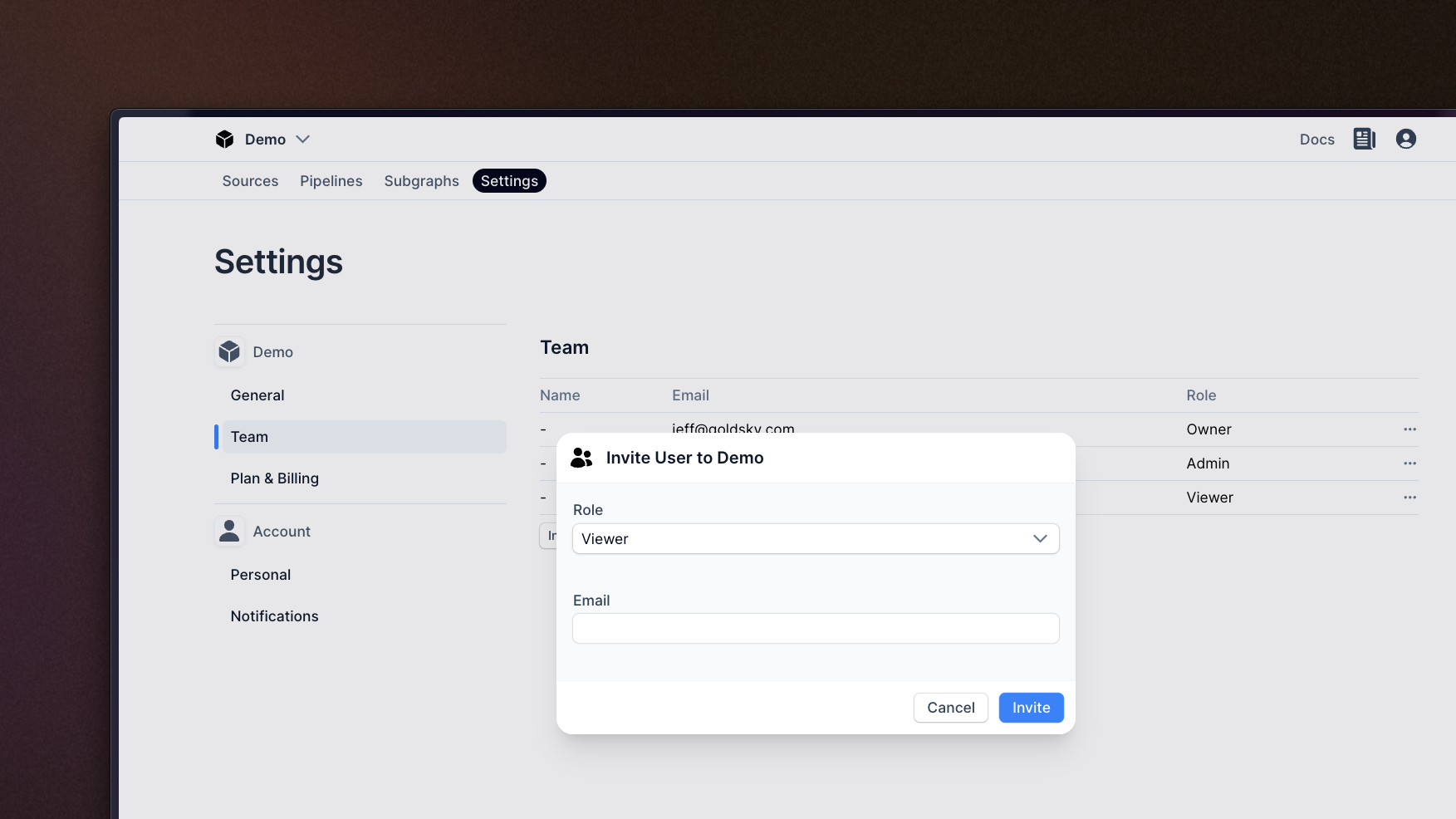
Brand new RBAC options have been added to the Team page for the web-app, helping you restrict what actions can be taken by different members of the team. There are four roles: Viewer, Editor, Admin, and Owner; read the docs for the specific permissions of each.
Create pipeline from a single payload
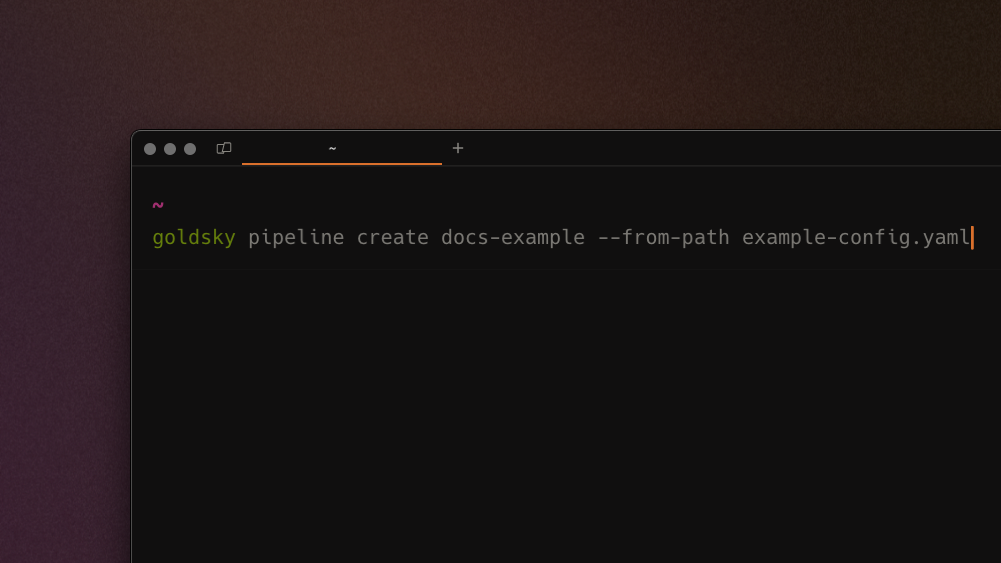
We've added the ability to create a new pipeline from the CLI using a single payload file. You can now develop a full pipeline (beyond sources/transforms/sinks, including eg. pipeline resource size) in an editor and use the command goldsky pipeline apply ~/path/to/payload.yaml to deploy.
- Improved custom ABI fetching function to support non-block-explorer URLs
- Improved robustness of RBAC / user invitations
- Improved transformation type validation
- Fixed issue with Postgres stream errors caused by null values
- Fixed bug where
--versionCLI command would not return the version number - Upated chain head monitoring to flag lag with more sensitivity
- Added subgraph support for X1, Tenet, Thundercore, Fantom, and Kava
- Added Mirror support for Optimism Sepolia
Dataset version explorer in CLI
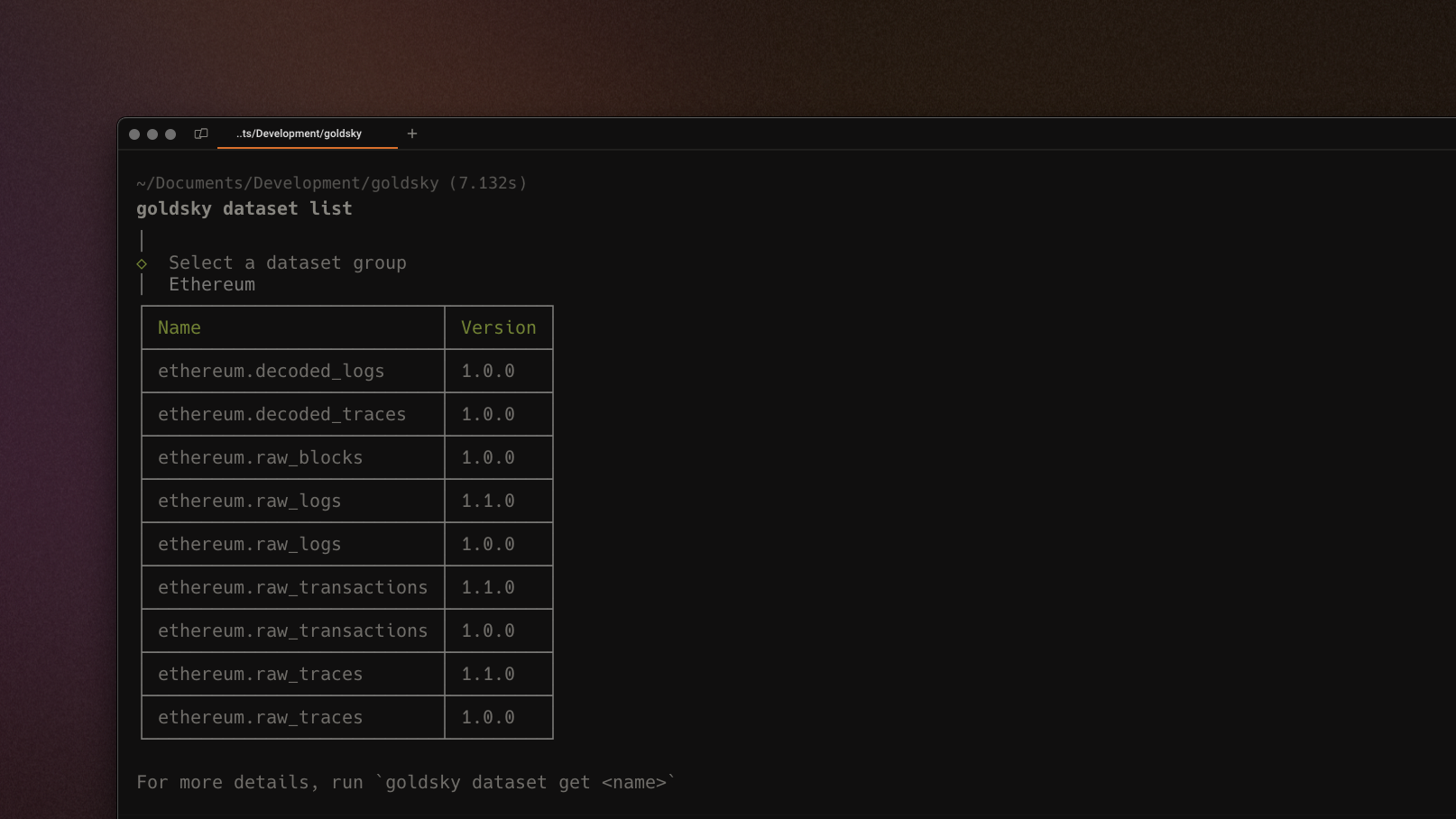
We've added a dataset version explorer in the CLI, making it easier to access and browse various dataset versions and easily identify the latest. You can use goldsky dataset list to explore available datasets in Goldsky Mirror.
Brand new documentation
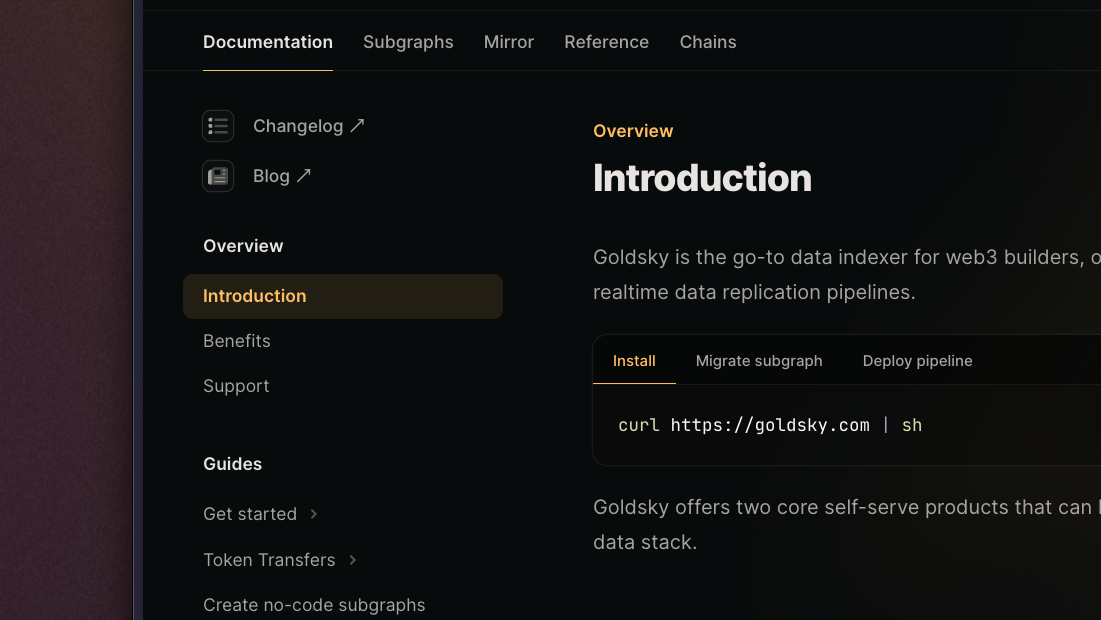
We've re-written our documentation from scratch to deliver a more intuitive developer experience and make it easier to get going. With an all-new "Guides" section, dedicated pages for Subgraphs vs. Mirror, and a clear Reference section, it's now easier than ever to get building with Goldsky.
Email notification infrastructure
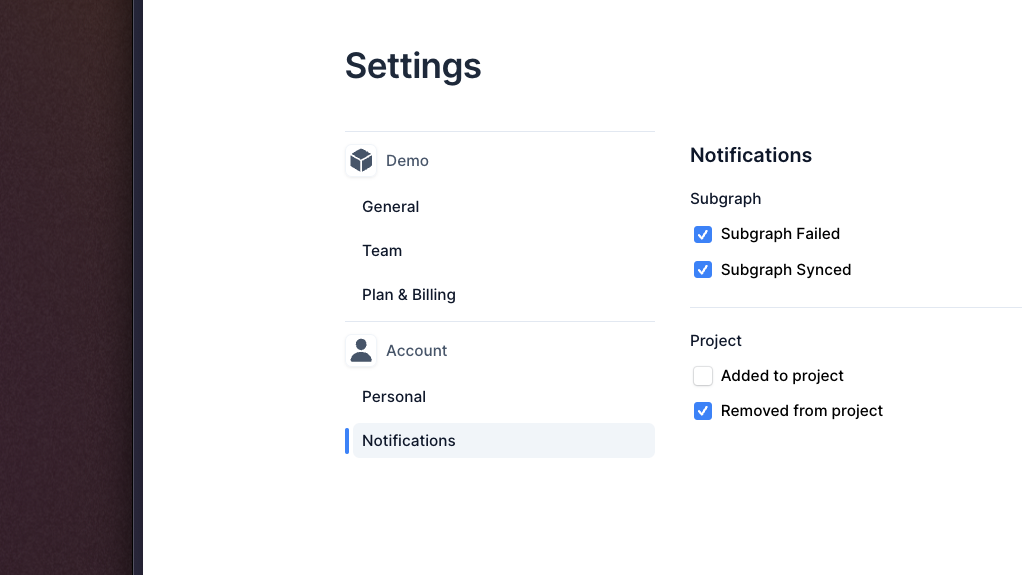
We've added email notifications infrastructure and a preferences panel to the web-app, allowing you to customize which events you receive notifications for. This allows you to stay informed about the status of your infrastructure directly in your inbox.
- Improved input validation and pipeline configuration workflows to be more error-proof
- Added ability to view pending invitations to current project in web-app and CLI
- Added support for Public Goods Network (PGN) on indexed.xyz
- Added subgraph support for Manta and Polygon zkEVM
- Added Mirror support for Immutable, Frame, and Base Goerli
New, more scalable pricing
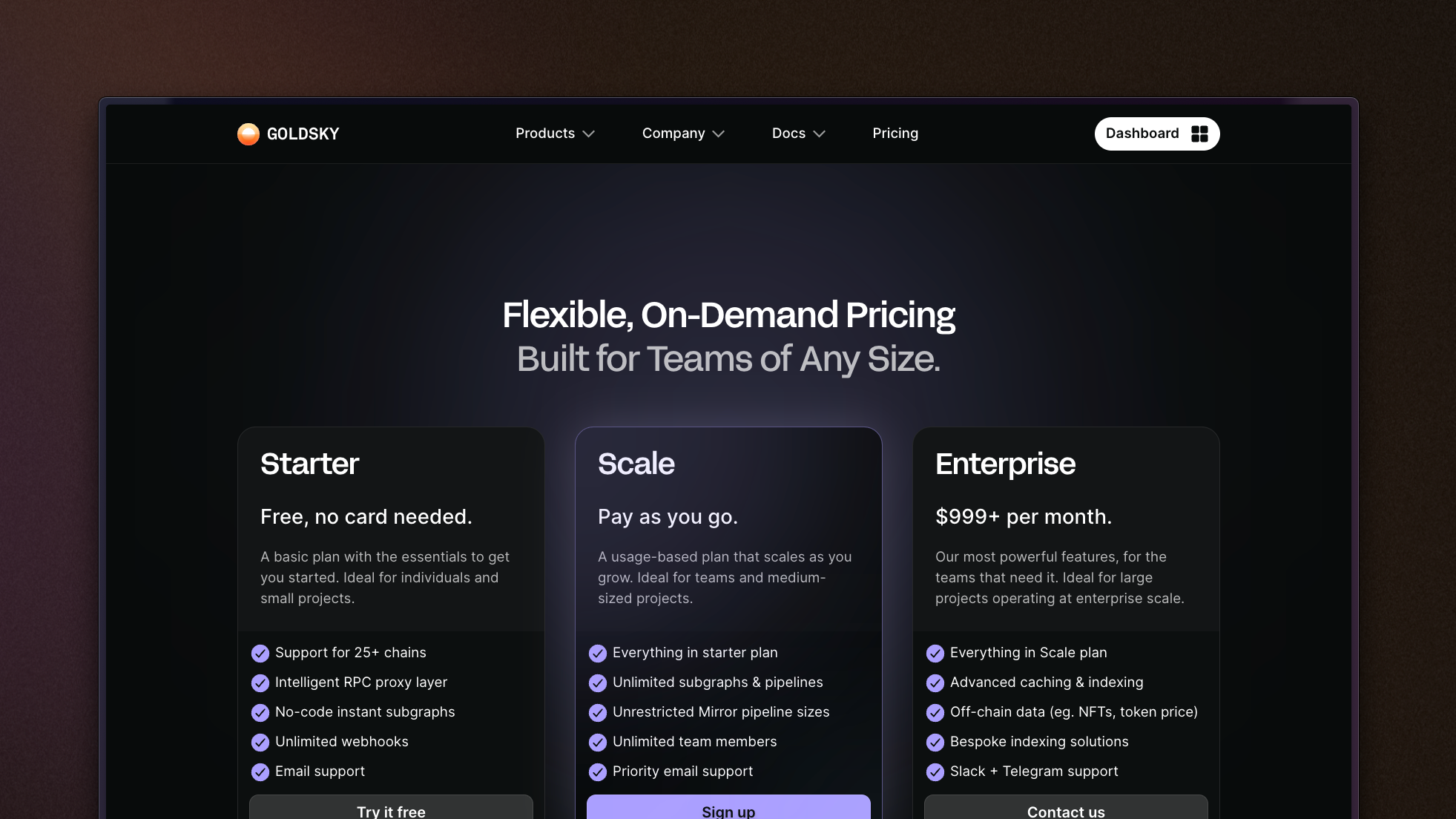
We've updated our pricing to provide more functionality for free - ie. self-serve access to Goldsky Mirror. The developer plan is deprecated in favor of a new "Scale" tier that allows for much more intensive usage without needing to contat us for an Enterprise plan.
New goldsky pipeline validate command
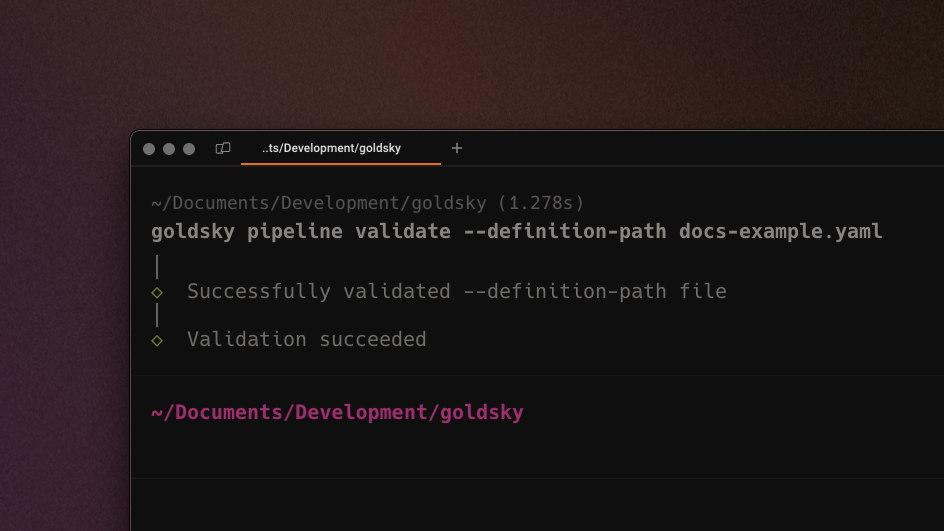
You can now run a command to validate that a .yaml pipeline file is correctly configured prior to running goldsky pipeline create. This lightweight validation improves workflow by making it easier to catch bugs and typos in your pipeline definition.
Support for YAML configurations when creating & updating pipelines
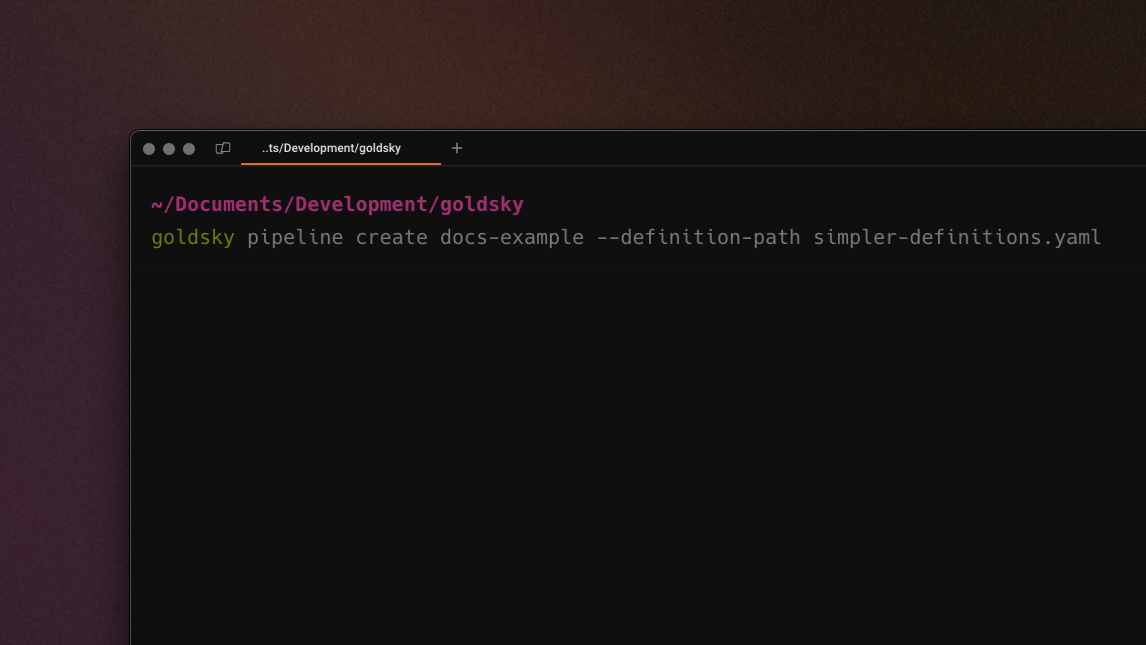
Pipeline definitions can now be written in YAML (in addition to the existing option - JSON). This allows for more concise, error-resistant, and human-readable configurations, simplifying the process of creating and updating Mirror pipelines.
- Upgraded RPC endpoints for several chains to improve indexing performance
- Added feedback widget to documentation pages
- Added subgraph support for zkSync Era and Telos
- Added Mirror support for Mode
- Improved handling of transient startup issues to increase resilience
- Upgraded login flow in CLI to unify with other CLI experiences
Pause and resume pipelines
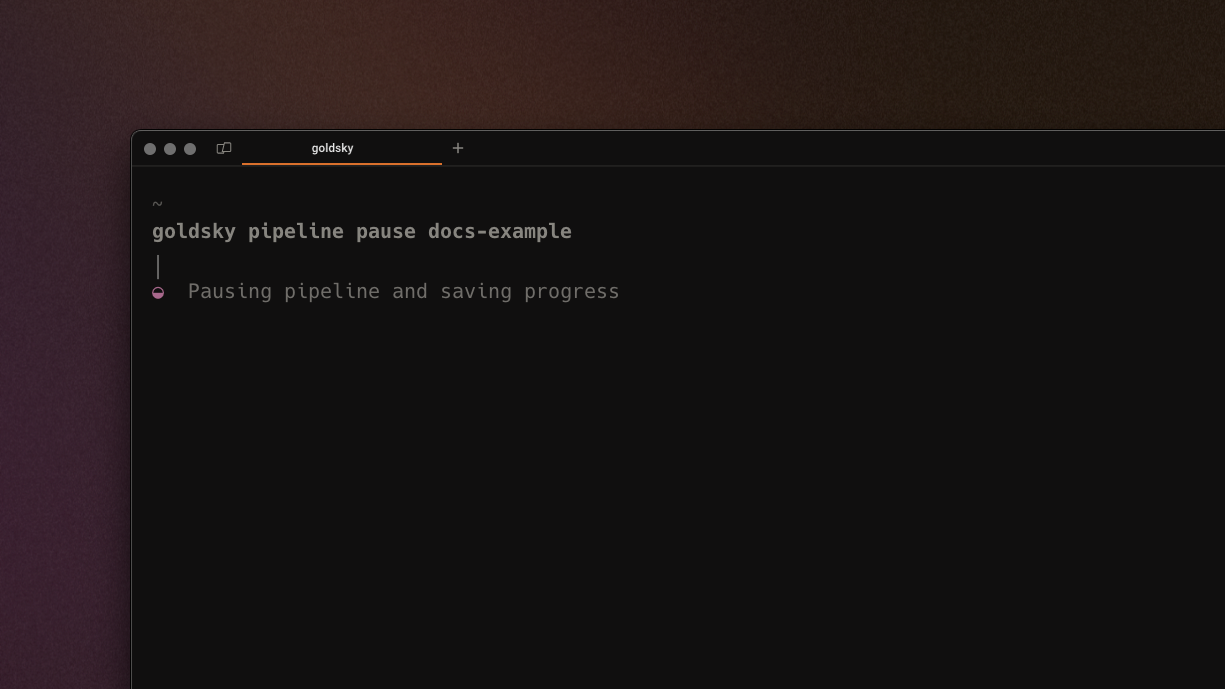
Pipelines can now be paused and restarted using pipeline pause <name> and pipeline start <name>, allowing for easier iteration. When an active pipeline is paused, Goldsky will snapshot the progress and resume from where the pipeline left off.
Added support for custom subgraphs as Mirror sources
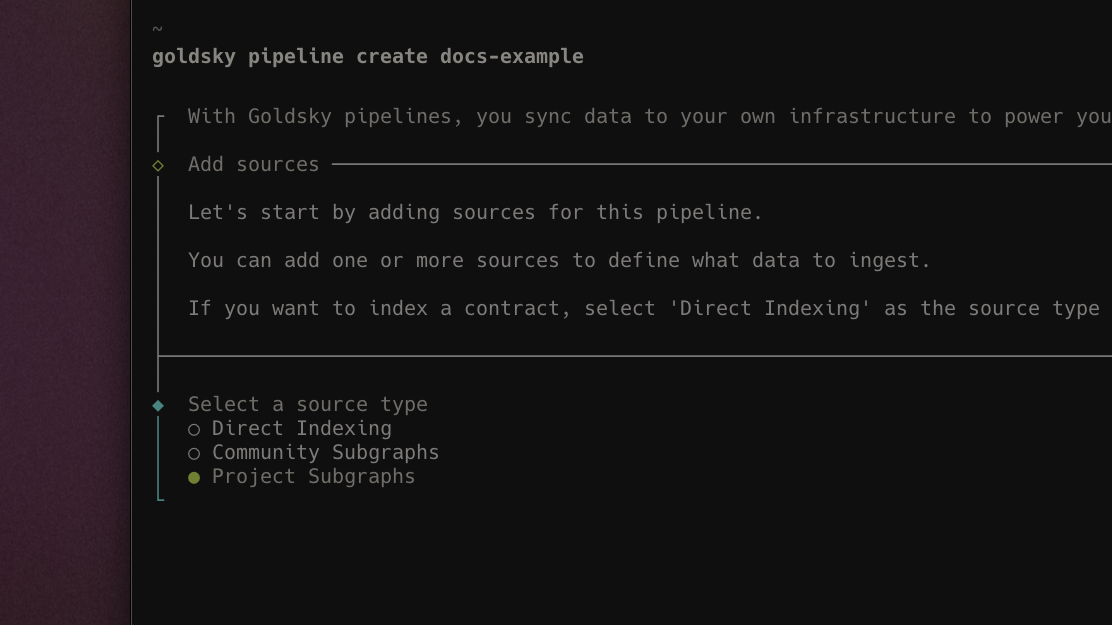
User-created subgraphs are now available as a source for Mirror pipelines, allowing you to replicate your own custom subgraphs in real time to your own data ifnrastructure. This unlocks more robust access to your data, enabling more flexible querying and use of your subgraph data in general.
Upgraded API key management
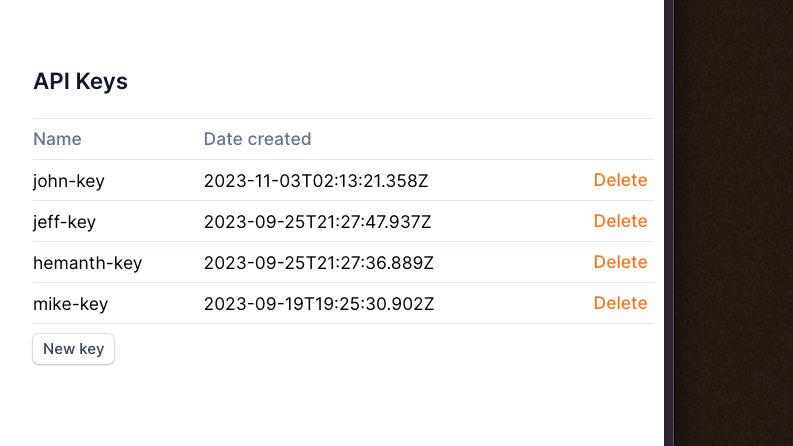
You now have the ability to create multiple API keys and name them, allowing for significantly better key management - across users, use cases, or however your workflow is set up. Soon™, we'll be adding permissioning on a per-key basis for further workflow control.
Shareable pipeline definitions
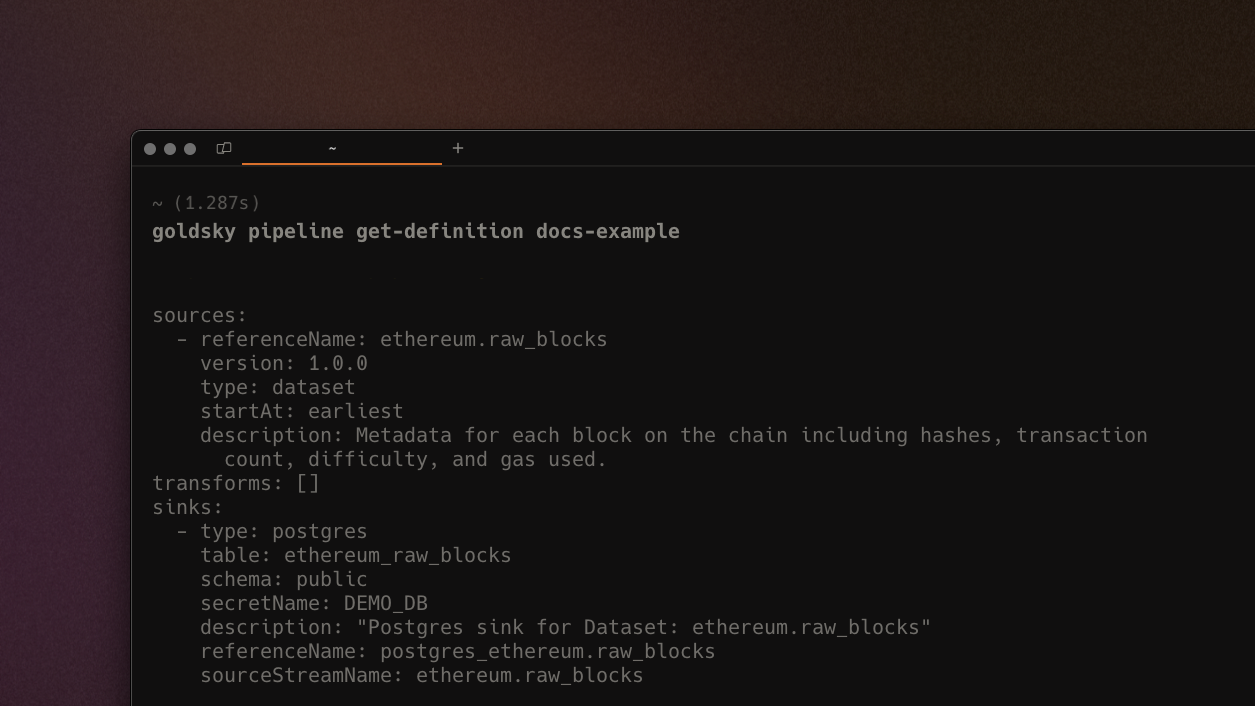
With get-definition, the Goldsky CLI will print out a shareable pipeline definition - this can be copy+pasted as is to share with team members or Goldsky support, or to clone the pipeline easily. An example of the command in use would be goldsky pipeline get-definition <name>.
Decode raw blockchain data in-stream
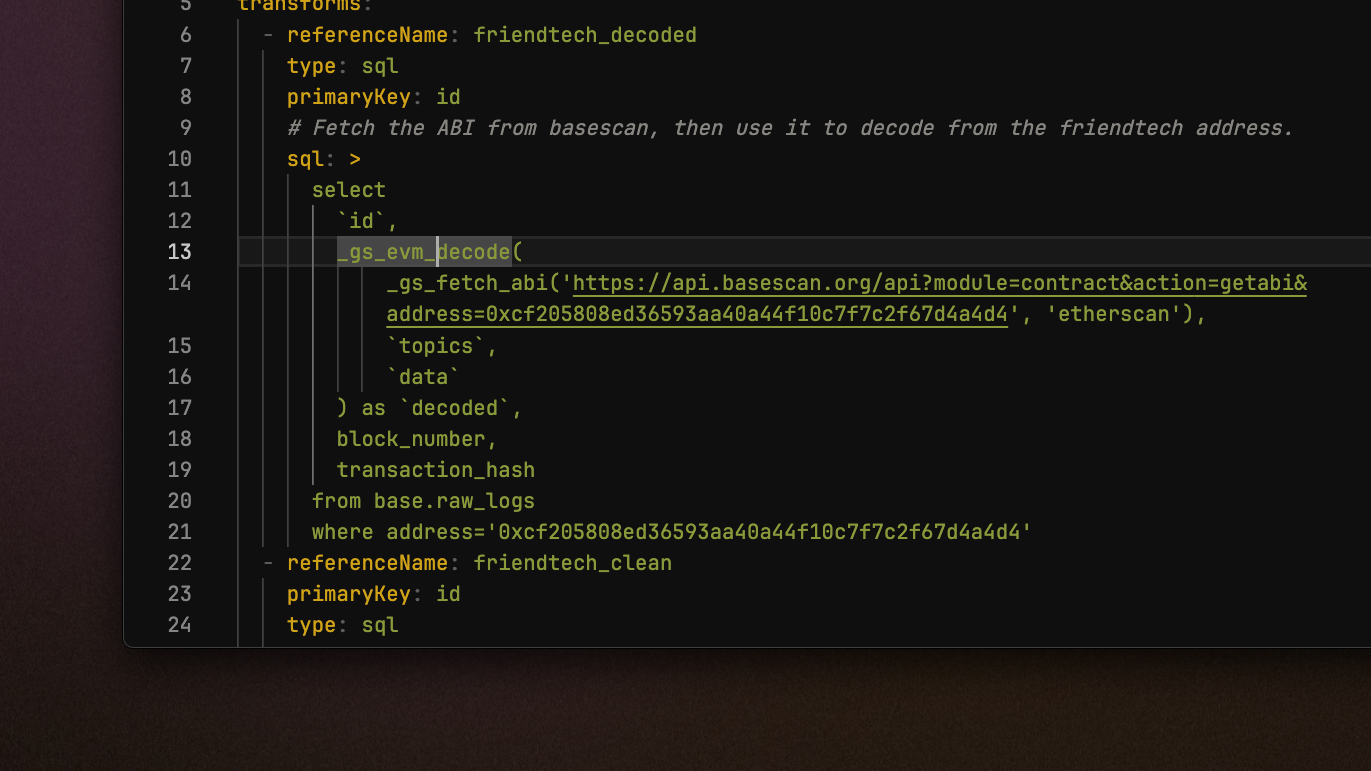
Custom _gs_fetch_abi and _gs_evm_decode functions that allow you to decode raw contract data in a Mirror pipeline transformation. Visit the docs page for more details and a step-by-step tutorial. This feature is in technical preview so if you run into unexpected behaviour, please contact us.
- Improved error handling for Postgres and Rockset sink connections
- Optimized retry mechanisms for sink connections
- Signficantly improved load times on
goldsky pipeline createinitial prompt - Enabled multi-select for Mirror pipeline source selection
- Improved auto-mapping for Postgres source/transform
- Added subgraph support for Polygon zkEVM and Metis
- Launched Base Mainnet and deprecated Base Testnet on indexed.xyz
Raw and decoded traces in Mirror CLI
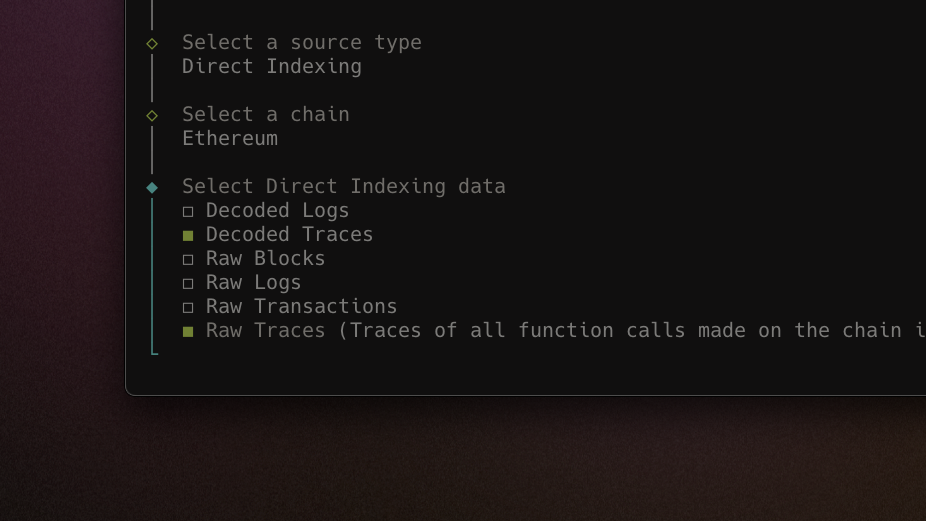
Decoded and raw traces are now available for selection in the interactive CLI (and via config file). With Mirror pipelines on trace data, you can get a low-level view of contract execution, contract calls, and external interactions - all in real-time.
Brand new web interface for pipelines
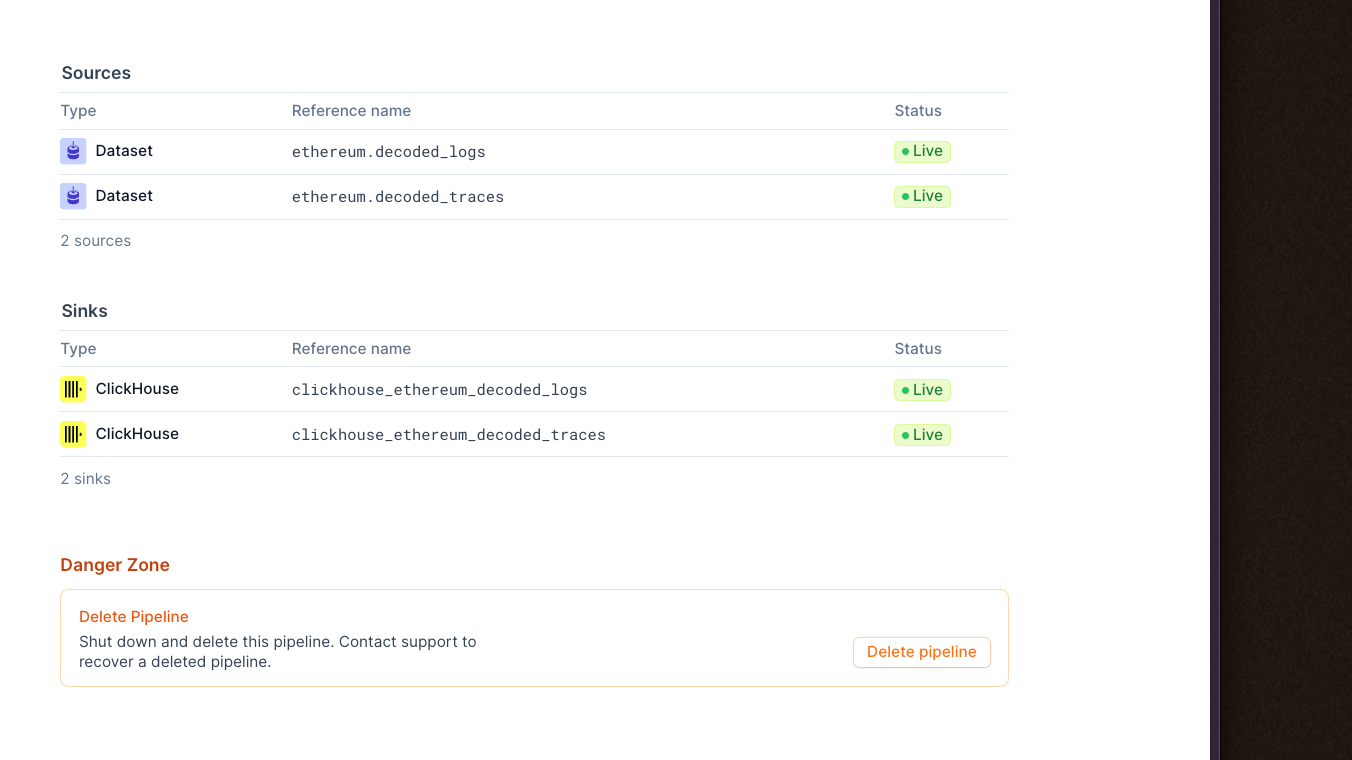
We've added a brand new section to the web app where you can view existing Mirror pipelines, deploy new ones, and see core source/sink/health stats. You can now view, monitor, and manage pipelines without jumping into the CLI for easier access.
Support for ClickHouse as a destination sink
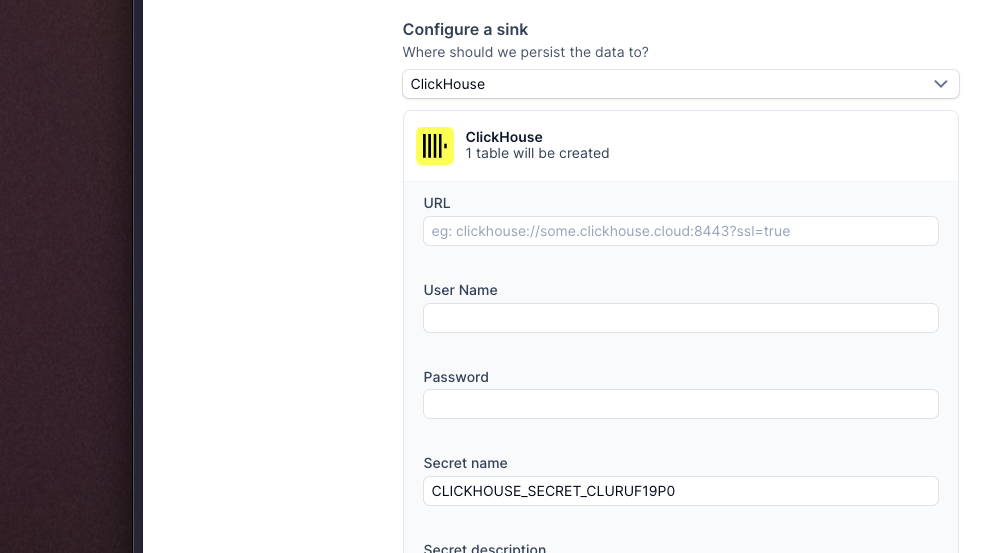
ClickHouse is an open source, high-performance OLAP database with industry-leading performance for analytics use cases, and is now suported as a destination sink by Goldsky Mirror! You can now create pipelines using the interactive CLI or via json configuration file to stream data to ClickHouse to power large-scale analytics use cases.
Base Mainnet on indexed.xyz
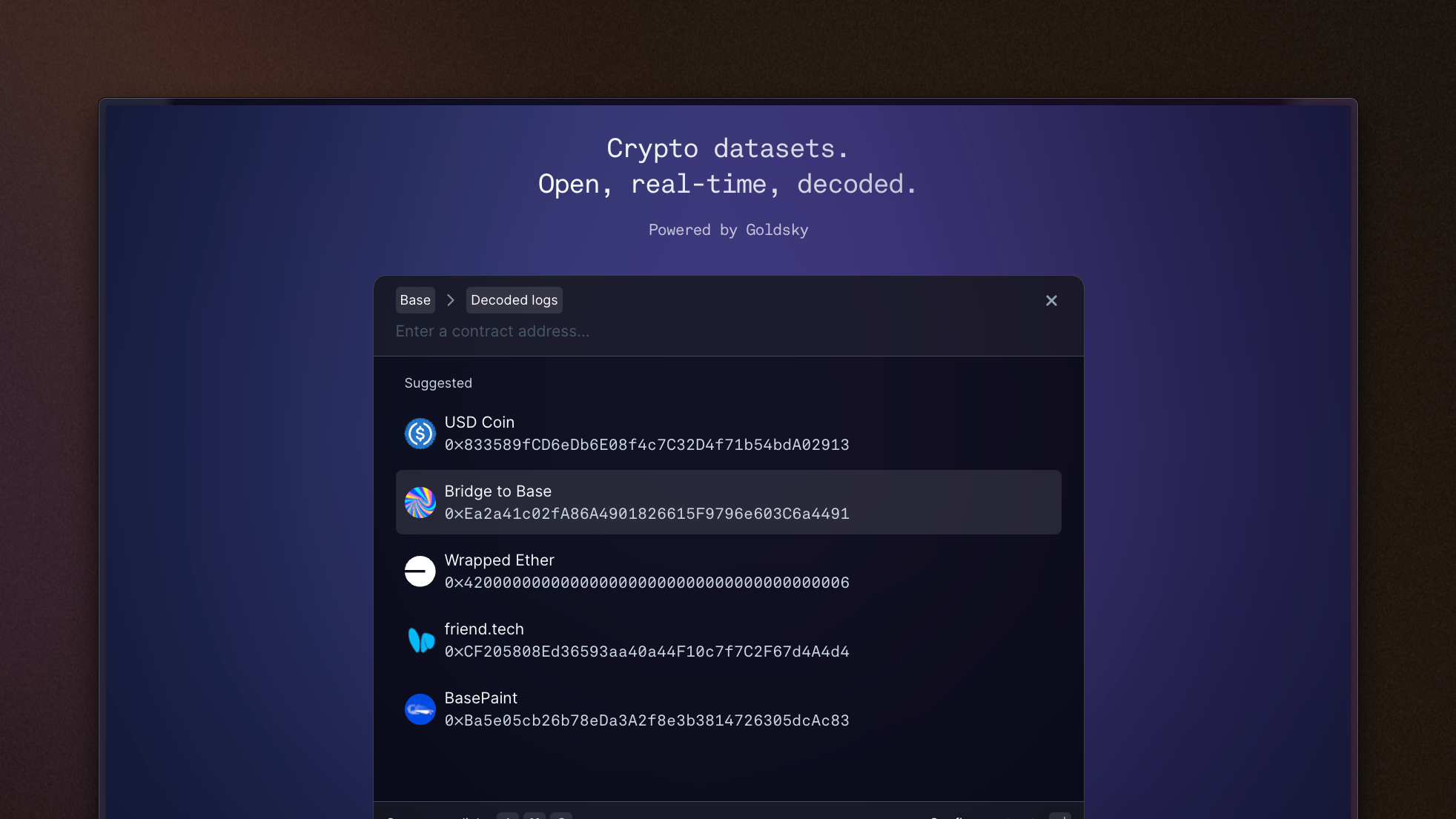
indexed.xyz now supports Base Mainnet data, allowing you to sync blocks, transactions, and raw/decoded log data to your machine, for free & without any restriction.
Parallel downloads on indexed.xyz datasets
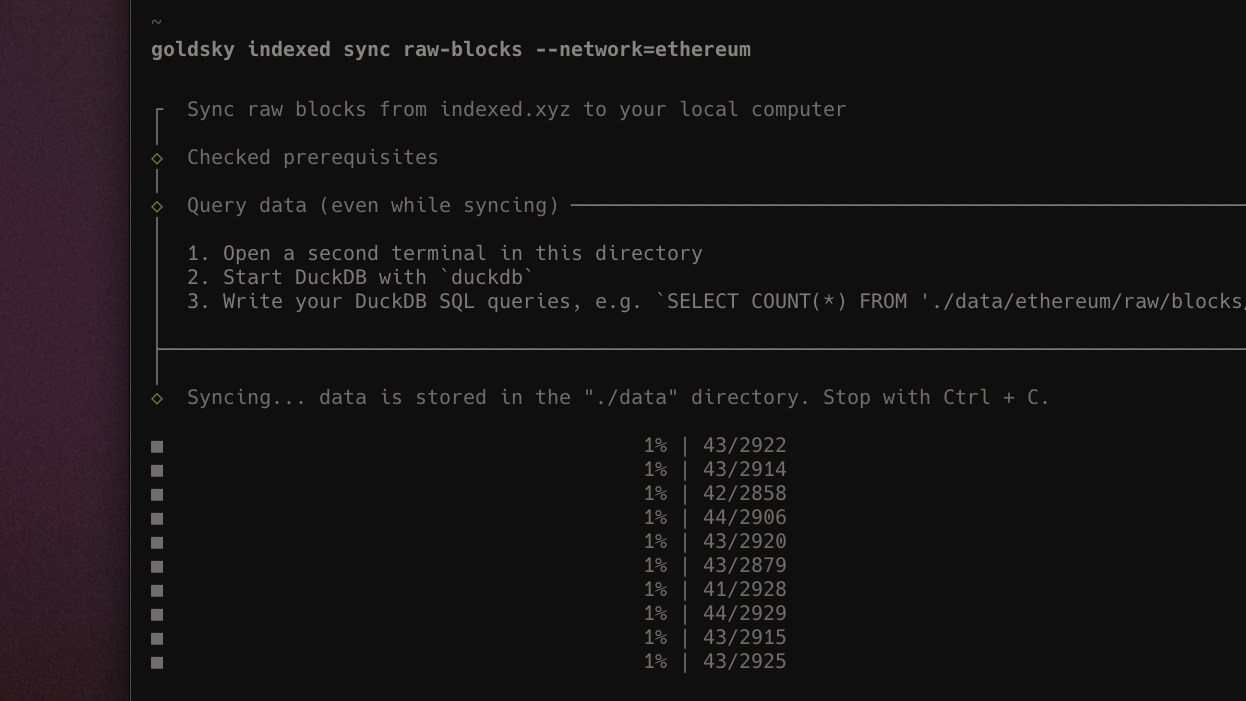
indexed.xyz data streams now intelligently sync with parallel workers based on the volume of data being downloaded, minimzing the time-to-insight for local analytics. This allows you to get the data you want in a queryable state on your machine up to 8x faster.
- Upgraded CLI experience for
goldky indexed sync *commands - Improved table component for pipeline monitors for better reliability
- Added ability to resize pipelines without losing state
- End-to-end improvements on indexing infrastructure to improve performance
- Added Subgraph support for Mantle
Traces support with instant subgraphs
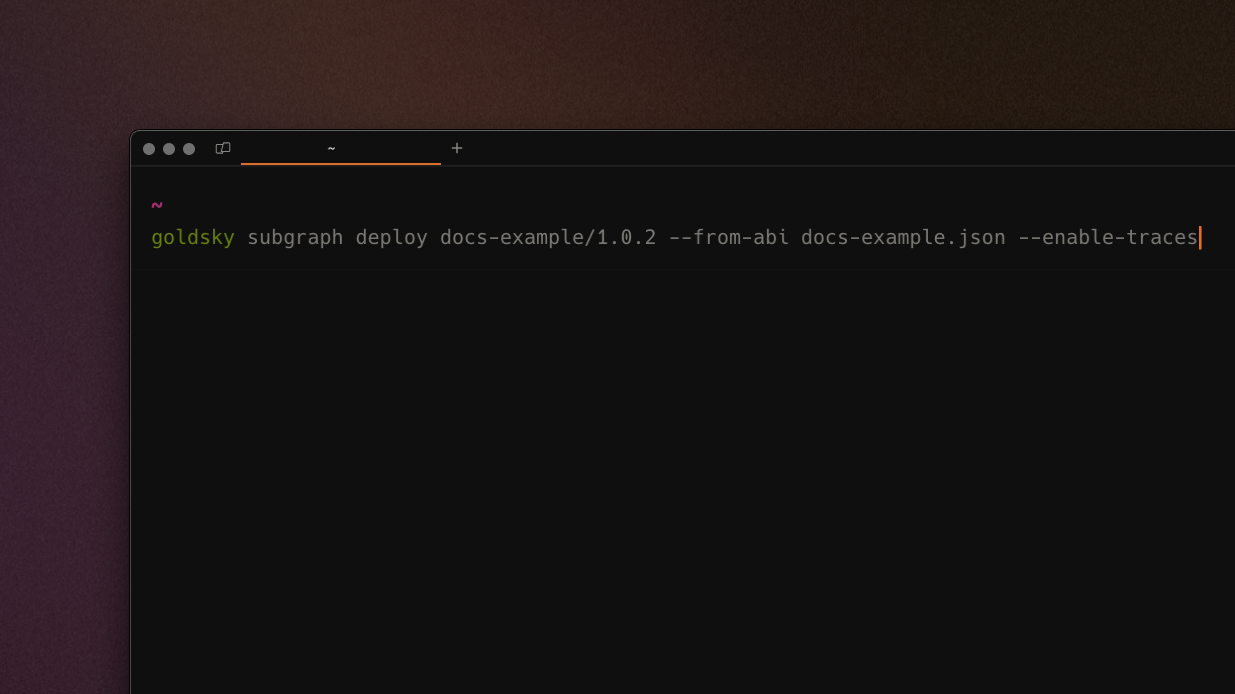
We've added an --enable-traces option to the CLI that allows you to get trace data with Instant Subgraphs. Simply use this option with an ABI and config file to create a subgraph and understand how a smart contract is being executed.
- Fixed a bug where adding team members to a project was case-sensitive and led to errors
- Fixed a bug where Rockset sink fails when encountering rate limit exceptions for more graceful degradation
- Increased memory available to Ethereum logs stream for indexed.xyz to improve performance
- Added Mirror support for Arbitrum, Celo, Base, Linea, Scroll, and Zora
- Changed CLI update check to weekly vs. daily to reduce disruption
- Infrastructure improvements on emails, usage monitoring, and indexing to enable new features coming soon™
- Improved data quality checks for block existence on Ethereum and other EVM chains for Mirror pipelines
- Reduced columns visible in pipeline monitor for more readability
- Fixed a bug where monitor header would re-print on refresh
Analytics dashboard in web app
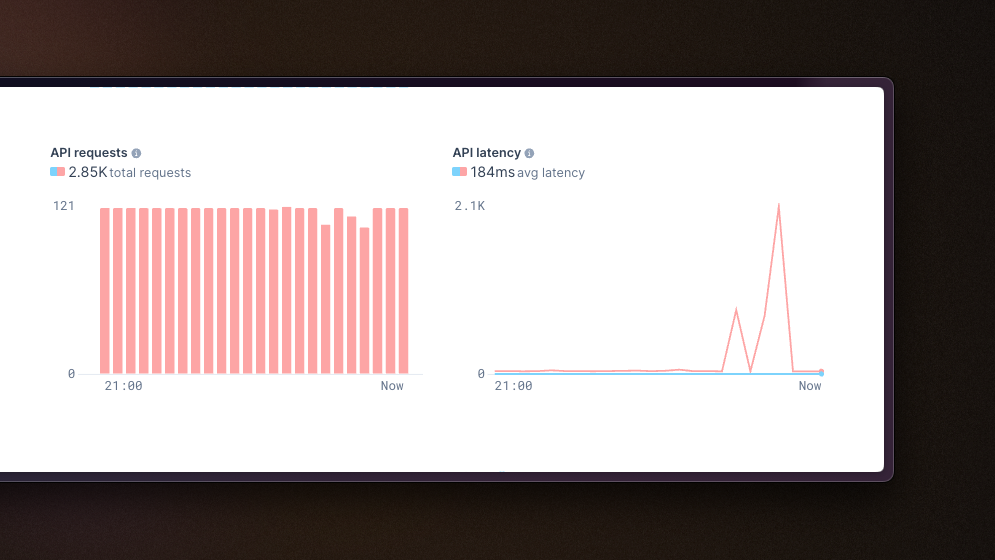
First version of an analytics dashboard for users showcasing some core metrics about your subgraphs. Behind what's visible now (API requests and latency) is a much more robust metrics framework that will allow us to continue adding analytics graphs over time.
 Robinhood
 HyperEVM
 Arc
Arc Solana
 Ethereum
 Polymarket
 Base
Base Tempo
Tempo Bitcoin